
ImageSearchMan – Image Search
v3.73
• Unlocked
| Updated On | |
|---|---|
| Google Play ID | eu.sisik.hackendebug.full |
| Category | Tools |
| Version | 10.8-full |
| Size | 27 MB |
| MOD Features | Unlocked |
| Requires | Android 7.0 |
| Price | |
| $11.99 | |
| Content Rating | |
| Everyone | |
| Internet Required | |
| Unknow | |

Bugjaeger® Premium is an Android debugging and device maintenance tool designed for developers, advanced users, and Android enthusiasts who want deeper control over connected devices. Instead of requiring a computer for every ADB-related task, the app allows many operations to be performed directly from another Android phone. It supports connections through USB OTG and Wi-Fi, providing access to shell commands, device information, logs, files, processes, screenshots, and other maintenance functions. Its feature set is more technical than that of a typical Android utility, so it is mainly suited to users who already understand developer options and USB debugging.
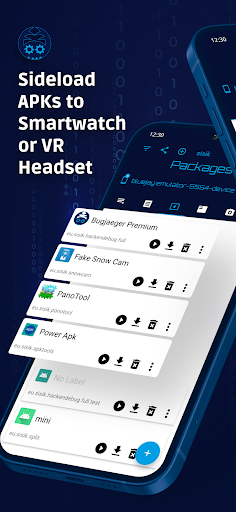
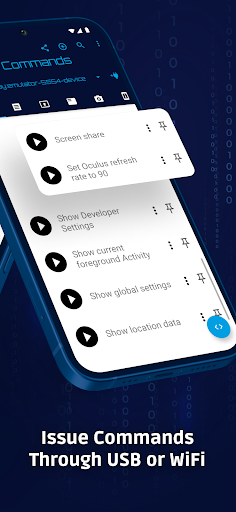
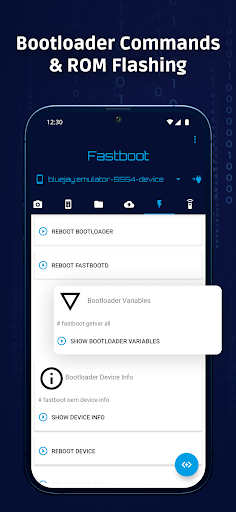
The main purpose of Bugjaeger® Premium is to bring several tools associated with Android Debug Bridge directly to a mobile device. Users can connect a target Android phone and perform commands without relying entirely on a desktop computer. The app supports custom shell commands, interactive shell sessions, package management, device information, process monitoring, and other developer-oriented functions. This can be useful when troubleshooting a device away from a computer or when an enthusiast wants to explore Android internals more closely.
Connectivity is an important part of the experience. For a USB connection, the Android device running the app needs to support USB host functionality, while the target device must have USB debugging enabled and authorize the connection. The app can also communicate with compatible devices over Wi-Fi. This flexibility allows users to choose a connection method based on their equipment and situation.
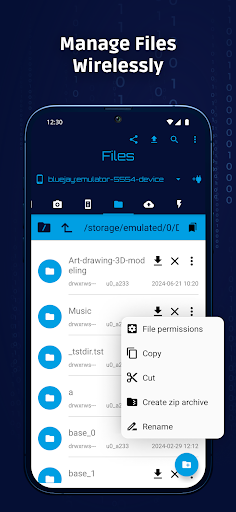
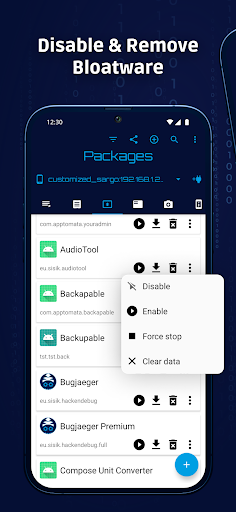
Bugjaeger® Premium provides tools for pushing and pulling files, browsing the file system, installing or uninstalling packages, and viewing information about installed applications. It can also monitor running processes and display additional process details. These functions can help advanced users investigate device behavior or perform maintenance tasks from a mobile interface rather than switching to a computer.
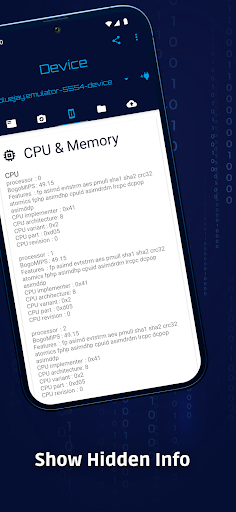
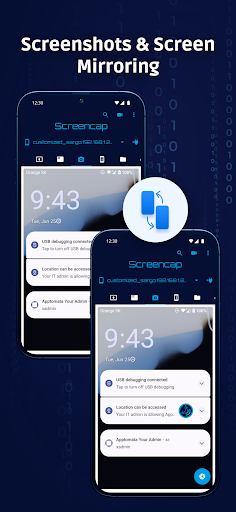
The app can read, filter, and export device logs, while also supporting backup creation, restoration, and inspection. Users can view information related to the Android version, CPU, ABI, display, and battery, including details such as temperature, voltage, and battery health information. Premium features also include unlimited custom commands, unlimited shell commands within an interactive session, unlimited screenshots subject to available storage, screen recording, and options for changing file permissions.
Start by enabling Developer Options and USB debugging on the target Android device. Install and open Bugjaeger® Premium on the device you will use as the control device. Connect the two devices with a compatible USB OTG cable, allow USB access when prompted, and authorize USB debugging on the target phone. After the connection is established, select the appropriate tool for the task you want to perform. For supported Wi-Fi connections, configure the target device and use the available connection settings in the app.
Because many functions can affect system files, applications, processes, or device configuration, users should understand each command before executing it. Bugjaeger® Premium uses the normal authorized Android communication method and does not bypass Android security mechanisms. It is also not a rooting application, and some privileged operations remain unavailable on non-rooted devices.
Bugjaeger® Premium is a powerful utility for users who need Android debugging and maintenance tools without always carrying a computer. Its support for ADB-style commands, shell access, file management, process monitoring, logs, backups, screenshots, and device information provides a broad collection of technical functions. USB OTG and Wi-Fi connectivity add further flexibility for working with compatible Android devices. However, its advanced nature means that beginners should approach system-level commands carefully. For developers, technicians, and experienced Android enthusiasts, the app provides a convenient mobile environment for exploring and managing connected devices.