
ImageSearchMan – Image Search
v3.73
• Unlocked
| Updated On | |
|---|---|
| Google Play ID | com.nexfy.launcher |
| Category | Tools |
| Version | 1.2.9 |
| Size | 0 B |
| MOD Features | Premium |
| Requires | Android 8.0 |
| Price | |
| Free | |
| Content Rating | |
| Everyone | |
| Internet Required | |
| Unknow | |

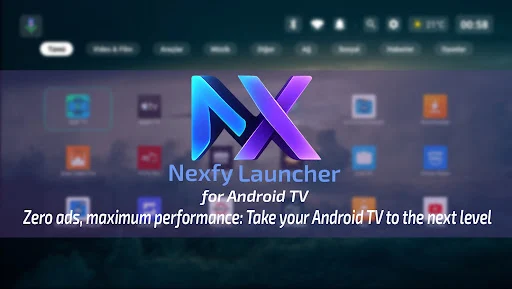
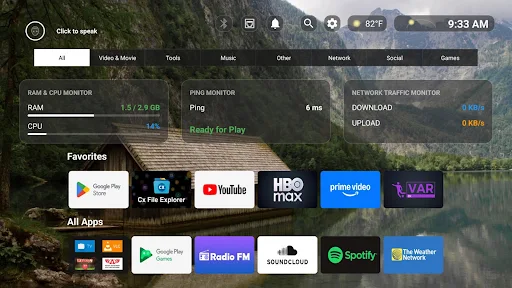
Nexfy Launcher for Android TV is a minimalist home screen designed specifically for Android TV devices. It focuses on fast navigation, a clean interface, customization, and AI-powered tools. Instead of presenting a busy collection of recommendations and shortcuts, the launcher aims to keep essential applications and information easy to access. It also combines voice control, AI chat, weather information, dynamic backgrounds, network monitoring, and favorite app management. With support for standard TV remote controls, Nexfy provides an alternative home screen experience for users who want a simpler and more customizable Android TV interface.
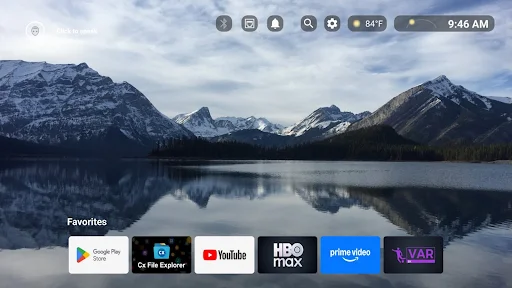
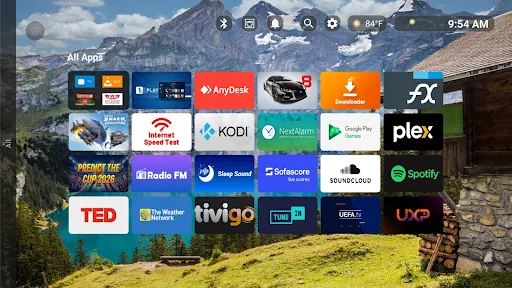
The main purpose of Nexfy Launcher for Android TV is to replace the standard Android TV home screen with a more focused interface. Its design emphasizes simplicity and quick access. Users can pin their favorite applications to the home screen and arrange them according to their preferences. This approach can make frequently used streaming, media, gaming, and utility apps easier to reach.
The launcher is built around remote control navigation. This is important for television interfaces because users generally interact with the screen from a distance. Nexfy also uses the AccessibilityService API to detect remote button presses and support custom button mapping. According to the developer, this service is used for button handling rather than collecting or sharing personal information through the accessibility APIs.
Nexfy is designed to use device resources efficiently. The developer describes it as lightweight and optimized for smooth operation, including on lower-end Android TV boxes. Its resource-friendly structure is intended to reduce unnecessary background CPU and RAM usage.
This focus can be useful for older TV hardware where a complicated launcher may feel slow. However, actual performance can still vary depending on the device, Android TV version, available memory, and other applications running in the background.
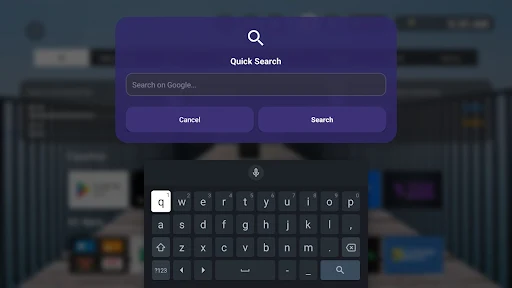
One of the more distinctive features of Nexfy Launcher is its built-in AI functionality. Users can interact with an AI assistant through voice commands from a compatible remote. The launcher can help manage application navigation and also provides access to an integrated AI chatbot.
This feature adds a conversational element to the TV interface. Instead of navigating through multiple menus for every action, users can use voice interaction when supported by their hardware and configuration. The AI functions are particularly suited to users who want more than a traditional application launcher.
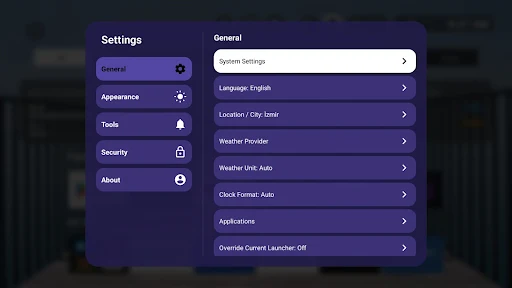
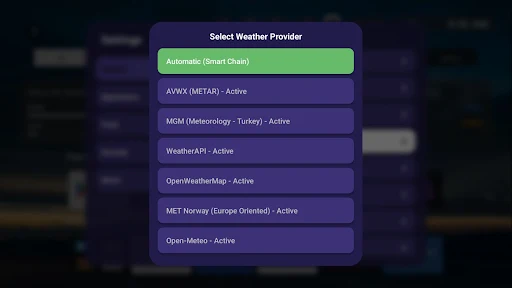
Nexfy includes a multi-provider weather system that allows users to select a preferred weather service. Weather information can therefore become part of the home screen rather than requiring a separate application.
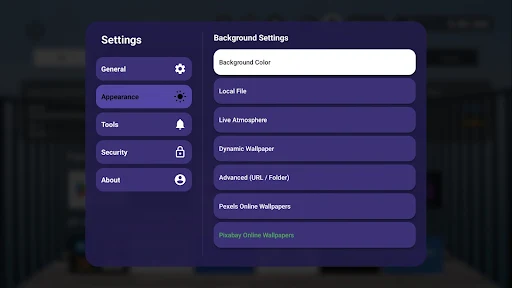
The visual experience can also be customized with live atmospheric backgrounds. These backgrounds can change dynamically and provide a more engaging appearance when the TV is idle. Users can also select images from an extended collection of static wallpapers. This combination allows the interface to remain minimalist while still offering personalization.
For users who frequently stream video or play games through cloud services, Nexfy Launcher for Android TV includes network-related tools. A real-time network traffic indicator can show current network activity, while a ping indicator provides a quick reference for connection latency.
These tools can be useful when investigating streaming interruptions or unusual network behavior. They do not replace dedicated network diagnostic applications, but having basic information directly on the home screen can make it easier to notice connection changes.
Install Nexfy Launcher for Android TV on a compatible Android TV device and configure it as the preferred home launcher. Begin by pinning your most frequently used applications. Then explore the appearance settings to select a background and adjust the home screen to your preferred layout. You can configure weather information and experiment with the available dynamic backgrounds.
If your device and remote support the required functions, explore the AI voice controls and custom button mapping. Network indicators can also be enabled when you want quick access to connection information. It is worth spending some time adjusting the launcher because the minimalist design works best when the home screen contains only the applications and information you actually use.
Nexfy Launcher for Android TV combines a minimalist interface with modern features such as AI voice control, AI chat, multi-provider weather, dynamic backgrounds, and network monitoring. Its focus on remote navigation and resource efficiency makes it particularly relevant to Android TV and TV box users who want a simpler home screen. The launcher is still a relatively new application, so its feature set and stability may continue to evolve through updates. Google Play currently lists version 1.2.3, which includes new widgets and stability improvements. Overall, Nexfy provides a flexible starting point for users who want to customize the way they interact with their Android TV device.