

VPN PotatoVPN – WiFi Proxy
v64.0.1
• Premium
| Updated On | |
|---|---|
| Google Play ID | com.andatsoft.myapk.fwa |
| Category | Tools |
| Version | 4.1.1 |
| Size | 41 MB |
| MOD Features | Premium |
| Requires | Android 8.0 |
| Price | |
| Free | |
| Content Rating | |
| Everyone | |
| Internet Required | |
| Unknow | |

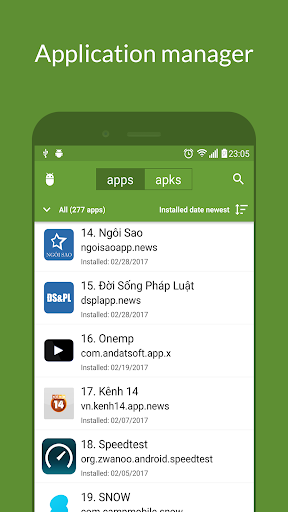
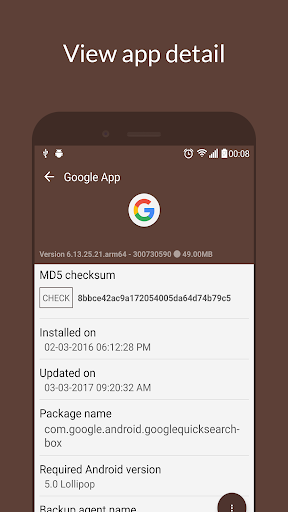
My APK is an Android utility designed for users who want a convenient way to manage APK files and installed applications on their devices. Instead of relying entirely on standard app management screens, it provides a focused environment for working with Android application packages. This can be useful when users need to keep track of installed apps, locate APK files, or prepare application packages for personal backup and management. Its straightforward approach makes it suitable for Android users who regularly work with application files and want greater control over their app collection.
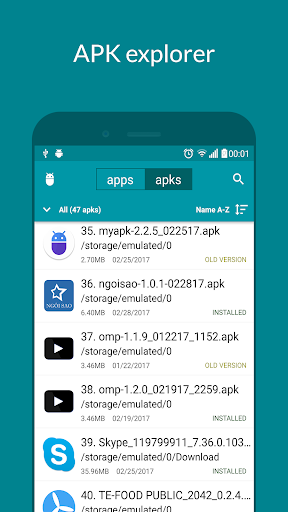
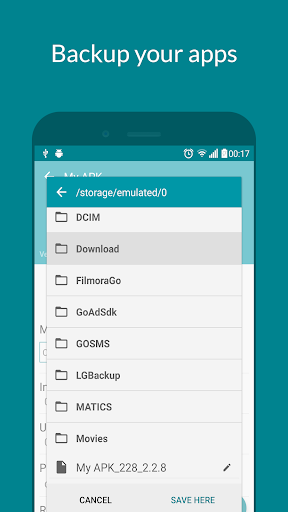
My APK focuses on APK management, making it a practical tool for users who frequently interact with Android application packages. APK files are the installation packages used by Android, and having access to them can be useful for backup, archiving, or transferring applications between compatible devices. The app provides a dedicated environment that can make these tasks easier to organize than using a general file manager alone.
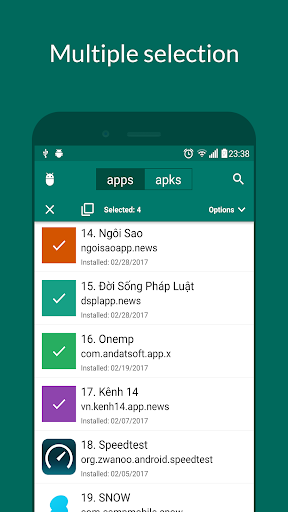
One useful aspect of My APK is its focus on installed applications. Users can browse their app collection and identify applications that may need to be managed as APK packages. This can be convenient when maintaining a personal archive or checking which applications are currently available on a device. A dedicated interface also reduces the need to search through unrelated folders and files.
APK files can be useful for legitimate backup and device-management tasks. The app can provide a convenient way to work with these packages instead of treating them as ordinary documents. Users who regularly install applications manually or maintain older versions may find this approach helpful. However, compatibility can vary between Android versions, application architectures, and package formats.
The main value of the app comes from keeping APK-related tasks in one place. It can help users organize application packages and make them easier to access when needed. This focused design is especially useful for people who manage several applications outside the standard installation process or want to maintain a local collection of packages.
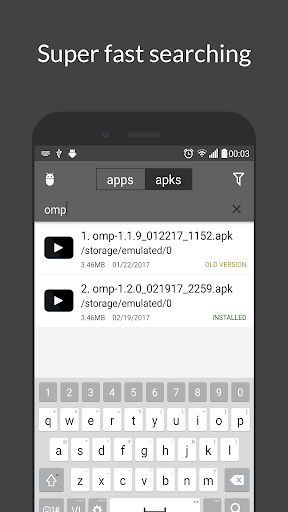
Managing APK files becomes more convenient when users can distinguish them from other files stored on the device. A dedicated APK utility can make it easier to identify relevant packages and decide which ones are worth keeping. This can be particularly useful after changing phones, reinstalling applications, or maintaining a personal software archive.
Casual users may rarely need to handle APK files manually, but advanced Android users often have more reasons to do so. Developers, testers, enthusiasts, and users who manage their own application backups can benefit from a specialized tool. The app can complement a file manager and the standard Android settings rather than completely replacing them.
Start by installing My APK and allowing any necessary file or application permissions requested by Android. Open the app and browse the available application-management options. Depending on the functions supported by the installed version, select an application or APK package to view its available actions.
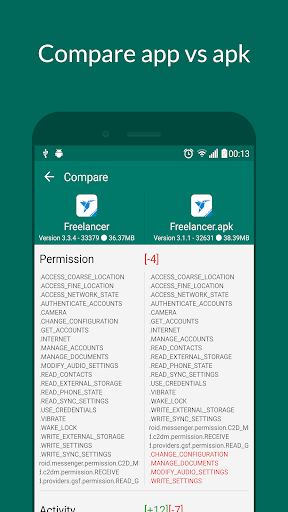
When working with APK files, create a clear folder structure for packages you want to keep. Give attention to application versions so that older and newer files are not confused. If you transfer a package to another device, make sure the target device supports the Android version, architecture, and application requirements.
APK files should also be obtained from trusted and legitimate sources. Installing modified or unknown packages can introduce security and privacy risks. Before opening an APK, users should consider its origin and avoid packages that they cannot verify. Keeping Android and security tools updated provides an additional layer of protection.
My APK provides a focused solution for Android users who need to work with APK packages and manage application files more conveniently. Its practical approach can be useful for organizing packages, maintaining personal backups, and handling applications outside standard installation workflows. While everyday users may not need an APK management tool regularly, developers, testers, and Android enthusiasts can benefit from having these functions readily available. Used with trusted application sources and appropriate security practices, the app can be a useful addition to an Android user’s toolkit.