
VPN PotatoVPN – WiFi Proxy
v64.0.1
• Premium
| Updated On | |
|---|---|
| Google Play ID | com.arlosoft.macrodroid |
| Category | Tools |
| Version | 6.0.11 |
| Size | 86 MB |
| MOD Features | Unlock |
| Requires | Android |
| Price | |
| Free | |
| Content Rating | |
| Everyone | |
| Internet Required | |
| Unknow | |

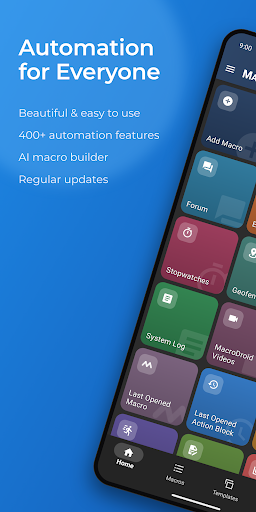
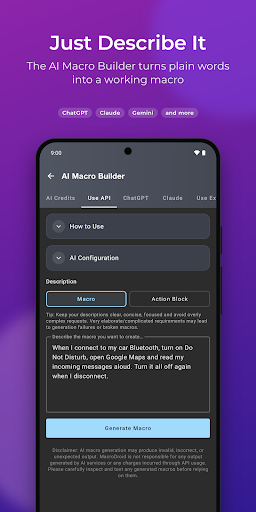
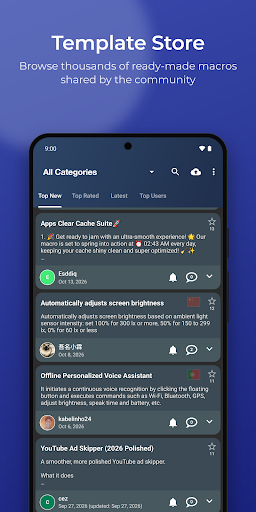
MacroDroid is an Android automation app designed to help users automate repetitive tasks and create convenient device routines. Instead of manually changing settings or performing the same actions every day, users can create automated workflows based on specific triggers and conditions. Its visual approach makes automation easier to understand, while a broad selection of available actions allows users to create simple routines as well as more advanced device behaviors.
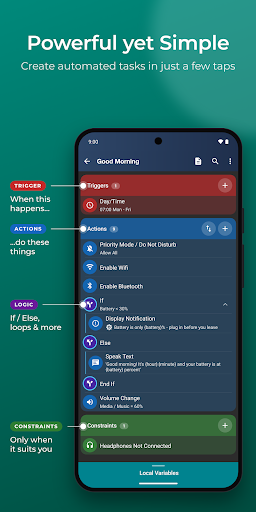
The main feature of MacroDroid is its macro-based automation system. A macro can connect a trigger with one or more actions, allowing the device to respond automatically when a particular situation occurs. For example, a routine can be activated when the device connects to a certain network, reaches a specific location, or receives a particular notification.
This structure makes automation highly customizable. Users can create routines for different situations rather than relying on one fixed configuration. Multiple actions can also be combined within the same macro, allowing a single trigger to start a sequence of related tasks. As a result, the app can be useful for both everyday convenience and more specialized Android workflows.
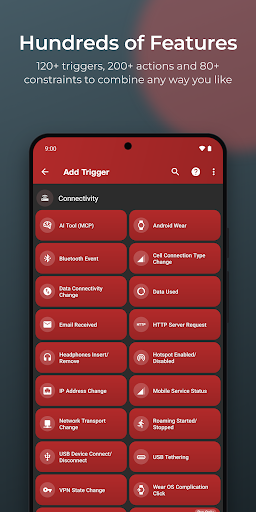
MacroDroid organizes automation around three important components: triggers, actions, and constraints. Triggers determine when a macro should begin, while actions define what the device should do afterward. Constraints can be used to control whether the macro is allowed to run under particular circumstances.
This system provides considerable flexibility without requiring users to write traditional programming code. Beginners can start with straightforward combinations and gradually experiment with more advanced setups. By understanding how triggers and conditions work together, users can create routines that respond intelligently to different device states.
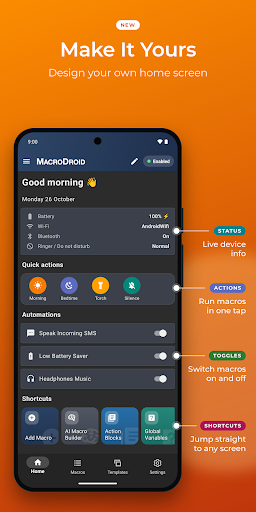
One advantage of MacroDroid is its usefulness in everyday situations. Users can automate selected device settings, manage connectivity-related behaviors, respond to notifications, or perform actions at scheduled times. These routines can reduce repetitive interactions and make common tasks more convenient.
The app can also be used for location-based or event-based automation. For instance, a macro can be designed to perform certain actions after arriving at a particular location or connecting to a specific Bluetooth device. The possibilities depend on the Android version, device capabilities, and permissions available, so some automation features may work differently across smartphones.
Despite offering many automation options, MacroDroid presents its core workflow through a visual interface. Users can select a trigger, choose actions, and configure additional conditions without needing to build a traditional script from scratch. This approach makes the learning process less intimidating for people who are new to automation.
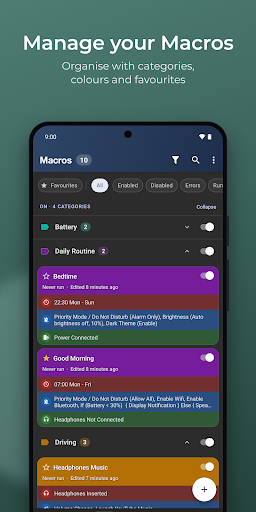
More experienced users can explore combinations of triggers and actions to create sophisticated routines. The ability to organize multiple automation rules also makes it possible to build a personalized system around individual habits. Taking time to name and organize macros clearly can be helpful when managing a larger collection.
When first using MacroDroid, start with one simple automation rather than immediately creating a complicated workflow. Choose a trigger that is easy to test, select one or two actions, and run the macro to confirm that everything behaves as expected. Once the basic structure is understood, additional conditions and actions can be introduced gradually.
It is also important to review the permissions requested by the app and understand what each automation requires. Some functions depend on Android system restrictions or manufacturer-specific settings. If a macro does not work correctly, check its trigger, conditions, permissions, and battery optimization settings before rebuilding the entire routine.
Overall, MacroDroid is a versatile Android automation solution that can simplify repetitive device tasks and create personalized routines. Its combination of visual macro creation, flexible triggers, configurable actions, and conditions gives users considerable control over how their phone responds to different situations. Beginners can start with simple workflows, while experienced users can build more complex automation systems. For Android users who want to make everyday device management more efficient, MacroDroid is a practical tool worth exploring.