home chevron_right Apps chevron_right Communication chevron_right Phone by Google


Speak & Translate All Language
v5.1.0
• Premium
| Updated On | |
|---|---|
| Google Play ID | com.google.android.dialer |
| Category | Communication |
| Version | 247.0.1016877637-pixel |
| Size | 81 MB |
| MOD Feature | Not available |
| Requires | Android 11 |
| Price | |
| Free | |
| Content Rating | |
| Everyone | |
| Internet Required | |
| Required | |

Phone by Google is a communication app developed by Google that makes everyday calling easier to manage on Android devices. Alongside standard calling functions, it offers useful tools such as caller identification, spam warnings, and call screening on supported devices and in eligible regions. With a clean interface and practical features, the app helps users handle incoming and outgoing calls with greater convenience.
Phone calls remain an important part of daily communication, whether you are talking to colleagues, contacting customers, or keeping in touch with family and friends. However, unwanted calls from telemarketers, unfamiliar numbers, and potential scammers can interrupt your routine and make it harder to identify important conversations.
Phone by Google provides a centralized place to manage calls, check recent activity, and access useful calling controls. Its interface is designed to make common actions straightforward, so you can find contacts, review missed calls, and adjust available settings without navigating complicated menus.
Phone by Google is Google’s own dialer application for Android. It brings familiar calling functions together with additional tools designed to make communication more convenient and help users recognize potentially unwanted callers.
The app is available on supported Android devices, although compatibility and feature availability can vary by manufacturer, phone model, Android version, carrier, and region. Some functions may only appear on selected devices or in specific markets.
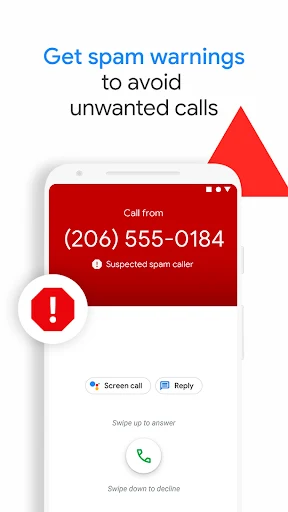
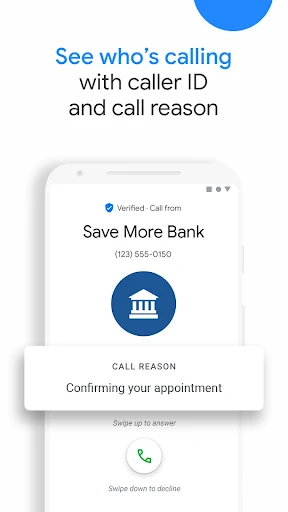
One of the most useful features of Phone by Google is its caller ID and spam protection. When an unfamiliar number calls, the app may display information that helps you recognize a business or warn you that the call could be spam.
You can also report unwanted numbers and block callers you no longer want to hear from. Depending on your device and settings, suspected spam calls may be filtered automatically or marked with a warning. These tools can reduce interruptions, but they cannot identify every suspicious number or guarantee protection against all phone scams.
Not every call from an unknown number is unwanted. A delivery service, business, or service provider may need to contact you even if you have never saved its number.
Phone by Google’s caller identification feature can display the name of certain businesses or other available caller information. This makes it easier to decide whether a call is worth answering. The information shown depends on Google’s available data and should not be treated as definitive proof of a caller’s identity.
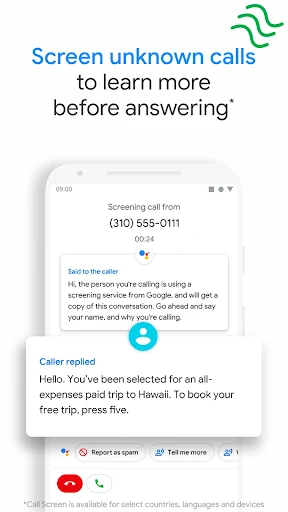
For users with compatible devices and access to the feature in their region, Call Screen can provide another layer of convenience. Instead of answering an unfamiliar call immediately, you may be able to let the assistant interact with the caller and display a transcription of their response.
This helps you understand why someone is calling before deciding whether to answer. However, Call Screen is not available everywhere, and its functions depend on device support, language, and regional availability.
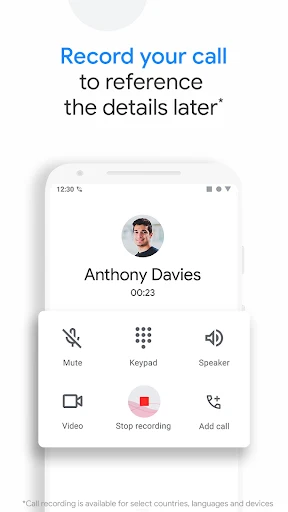
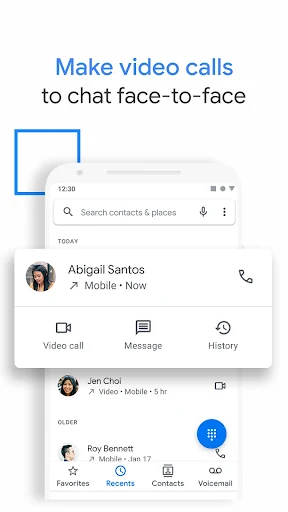
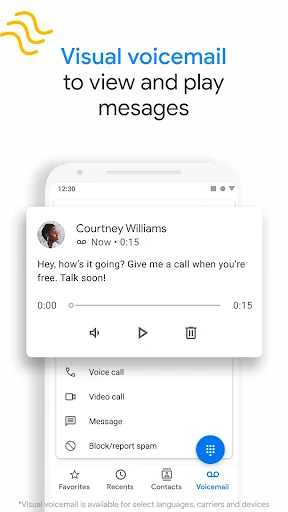
Phone by Google focuses on making essential calling controls easy to access. Its layout typically includes a dial pad, recent call history, contacts, and settings for managing how calls are handled.
The app also supports useful visual options, including dark theme on compatible devices. This can make the interface more comfortable to use in low-light environments, although the appearance and available display settings may depend on your Android system configuration.
You can look for Phone by Google on APKMODY if you want to obtain its APK installation file. Before proceeding, check whether your Android device already has the app installed or whether an update is available through Google Play.
| Step | Installation guidance |
|---|---|
| Visit the website | Open APKMODY in your Android browser and search for Phone by Google. |
| Review the app page | Check the version details, Android requirements, and available download information. |
| Save the APK | Choose the download option and wait for the installation file to finish downloading. |
| Install on Android | Open the APK from your Downloads folder. If prompted, allow your browser or file manager to install apps from that source, then follow the on-screen instructions. |
| Set up calling features | Launch the app and follow any prompts to configure it as your default phone app, if your device supports this option. Review caller ID and spam protection settings afterward. |