home chevron_right Apps chevron_right Communication chevron_right CallApp

AutoResponder for WA
v5.4.3
• Unlocked

| Updated On | |
|---|---|
| Google Play ID | com.callapp.contacts |
| Category | Communication |
| Version | 2.298 |
| Size | 105 MB |
| MOD Features | Premium Unlocked |
| Requires | Android 8.0 |
| Price | |
| Free | |
| Content Rating | |
| Everyone | |
| Internet Required | |
| Required | |

CallApp gives Android users a smarter way to handle incoming calls by identifying unknown numbers, filtering unwanted callers, and recording important conversations. Its combination of caller ID technology, customizable blocking rules, and ARC Call Recording helps make everyday communication more manageable. Discover its main tools, explore the Premium MOD version, and learn how to install CallApp through APKMODY.
Unwanted calls have become a familiar annoyance for mobile users. Advertising campaigns, automated dialing systems, suspicious numbers, and repeated calls from strangers can interrupt work or personal time. Without a reliable way to identify incoming numbers, answering an unfamiliar call may also expose users to unwanted conversations or potential scams.
CallApp brings several call management functions into one application. Rather than relying solely on the default phone interface, users can identify unknown callers, create blocking lists, review call activity, and access call recording tools where supported. These features provide more control over incoming communication and help reduce interruptions from numbers they would rather avoid.
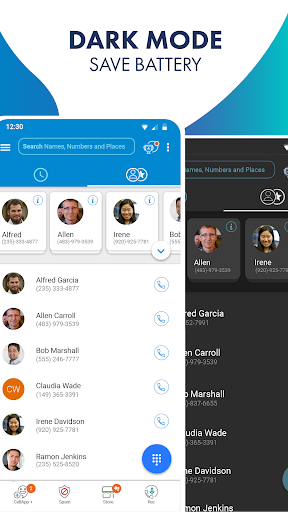
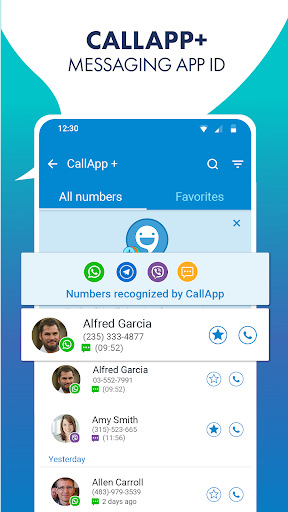
CallApp is an Android communication utility designed to improve the way users manage phone calls. Its main functions include caller identification, spam detection, number blocking, call history management, and call recording. By combining these tools, the application helps users make quicker decisions whenever an unfamiliar number appears on their screen.
The app is particularly useful for people who frequently receive calls from unknown contacts or advertising services. Instead of searching for every number manually, users can rely on its identification database and configure filters according to their preferences. CallApp also supports compatible Wear OS devices, extending certain call-related functions to supported smartwatches.
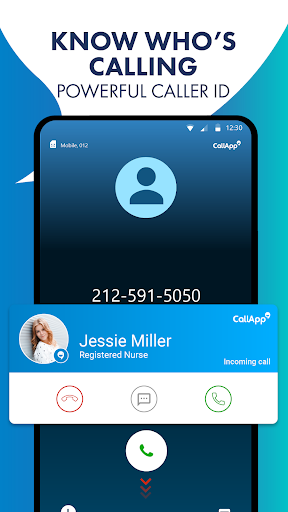
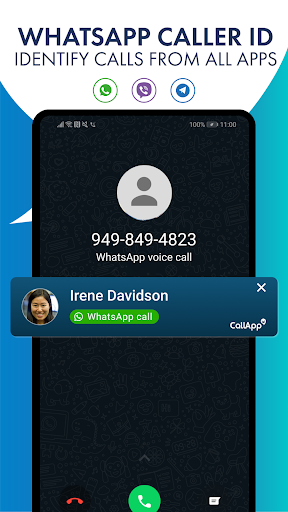
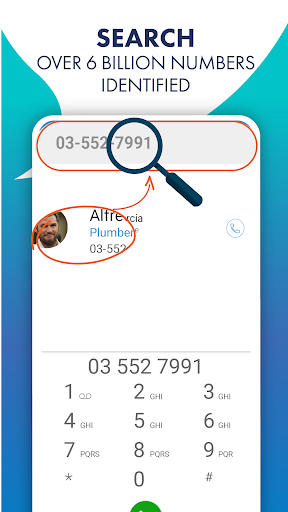
Receiving a call from an unfamiliar number can leave you wondering whether it belongs to a customer, delivery service, advertiser, or potential spammer. CallApp helps resolve this uncertainty through its caller ID feature, which searches available information to identify incoming numbers. When a match is found, the application displays the associated identification details so you can decide whether answering is worthwhile.
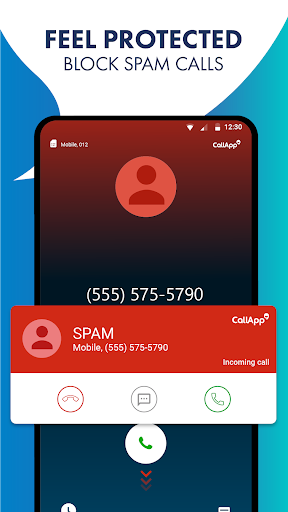
CallApp advertises access to a database containing billions of phone numbers, improving the chances of recognizing unfamiliar callers. It also helps distinguish potential spam and promotional calls from ordinary communication. Identification accuracy may vary depending on the available database information, region, and number being checked, but the feature provides a useful first layer of information before you pick up.
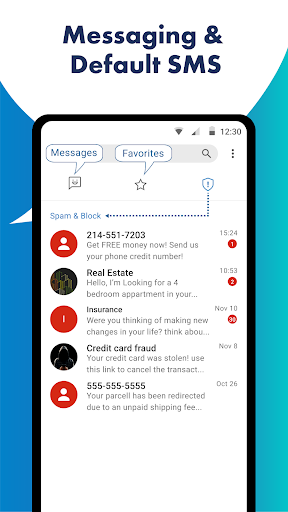
Some phone numbers keep calling even after you have ignored them several times. CallApp addresses this problem with a blacklist that lets users prevent selected contacts from reaching their devices. Add unwanted numbers to the blocking list, and the application can automatically reject matching incoming calls according to the configured settings.
The filtering system also provides flexibility beyond manually selecting individual contacts. Users can establish blocking rules based on supported number patterns or identification criteria, helping reduce repeated interruptions from similar sources. Whether you want to avoid telemarketing campaigns, automated calls, or specific contacts, customizable filters make it easier to maintain a more comfortable calling environment.
Phone conversations sometimes contain information that deserves more attention than a quick listen. You may need to review instructions, remember an appointment, keep track of business details, or preserve a conversation for personal reference. CallApp includes ARC Call Recording to help capture supported calls and retain their audio for later playback.
The recording feature provides options for managing how conversations are captured, including available quality and file settings. Depending on device compatibility and Android restrictions, users may also be able to configure automatic recording for selected calls. Recordings can be stored locally or through supported storage options, making it easier to organize important audio files.
However, call recording availability differs across Android versions, devices, and regions. Always check local laws and obtain the necessary consent before recording another person’s conversation. The feature should be used responsibly and with respect for everyone’s privacy.
CallApp extends its functionality beyond smartphones through compatibility with supported Wear OS devices. This integration gives smartwatch users access to certain call-related features without constantly reaching for their phones. It can be convenient when exercising, commuting, or handling daily tasks where checking a smartphone is less practical.
The exact functions available depend on the connected watch, device configuration, and application version. Users should check compatibility before expecting every smartphone feature to work directly from their smartwatch.
The modified edition of CallApp is intended for users who want to explore additional features without the standard Premium restrictions. Its advertised modification focuses on unlocking paid application functions.
Premium Unlocked: Provides access to Premium features that are normally available through the paid version.
The MOD version has specific account access limitations that users should understand before installing it:
Phone Number Login: Sign in using your mobile number as the primary authentication method.
Google and Facebook Login: Direct sign-in through these services is not supported in the MOD edition.
Existing Google Account: The original version may be needed to establish an account before switching to the modified package, although this workaround is not guaranteed to function across every release.
If you rely on a Google-linked account, avoid uninstalling the original application until you have confirmed that your account and data can be accessed through another supported method. Modified builds may also behave differently from the official release, particularly when account verification or online services are involved.
Getting started with CallApp is straightforward when you select the appropriate package for your device. Use the following download checklist to find the correct release on APKMODY and prepare it for installation.
| Stage | What to do |
|---|---|
| Find the application | Visit APKMODY and search for CallApp using the website’s search function. |
| Select a package | Open the application page and choose the standard APK or MOD edition according to your requirements. |
| Review compatibility | Check the version details, Android requirements, and available release information before proceeding. |
| Save the file | Tap the download option and wait until the installation package has finished downloading. |
| Install on Android | Open the downloaded APK and follow the on-screen prompts. If necessary, grant your browser or file manager permission to install applications from that source. |
| Set up CallApp | Launch the application, review its requested permissions, and configure caller identification and blocking preferences. |
Log in with Phone Number only.
To log in with your Google account, you need to follow these instructions: