home chevron_right Apps chevron_right Productivity chevron_right 3C App Manager


RoutineFlow: Routine for ADHD
v1.0.11
• Premium
| Updated On | |
|---|---|
| Google Play ID | ccc71.am |
| Category | Productivity |
| Version | 1.7.8 |
| Size | 15 MB |
| MOD Features | Unlocked |
| Requires | Android 7.0 |
| Price | |
| Free | |
| Content Rating | |
| Everyone | |
| Internet Required | |
| Unknow | |

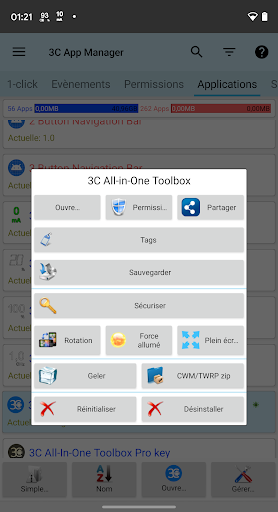
3C App Manager is a powerful Android utility designed for users who want more control over installed applications, app activity, and device resources. Instead of providing only basic uninstall and launch options, it brings together several management tools in one interface. This can make it useful for experienced Android users who want to inspect applications, organize installed software, review resource usage, and adjust selected settings without switching between multiple system menus.
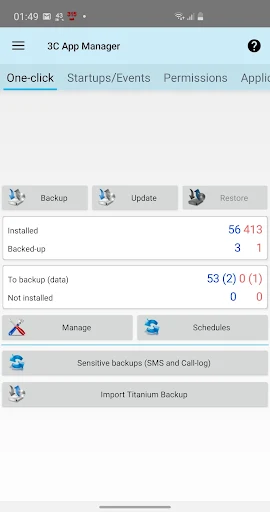
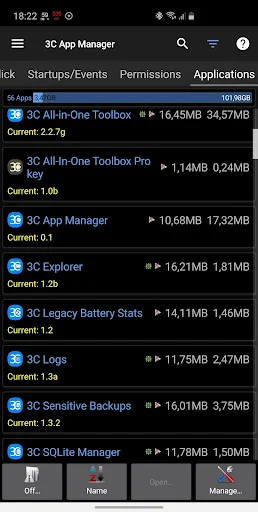
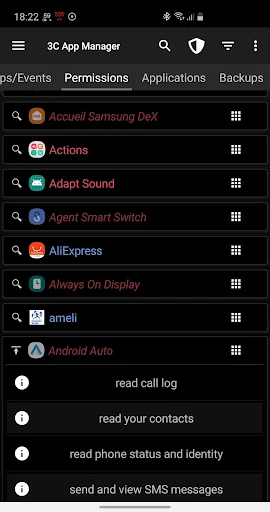
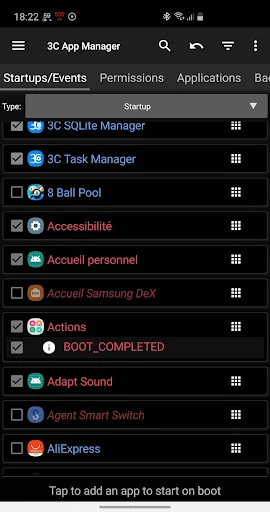
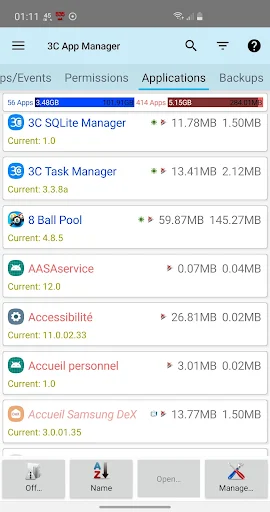
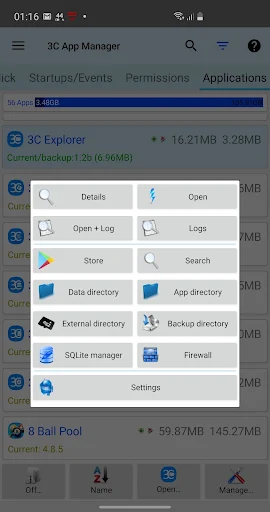
The main purpose of 3C App Manager is to give users a more detailed view of the applications installed on their Android device. Users can browse their app collection, check individual application information, and access available management options. This can be helpful when a device contains many applications and the standard Android settings do not provide enough information at a glance.
Application management is particularly useful for identifying programs that are rarely used. Reviewing installed software regularly can make it easier to remove unnecessary applications and keep the device organized. However, users should avoid changing or removing system components unless they understand their purpose.
Detailed information can help users understand how individual applications interact with the device. 3C App Manager can provide access to different technical details and management functions depending on the Android version and available permissions. This makes the app more suitable for users who want to explore beyond simple application launching or uninstalling.
Understanding application behavior can help users identify which apps are active or consuming resources. Depending on the device configuration, users may be able to inspect information related to application activity, storage, memory, or other system resources. These details can be useful when troubleshooting unusual behavior or deciding which applications need attention.
Not every Android device provides the same level of access. Modern Android versions place restrictions on background activity and sensitive system functions. As a result, some features may require additional permissions, root access, or may not be available on certain devices.
A detailed application manager can also support routine device maintenance. Users can review installed applications, examine their storage usage, and remove software that is no longer needed. Keeping the app collection organized can make it easier to find important tools and reduce unnecessary clutter.
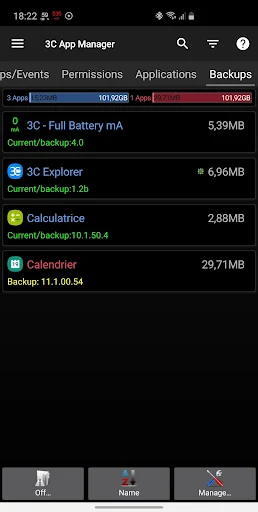
Advanced settings should be used carefully. Changing permissions, disabling components, or modifying system-related behavior can cause unexpected problems if the function is not fully understood. Creating backups before making significant changes is a sensible precaution.
Open 3C App Manager and review the permissions requested during setup. Browse the installed application list and select an app to inspect its available information and management options. Start with basic functions such as reviewing storage or removing applications that you no longer need.
If you want to explore advanced controls, read the descriptions of each option before making changes. Avoid disabling system applications simply because they appear unfamiliar. When troubleshooting a problem, make one change at a time so that it is easier to identify what affected the device.
3C App Manager provides a detailed approach to Android application management for users who want more control than standard system settings typically offer. Its combination of application information, monitoring, organization, and advanced management tools can be useful for technical users and Android enthusiasts. Because some functions can affect system behavior, careful configuration is important. Used responsibly, the app can serve as a practical utility for inspecting, organizing, and maintaining applications on a compatible Android device.