home chevron_right Apps chevron_right Personalization chevron_right Walli


Gamedeck – The Game Launcher
v1.16.1
• Unlocked

| Updated On | |
|---|---|
| Google Play ID | com.shanga.walli |
| Category | Personalization |
| Version | 2.16.4 |
| Size | 51 MB |
| MOD Features | Premium Unlocked |
| Requires | Android 9 |
| Price | |
| Free | |
| Content Rating | |
| Teen | |
| Internet Required | |
| Required | |

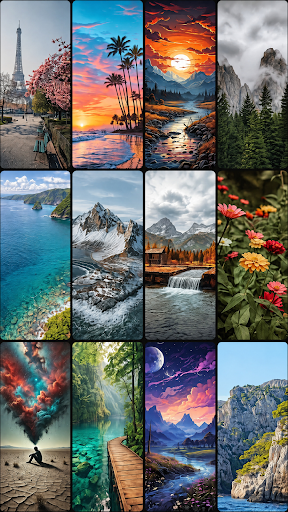
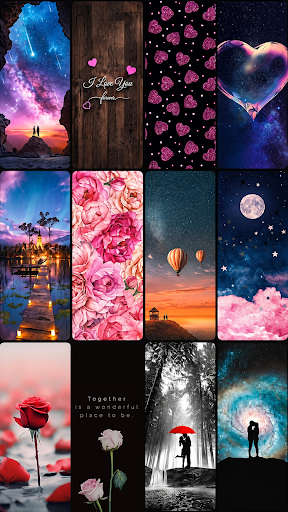
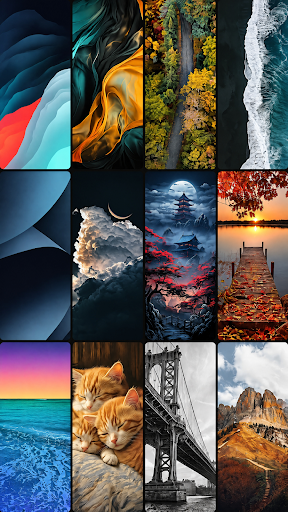
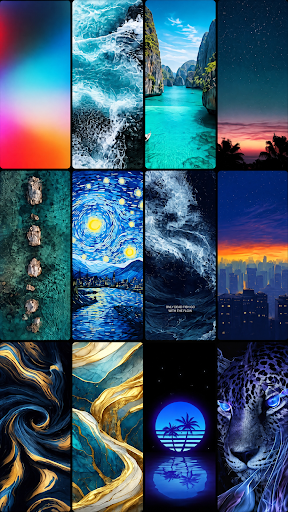
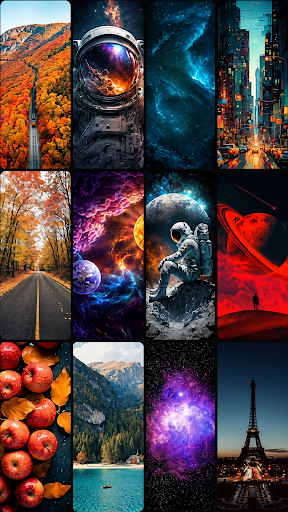
Walli APK transforms ordinary phone screens into personal art galleries with thousands of carefully selected wallpapers. Featuring original illustrations, diverse themes and contributions from talented artists, this app makes customization more exciting than ever. Explore its standout features below and download the latest version through APKMODY to refresh your Android screen.
A wallpaper does more than decorate a phone screen; it also reflects personal taste and creativity. Walli takes this idea further by bringing together original digital artwork from independent creators, giving users an extensive collection of designs to explore.
Walli is an Android application dedicated to artistic wallpapers, offering a convenient way to discover, preview and apply illustrations directly to your device. Rather than relying on ordinary backgrounds, the platform focuses on distinctive artwork created by professional designers and emerging talents.
With a reported community of more than 3 million users, Walli has become a destination for people who enjoy giving their smartphones a more individual appearance. Every visit opens up opportunities to discover fresh visual ideas and find backgrounds that match different moods.
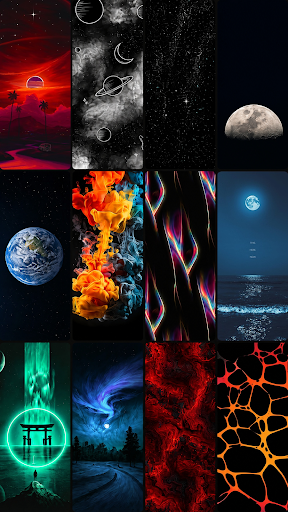
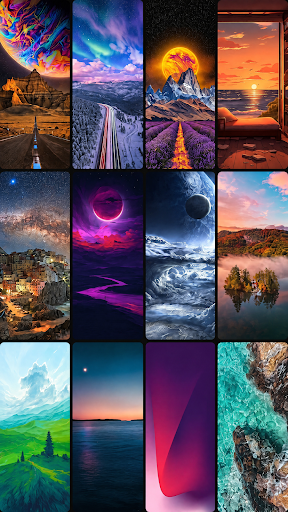
One of Walli’s main attractions is its carefully curated wallpaper collection. The original library features more than 1,500 HD backgrounds contributed by over 80 professional artists worldwide, covering everything from minimalist illustrations to elaborate digital compositions.
New designs are regularly introduced, allowing the collection to evolve alongside different artistic trends. Users can explore these additions, save appealing images and apply their preferred designs without complicated editing. Automatic screen adjustment also helps wallpapers fit different smartphone and tablet dimensions, reducing the need for manual cropping.
Finding a suitable background becomes much easier when artwork is organized into recognizable themes. Walli provides several browsing sections, making it convenient to discover popular designs, newly published illustrations or handpicked recommendations.
The application organizes its main collection into three notable sections:
Recent: Displays newly added wallpapers, helping users discover the latest artwork.
Popular: Highlights backgrounds frequently selected by the community.
Featured: Presents illustrations personally selected by the Walli editorial team.
These sections provide different ways to navigate the library. Whether you prefer following current trends or discovering less familiar designs, you can explore the available artwork without spending too much time searching.
Beyond its main browsing sections, Walli organizes illustrations into numerous categories based on their subjects and artistic approaches. This makes it easier to narrow down the selection when looking for a particular atmosphere.
Some notable themes include street art, typography, inspirational quotes, dark backgrounds, cartoons, horror illustrations, animals, plants, romance, outer space, birds, video games, 3D artwork, vehicles, abstract compositions and humorous designs.
Each category offers a different visual experience, giving users plenty of opportunities to experiment with their home screen and lock screen appearances.
Walli is not simply a storage space for attractive backgrounds. Its connection with independent artists gives the platform a creative identity, allowing users to discover the people responsible for the artwork they enjoy.
The platform collaborates with more than 80 professional artists from different countries, selecting their illustrations for the wallpaper collection. These contributions bring together a wide range of creative perspectives, from imaginative surrealism and atmospheric compositions to playful characters and colorful digital paintings.
Selected designs are presented as exclusive contributions to Walli, helping distinguish its collection from more conventional wallpaper libraries. Each creator brings an individual artistic signature, so users can gradually identify styles that suit their personal preferences.
Exploring artists’ contributions also provides an opportunity to discover new sources of inspiration. Instead of browsing images without knowing their creators, users can become familiar with the artistic styles behind their favorite backgrounds.
For aspiring illustrators, designers and digital artists, this experience can be particularly interesting. Studying different compositions, color combinations and illustration techniques may spark fresh ideas for personal projects and creative experiments.
Walli focuses on making wallpaper discovery straightforward, even for people who rarely customize their devices. Its clean interface keeps the main browsing options accessible while providing a convenient preview experience before applying an image.
The interface uses a minimalist layout that places artwork at the center of attention. Users can move between categories, inspect individual illustrations and explore featured selections without navigating through unnecessarily complicated menus.
Wallpaper previews also help users decide whether a particular design suits their screen. Combined with automatic dimension adjustment, this streamlined process makes personalizing an Android device more convenient.
Another useful aspect is the application’s automatic resizing support. Wallpapers are adjusted to accommodate different screen dimensions, including those found on smartphones and tablets.
This feature reduces the effort required to crop or reposition images manually. Simply choose a design, check its preview and apply it to your device to give the interface a fresh appearance.
For users interested in exploring additional application features, the modified edition offers an unlocked premium experience.
The MOD version comes with the following advertised modification:
Premium Unlocked: Provides access to premium features without following the standard subscription route.
Availability and functionality may vary depending on the application version. Users should also consider the security implications of installing modified APK files and obtain downloads only from sources they trust.
Getting Walli onto your Android device through APKMODY involves a few straightforward steps. Follow this installation sequence to access the wallpaper collection:
Visit APKMODY: Open your mobile browser and access the APKMODY website.
Find Walli: Enter the application name in the search bar and open its download page.
Choose a version: Select the standard APK or MOD edition according to your preferences.
Download the file: Tap the corresponding download option and wait until the APK package is saved.
Install the application: Open the downloaded file. If Android requests permission, allow installation from that source in your device settings.
Launch Walli: Open the app, browse the available artwork and select your favorite wallpaper.