home chevron_right Apps chevron_right Personalization chevron_right Volume Control Panel Pro


Gamedeck – The Game Launcher
v1.16.1
• Unlocked
| Updated On | |
|---|---|
| Google Play ID | leedroiddevelopments.volumepanel |
| Category | Personalization |
| Version | 35.575 |
| Size | 11 MB |
| MOD Features | Premium |
| Requires | Android 6.0 |
| Price | |
| $2.59 | |
| Content Rating | |
| Everyone | |
| Internet Required | |
| Unknow | |

Volume Control Panel Pro is an Android personalization app that replaces the standard system volume panel with a more flexible interface. It gives users control over Media, Ring, Notification, Alarm, Call, and System volume from one customizable panel. The app also includes Theme Studio, a graphic equalizer, audio profiles, stream locking, widgets, shortcuts, and quick controls. Users can customize colors, gradients, images, sliders, icons, text, transparency, and panel layouts. These features make the app useful for people who want faster access to audio settings or a more personalized volume interface. The current Google Play listing shows more than 50,000 downloads and a 4.3-star rating, with the latest version updated in September 2026.
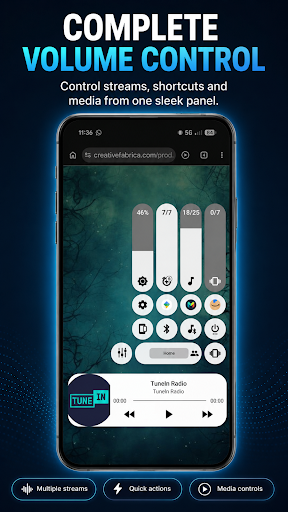
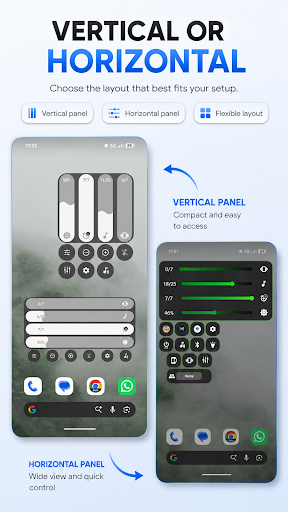
The main purpose of Volume Control Panel Pro is to provide an alternative to Android’s default volume interface. Instead of displaying only a basic slider, the customized panel can provide access to several volume streams and additional device controls.
Users can manage Media, Ring, Notification, Alarm, Call, and System volume from the same interface. The exact controls available can vary depending on the Android version, device manufacturer, active media session, and connected audio equipment.
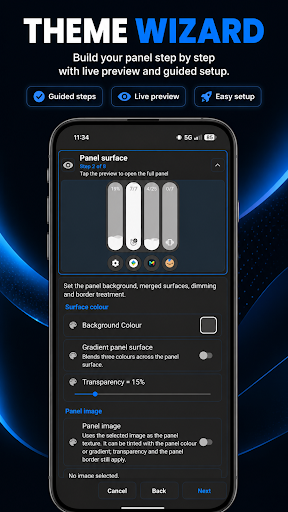
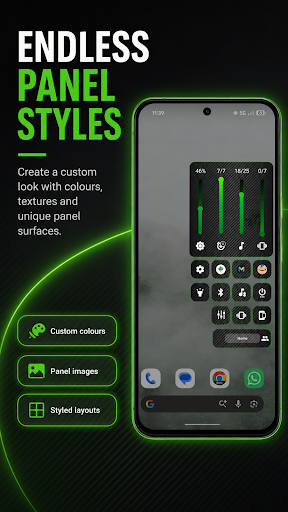
Theme Studio is one of the main personalization features. Users can create a volume panel that matches their wallpaper, system theme, or preferred visual style. The app allows custom images to be used as panel backgrounds. Colors, gradients, transparency, rounded corners, sliders, icons, and text can also be adjusted.
Different layouts are available for portrait and landscape use. Users can choose light, dark, or automatic themes and preview their designs before applying them. Custom themes can also be imported and exported. This makes it easier to save or share personalized configurations.
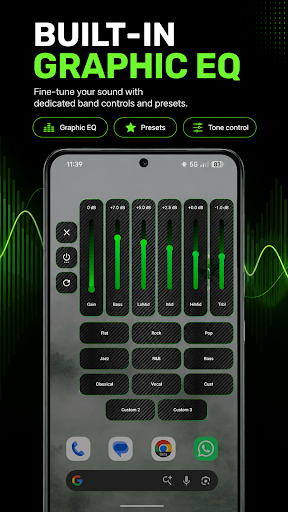
Volume Control Panel Pro goes beyond simple volume management with its built-in Graphic Equalizer. Supported frequency bands can be adjusted to change the character of audio for music, videos, games, and everyday listening. The app also includes an experimental Media Boost feature on supported devices.
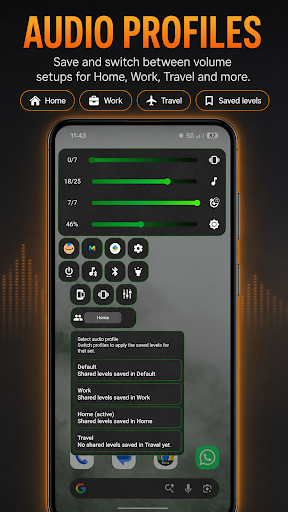
Audio Profiles provide another way to organize sound settings. Users can create or select profiles for activities such as gaming, music, movies, travel, work, or nighttime use. Optional per-app profiles can apply selected audio settings when supported applications are opened. Compatibility can vary depending on the device and audio application.
Stream Locking helps prevent unwanted changes to selected audio levels. Users can lock supported Media, Ring, Notification, Alarm, or Call streams. This can be useful when physical buttons, applications, or accidental touches frequently change volume settings.
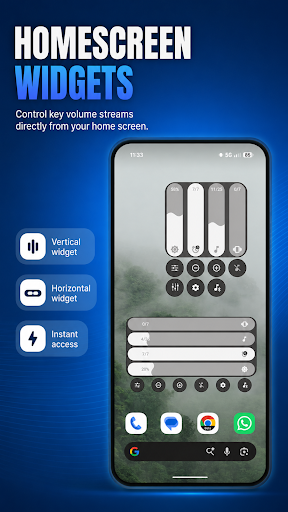
The app also provides several ways to access its controls. These include home screen widgets, launcher shortcuts, Quick Settings tiles, a Floating Trigger, and Volume Button Override where supported. Users can also access media playback, Cast volume, screen brightness, Ring, Vibrate, Silent, and Do Not Disturb controls when available.
Install Volume Control Panel Pro and open the app to begin configuring the volume panel. Follow the setup instructions and enable only the permissions required for the features you want to use.
Start by choosing a panel theme and adjusting its colors, layout, sliders, icons, and transparency. You can then configure individual volume streams and create audio profiles for different activities. If supported by your device, try the Graphic Equalizer to adjust frequency levels.
Users can also add widgets or Quick Settings tiles for faster access. The app’s optional Accessibility Service is used for functions such as volume button detection, the custom panel overlay, Floating Trigger, Volume Button Override, and active-app detection for per-app profiles. The developer states that the service does not read screen text, capture passwords, record audio, or collect personal information.
Volume Control Panel Pro provides a comprehensive collection of tools for customizing Android volume controls. Its Theme Studio offers detailed visual customization, while the Graphic Equalizer and Audio Profiles provide additional control over supported audio output. Stream Locking, widgets, shortcuts, and Quick Settings tiles also make frequently used controls easier to access.
Feature availability can vary between devices and Android versions, so some functions may require specific permissions or hardware support. For users who want more than the standard Android volume slider, Volume Control Panel Pro offers a flexible combination of audio controls, personalization options, and convenient shortcuts in one application.