home chevron_right Apps chevron_right Personalization chevron_right Monet Launcher – Android TV
Gamedeck – The Game Launcher
v1.16.1
• Unlocked
| Updated On | |
|---|---|
| Google Play ID | com.klevico.monet |
| Category | Personalization |
| Version | 1.1.0 |
| Size | 0 B |
| MOD Features | Premium |
| Requires | Android 8.0 |
| Price | |
| Free | |
| Content Rating | |
| Everyone | |
| Internet Required | |
| Unknow | |

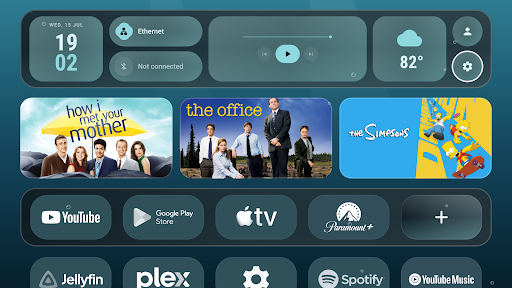
Monet Launcher – Android TV is a customizable launcher designed for Android TV and Google TV devices. It replaces the standard home screen with a cleaner interface focused on remote control navigation, personalization, and visual presentation. The launcher combines Material You styling, dynamic colors, animated wallpapers, customizable app rows, widgets, and screensaver options. It also supports features such as multiple profiles, app folders, PIN protection, and integration with Continue Watching and Live TV. For users who want more control over the appearance and organization of their television home screen, Monet offers a flexible alternative to the default launcher.
The main purpose of Monet Launcher – Android TV is to provide a more personalized home screen for compatible TV devices. The interface is designed around remote navigation, so users can move between applications and sections without relying on touch controls. Apps can be arranged into custom rows, hidden when unnecessary, or organized into folders. Users can also create a favorites dock for quick access to frequently used applications.
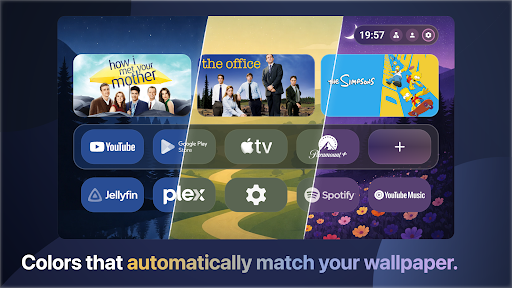
One of the launcher’s defining features is its Material You-inspired visual system. Dynamic colors can adapt the interface to the selected wallpaper. Users can choose accent palettes, custom colors, light or dark themes, and different background styles. The launcher also provides several icon shapes and tile styles. Individual applications can receive custom images, colors, or names, allowing the home screen to feel more personal.
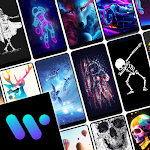
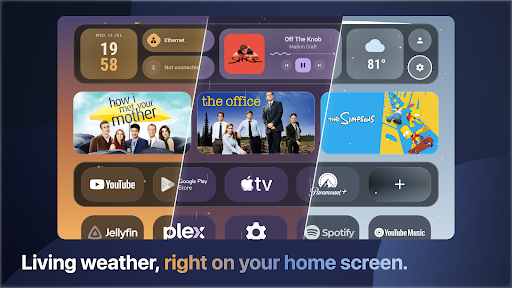
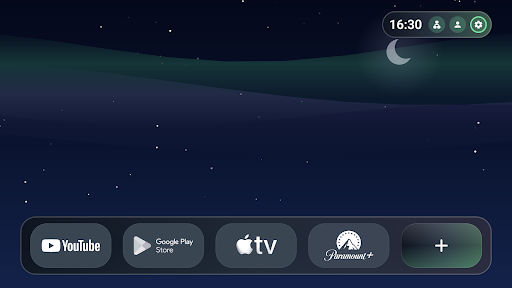
Monet Launcher places strong emphasis on wallpapers. Its animated weather system can display changing skies based on local weather and the time of day. There are also ambient scenes covering themes such as rain, thunderstorms, snowfall, northern lights, deep space, aquariums, and other visual environments. Users can select different moods or use personal photos and videos as backgrounds.
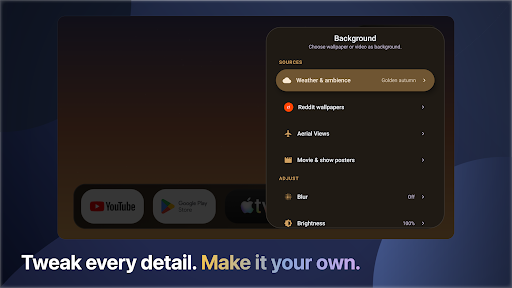
The launcher also supports Aerial Views, Reddit wallpaper sources, and a movie poster mode. Wallpaper controls can include blur, brightness, and rotation settings. These options make the home screen feel less static and can also provide attractive content when the TV is not actively being used.
The home screen can display useful TV widgets, including weather, clock and date information, media controls, and network or Bluetooth status. A compact status bar can also be positioned according to the user’s preferred layout. Animation settings are available for app launching and focus movement.
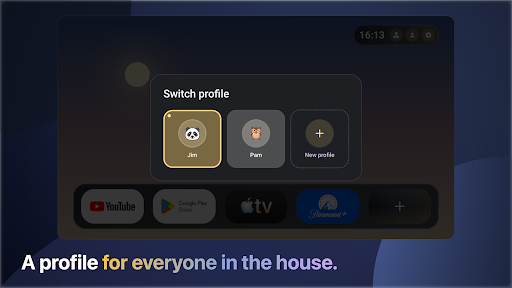
For households with several users, Monet Launcher – Android TV supports up to four profiles. Each profile can have its own layout, wallpaper, and visual style. Individual apps can also be protected with a PIN. The integrated screensaver supports several content sources, including wallpapers, ambient scenes, Aerial Views, Reddit feeds, and personal videos.
Monet is designed to work with existing Android TV and Google TV functions. Depending on the device and installed applications, users can access Continue Watching content, Live TV channels, and HDMI inputs directly from the launcher. An autostart option can also launch a selected application after boot or standby. The official requirements list Android TV or Google TV with Android 8.0 or newer.
Install Monet Launcher – Android TV on a compatible Android TV or Google TV device and set it as the preferred home launcher. Start by arranging the applications you use most often. Create folders or custom rows for categories such as streaming, music, games, or utilities. Next, select a wallpaper and adjust the color theme to match it. You can then add useful widgets, configure the status bar, and select a suitable screensaver. If several people use the same TV, create separate profiles and configure their layouts individually.
Users who want even more customization can explore the available premium options. The core launcher is free, while an optional one-time premium unlock provides additional customization features. The developer also provides an official APK distribution route for compatible devices that are not supported through the Play Store.
Monet Launcher – Android TV provides a feature-rich way to redesign the Android TV home screen. Its combination of dynamic Material You styling, animated weather scenes, customizable rows, widgets, profiles, and screensaver options gives users considerable control over the television interface. Android TV integration also helps keep common media and TV functions accessible from one place. While the large number of customization options may take some time to configure, the launcher is suitable for users who want a more distinctive and organized TV experience. Its Android 8.0+ support also makes it relevant to a broad range of Android TV and Google TV hardware.