home chevron_right Apps chevron_right Personalization chevron_right Gamedeck – The Game Launcher
Super Status Bar – Customize
v2.13.1
• Unlocked
| Updated On | |
|---|---|
| Google Play ID | app.gamedeck |
| Category | Personalization |
| Version | 1.16.1 |
| Size | 15 MB |
| MOD Features | Unlocked |
| Requires | Android 7.0 |
| Price | |
| Free | |
| Content Rating | |
| Everyone | |
| Internet Required | |
| Unknow | |

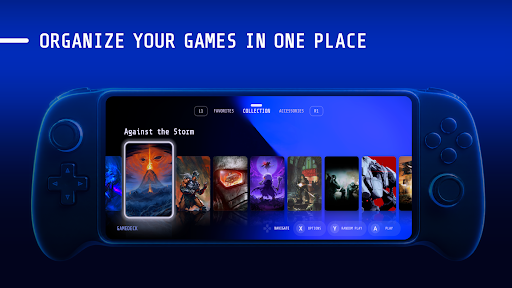
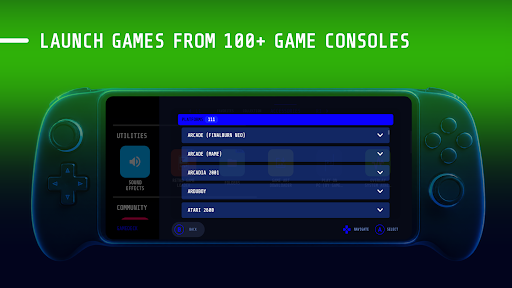
Gamedeck – The Game Launcher is a dedicated game launcher designed to bring installed games into one organized space. Instead of searching through multiple home-screen pages, users can open a specialized interface to access their game library more quickly. This approach is especially useful for people who regularly play several games and want a cleaner, more focused gaming environment on their mobile device.
Modern smartphones can hold dozens of games alongside productivity tools, social networks, and other applications. As a game library grows, finding a specific title can become surprisingly inconvenient. Gamedeck – The Game Launcher addresses this problem by creating a dedicated area for managing and launching games.
Rather than functioning as a separate game store, the app works as an access hub for games already installed on the device. This means users can keep their existing games while gaining a dedicated interface for organizing and opening them. The simple approach makes it suitable for players who want a more focused setup without completely changing how their device works.
The main feature of Gamedeck is its ability to bring installed games together in one interface. Once configured, users can browse their available titles without searching through different home-screen pages. For devices with a large collection, this organization can make the library easier to navigate.
A dedicated launcher can reduce the number of steps required to start playing. Users can open the game library, select a title, and launch it directly. This is particularly convenient for players who frequently switch between different games during the day.
One of the benefits of using a specialized launcher is the separation between gaming and other activities. When users open Gamedeck, the focus is placed on games rather than emails, social media, or work-related applications. This creates a more dedicated environment for entertainment.
As the number of installed games increases, an organized interface becomes increasingly useful. Users can quickly identify the titles available on their device and choose the game they want to play. Reducing dependence on the standard home screen can make everyday navigation more convenient.
The biggest strength of Gamedeck – The Game Launcher is its focused approach. The app does not require users to move their games to another platform. Instead, it provides an additional interface for accessing the games already installed on the device. This makes the concept easy to understand and relatively straightforward to use.
However, the usefulness of a dedicated launcher depends largely on the size of the user’s game collection. Someone with only one or two games may not notice a significant advantage. Players who regularly install and switch between many titles are more likely to benefit from centralized game management.
Device compatibility is another factor worth considering. The overall experience may vary depending on the smartphone, operating system version, number of installed games, and how the system handles launcher applications. Users should also review the available settings to make sure the launcher fits their preferred workflow.
After installing Gamedeck, open the app and complete the initial setup. Check the games recognized by the launcher and arrange the library according to your preferences. Keeping the launcher easily accessible can make it faster to reach your game collection whenever you want to play.
When you want to start a game, open the launcher, find the desired title, and tap its icon. The selected game should then launch directly. After finishing, return to the launcher whenever you want to choose another title. If you decide to stop using it as your primary gaming interface, check the device settings for options to return to the default launcher.
Gamedeck – The Game Launcher is a practical tool for users who want a more organized way to manage and access their mobile games. Bringing installed titles into one dedicated space can reduce the time spent searching for games and make switching between different titles more convenient.
The app is particularly suitable for players with larger game libraries who want a separate environment for entertainment. Although it does not add new games or replace the games themselves, it can improve how users organize and access their existing collection. For anyone looking for a dedicated gaming interface on their mobile device, Gamedeck – The Game Launcher is worth considering.