home chevron_right Apps chevron_right Personalization chevron_right Earth 3D Live Wallpaper

Fonts Keyboard Themes & Emoji
v1.0.62
• Unlocked
| Updated On | |
|---|---|
| Google Play ID | com.screensavers_store.earth3dlivewallpaper |
| Category | Personalization |
| Version | 2.3.6 |
| Size | 86 MB |
| MOD Features | Premium Unlocked |
| Requires | Android 8.0 |
| Price | |
| Free | |
| Content Rating | |
| Everyone | |
| Internet Required | |
| Required | |

Earth 3D Live Wallpaper MOD APK brings the beauty of outer space directly to your Android screen through detailed 3D planetary models and immersive animations. Developed by Screensavers Store, this personalization app lets you admire Earth from space, observe the Moon, and explore other planets without leaving your home. With adjustable camera views, realistic lighting, and premium features unlocked, your phone gets a distinctive cosmic appearance.
You do not need a telescope or a trip beyond Earth’s atmosphere to enjoy the beauty of the solar system. Earth 3D Live Wallpaper offers an interactive way to bring celestial scenery to your device, combining detailed planetary visuals with customizable movement and lighting. Whether you are passionate about astronomy or simply want something different from ordinary wallpapers, the app offers an engaging visual experience.
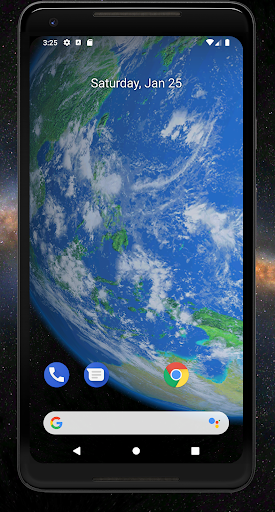
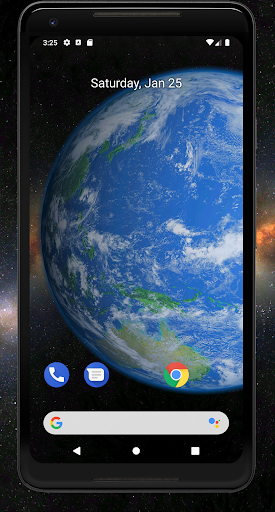
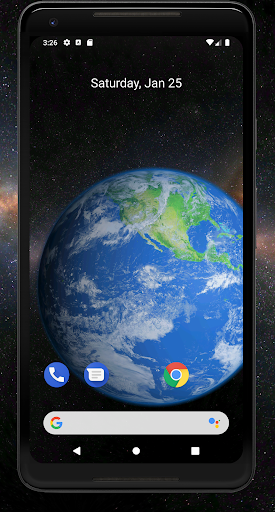
Earth is the main attraction of this application. Its 3D model presents the planet from a space-based perspective, allowing you to appreciate the contrast between blue oceans, green and brown landmasses, white cloud formations, and the thin atmospheric layer surrounding the globe. The detailed rendering makes the planet look impressive against the darkness of space.
Lighting effects add another layer of realism to the experience. The day-and-night cycle shows sunlight illuminating one side of Earth while darkness gradually covers the other. During daylight, you can admire the continents and vast oceans, while the nighttime view reveals glowing patterns from cities across the planet. This changing scenery gives your live wallpaper a more dynamic appearance than a conventional static background.
Earth 3D Live Wallpaper is more than a collection of beautiful space images. It gives you control over how the planet appears on your screen, allowing you to rotate the view and explore different angles. You can adjust the camera position to focus on specific parts of Earth or change the perspective to see the entire globe floating in space.
The zoom function supports magnification of up to 15 times, making it easier to inspect selected areas in greater detail. You can also customize animation speed and brightness to match your preferences. Whether you prefer slow, gentle rotation or more noticeable movement, these settings help you create a wallpaper that feels comfortable to look at throughout the day.
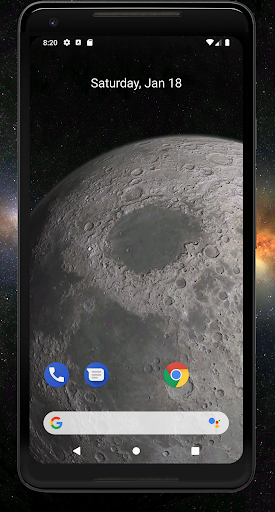
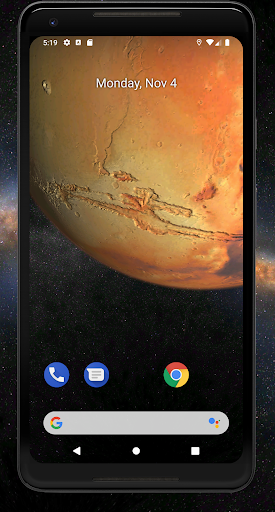
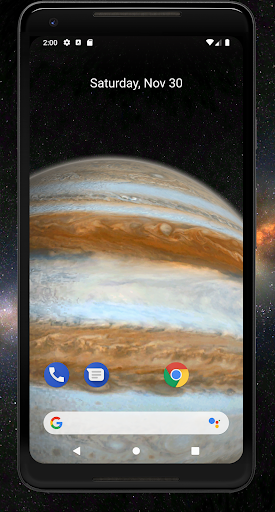
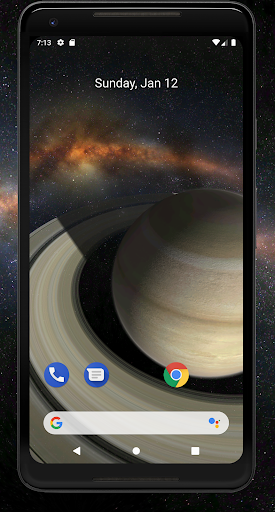
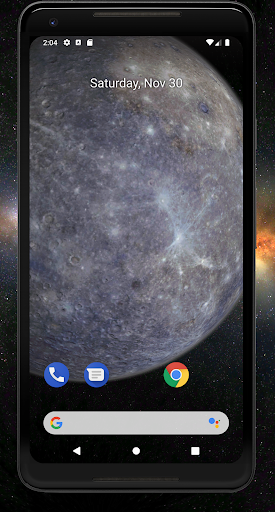
Earth is only the beginning of what this application offers. You can switch between all eight planets in the solar system and the Moon, each represented by its own 3D model. This variety gives astronomy enthusiasts plenty of celestial objects to explore while keeping the experience accessible and straightforward.
Every planet has recognizable surface details and visual characteristics. You can examine lunar craters, observe the enormous Valles Marineris canyon on Mars, admire Saturn’s rings, or look for Jupiter’s famous Great Red Spot. Switching between celestial bodies is simple, so you do not need to navigate complicated menus every time you want to see something different.
The app also lets you rotate and reposition the planets, giving you multiple perspectives instead of limiting you to a single fixed image. Its high-resolution 3D visuals are designed to make planetary details stand out, creating an attractive space-themed background for your device.
The modified version offers an additional benefit for users who want access to the application’s premium content without the usual restrictions.
Premium Unlocked: Unlocks premium features, giving you broader access to the app’s customization options and visual content.
With premium access, you can enjoy more flexibility when personalizing your space-themed wallpaper and choosing how celestial objects appear on your screen.
Give your phone a fresh cosmic look by installing the MOD version through APKMODY. Instead of navigating through multiple pages, use the following route to find the package and set it up:
Find and install the app
Open the APKMODY website on your Android browser.
Use the website’s search function to look up Earth 3D Live Wallpaper MOD APK.
Select the correct result and review its version information and available MOD details.
Press the download link provided on the page. Wait until the APK file has been saved to your device.
Find the downloaded package using your file manager, then tap it to begin installation.
If your device asks for permission to install applications from unknown sources, grant permission to the app you are using for installation and continue.
Once setup is complete, open Earth 3D Live Wallpaper, select your preferred planetary scene, and apply it as your live wallpaper.