home chevron_right Apps chevron_right Personalization chevron_right Digital Clock & Weather Widget
Gamedeck – The Game Launcher
v1.16.1
• Unlocked
| Updated On | |
|---|---|
| Google Play ID | com.sonyericsson.digitalclockwidget2 |
| Category | Personalization |
| Version | 7.0.1.757 |
| Size | 15 MB |
| MOD Features | Unlocked |
| Requires | Android 6.0 |
| Price | |
| Free | |
| Content Rating | |
| Everyone | |
| Internet Required | |
| Unknow | |

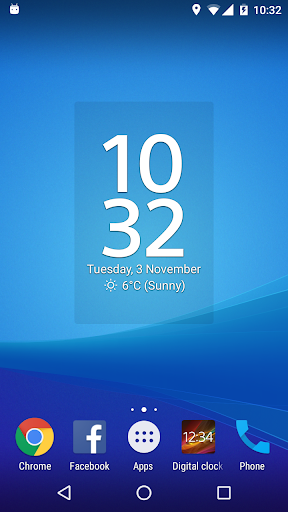
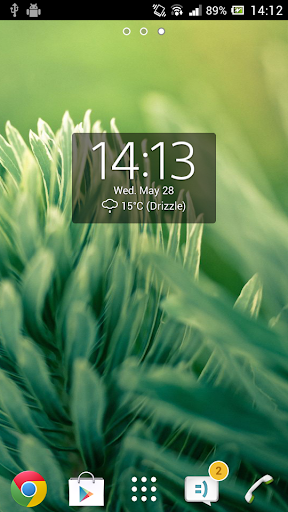
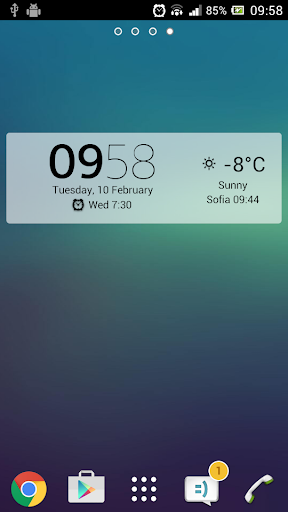
Digital Clock & Weather Widget solves a familiar problem on Android: wanting a good-looking clock on the home screen without installing an entirely new launcher or trading away performance just for one simple widget. The app packs itself into a single clock-and-weather widget, but allows for far more customization than its simple appearance first suggests.
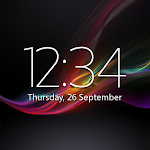
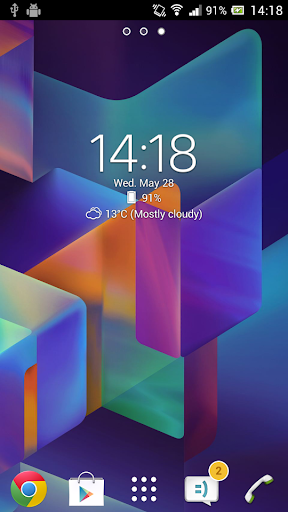
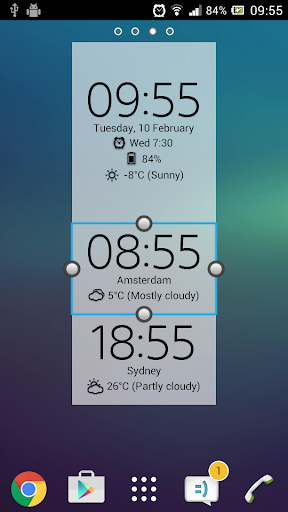
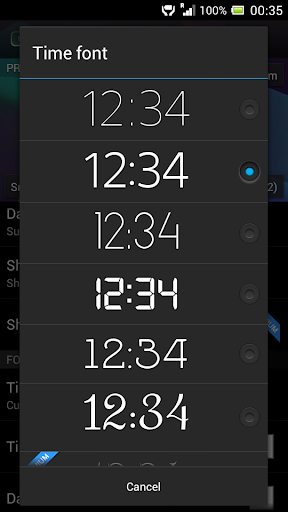
The app is developed by Sunspot Studio and defaults to a look closely resembling the classic home screen clock widget from Sony’s Xperia phones, which isn’t a coincidence given the app’s package name still carries the “sonyericsson” prefix. Digital Clock & Weather Widget supports four widget sizes: small (2×2), big (4×3), wide (4×1), and tall (2×3), along with 18 built-in font choices to match personal preference.
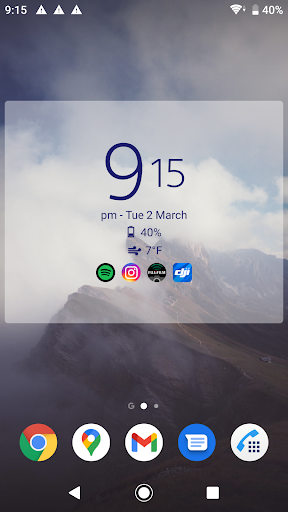
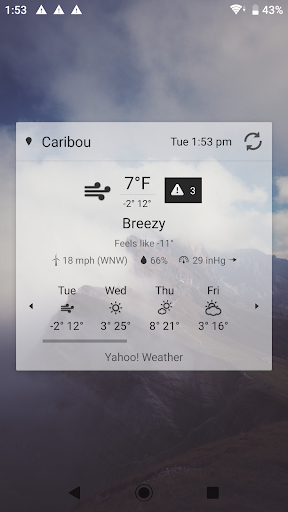
The clock section allows adjusting color, text size, and date format, while the weather section shows location-based information, including forecasts, severe weather alerts, and air quality data. Users can tap different parts of the widget to quickly open an alarm app, a calendar, a preferred weather app, or any app of their choosing, turning the widget into more of a shortcut hub than just something to glance at.
One standout feature is the ability to add up to six tappable app icons directly on the widget, and the app can automatically calculate the six most-used apps through the AccessibilityService instead of requiring manual selection every time. The widget also supports a semi-transparent backplate with adjustable color, helping it blend into a wallpaper rather than sitting as a rigid rectangle on the home screen. Settings can also be backed up and restored, which matters when switching to a new phone and not wanting to redo every customization from scratch. The Premium upgrade unlocks 25 additional fonts, the ability to add a custom user font, and an ad-free experience.
Some user feedback mentions the widget occasionally throwing a “Problem loading widget” error after an update, which the developer recommends fixing by restarting the device. The app also received feedback about not letting users pick 12-hour or 24-hour format separately per clock style, and the developer responded by adding an option to show or hide AM/PM afterward, suggesting Digital Clock & Weather Widget continues to get updated based on real user feedback.
If the widget throws a loading error after an update, restarting the device first is worth trying before looking for a more complicated fix. For anyone who wants the widget to blend with their wallpaper, adjusting the backplate transparency rather than leaving it at default tends to make it look more natural instead of appearing as a separate block on the screen. It’s worth turning on the automatic most-used-apps calculation for anyone whose app habits shift often, rather than keeping a fixed manual list that needs updating later.
Overall, Digital Clock & Weather Widget suits anyone who wants an attractive, flexible clock-and-weather widget without switching to a whole new launcher or installing something heavier. The range of customization, from fonts and sizing to app shortcuts, makes it more versatile than the default clock widget already built into most phones, even with a few minor bugs worth knowing about after updates. It’s worth trying for anyone who likes customizing their home screen without wanting to overcomplicate the process.