home chevron_right Apps chevron_right Personalization chevron_right Chronus
Impulse – Brain Training Games
v1.7.3.3
• Unlocked
| Updated On | |
|---|---|
| Google Play ID | com.dvtonder.chronus |
| Category | Personalization |
| Version | 28.3.1 |
| Size | 14 MB |
| MOD Features | Pro Unlocked |
| Requires | Android 7.1 |
| Price | |
| Free | |
| Content Rating | |
| Everyone | |
| Internet Required | |
| Unknow | |

Chronus APK is a versatile Android widget application that brings essential information directly to your home screen and lock screen. From digital clocks and weather forecasts to calendar events, news updates, stocks, and Google Tasks, everything is organized into convenient widgets. With customizable layouts and optimized resource usage, Chronus helps you access daily information without constantly opening separate applications.
A smartphone home screen can do more than display application icons and wallpapers. Chronus makes everyday information easier to access by combining several practical widgets into one application. Users can check the time, weather, appointments, and headlines without switching between different programs.
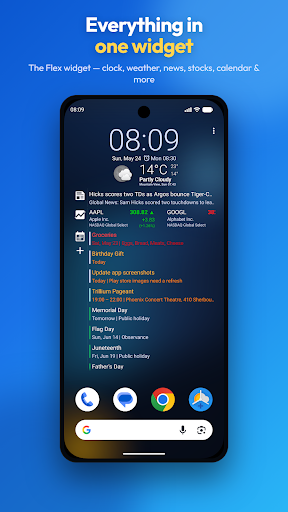
Chronus is a collection of customizable widgets designed for Android devices. It displays frequently needed information through home screen and supported lock screen interfaces, including clocks, weather forecasts, news feeds, Google Tasks, stock information, and calendar events.
Users can choose which components appear on their devices, whether they prefer a simple clock and weather combination or a more comprehensive information dashboard.
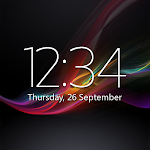
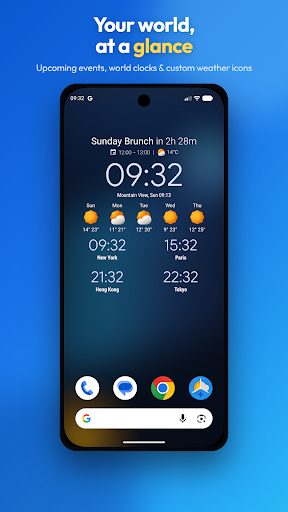
One of Chronus’s main advantages is its ability to display important updates directly on the smartphone screen. The clock widget can show the current time alongside weather conditions, while calendar sections highlight upcoming appointments. News feeds and task widgets provide additional information without requiring separate applications.
You can also prioritize the details you check most frequently, creating a layout that suits your daily routine.
Running several independent widgets may increase resource consumption. Chronus addresses this issue by sharing processing resources and coordinating updates across its components, helping reduce unnecessary CPU activity and data usage.
Users can also disable features they rarely need, limiting background activity. This lightweight approach makes the application suitable for people who want an informative home screen without activating too many utilities.
According to the developer, Chronus supports Android 4.0 and newer versions, although certain functions depend on the operating system and device configuration. Compatibility with third-party lock screen applications is also mentioned for Android 5.0 and later.
Users running the Xposed framework should be aware of potential conflicts with the standard widget system. Check the requirements of your chosen release before installation.
Chronus combines several widget categories with supporting customization tools. Its main features include:
Multiple Clock Widgets: Choose Flex, Flex Analog, Pixel+, Pixel2+, and Clock+ designs, including options with integrated news feeds.
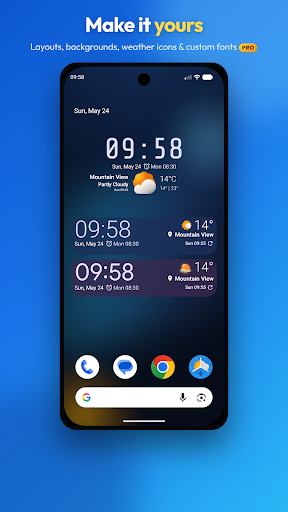
Extensive Customization: Adjust widget appearances and select components to create personalized layouts.
Multiple Weather Providers: Access supported services such as Yahoo!, OpenWeatherMap, Weather Underground Personal Weather Stations, and MET Norway.
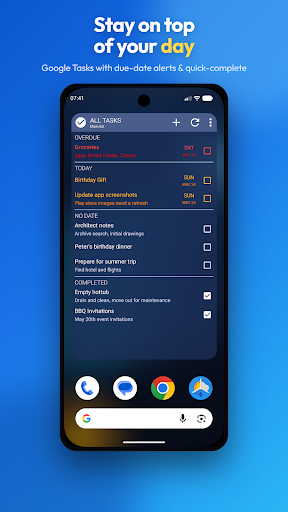
Weather and Event Notifications: View updates about weather conditions, appointments, and pending tasks.
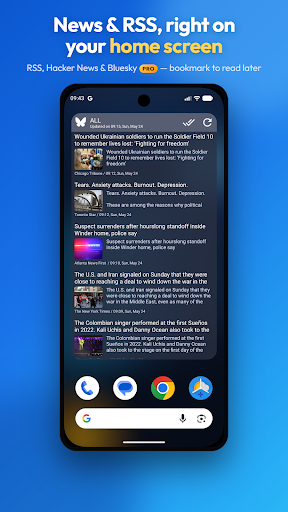
Integrated News Feed: Follow RSS sources, access Pocket content, and read articles through the built-in reader.
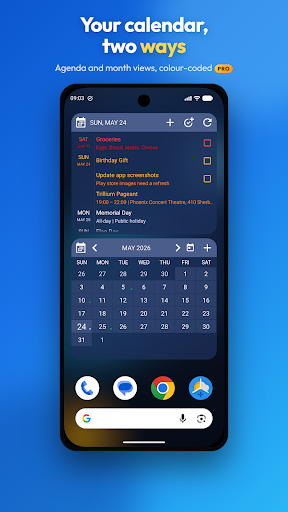
Scrollable Calendar Events: Browse upcoming appointments directly through the widget interface.
Custom Event Highlighting: Emphasize important dates using personalized colors, fonts, and formatting.
Backup and Restore: Save widget configurations and restore your preferred settings.
DashClock Extensions: Integrate supported extensions into Flex and Dash widgets, with additional options in the Pro edition.
Communication Extensions: Display information related to Gmail, missed calls, calendar entries, and messages.
CyanogenMod Weather Support: Access additional weather compatibility through supported configurations.
These tools transform Chronus into a practical personal dashboard rather than just another clock application.
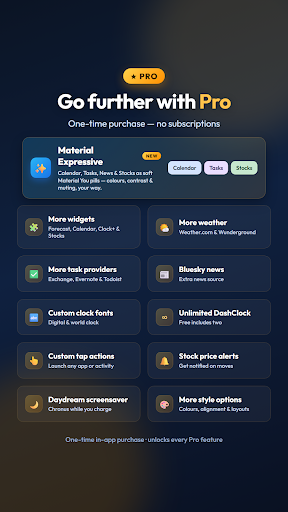
The standard edition includes several useful widgets, while Chronus Pro expands the available customization options and premium components. It is designed for users who want greater control over their information displays.
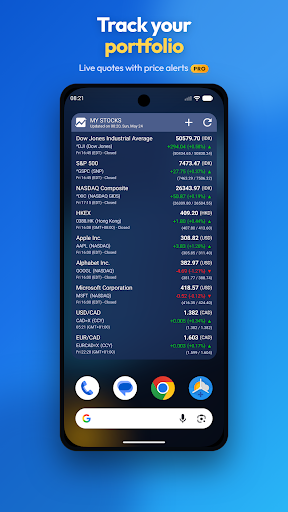
Additional Widget Designs: Unlock Weather Board, Calendar, Clock, Weather Panel, and Stocks widgets.
Custom Widget Actions: Assign applications to open when tapping clock, weather, or calendar sections.
Flexible Positioning: Adjust the alignment of clock and weather components.
Digital and Analog Clocks: Choose between different time display styles.
Monthly Calendar View: Review dates and upcoming activities through a dedicated calendar interface.
Personalized Backgrounds: Modify widget backgrounds to match your wallpaper.
Expanded News Sources: Add supported providers such as Feedly, Twitter, and Reddit.
Sleep Mode: Access a dedicated screen for nighttime use.
Unlimited DashClock Extensions: Integrate additional supported extensions.
Android Wear Compatibility: Access extra functionality through supported wearable devices.
Chronus Wear Integration: Combine Google Fit information with weather forecasts.
These premium additions provide more flexibility for building a personalized information center.
The modified edition offers an alternative for users interested in exploring Chronus’s premium customization tools.
Pro Unlocked: Unlocks the Pro features included in the modified release, providing access to additional widgets and customization options.
Actual functionality may vary between APK versions. Since modified applications are unofficial releases, check their feature descriptions and compatibility details before installation.
Follow these steps to get Chronus running on your compatible Android device:
1. Search for Chronus
Visit the APKMODY website through your mobile browser and enter Chronus in the search field. Open the matching application page.
2. Select an Edition
Review the available information and choose between the standard APK and MOD APK. Check the listed features before making your selection.
3. Download the Package
Access the download section, select the appropriate link, and wait for the APK file to be saved to your device.
4. Allow Installation Permissions
If Android displays a security prompt, open your device settings and grant your browser or file manager permission to install applications from that source.
5. Complete the Installation
Find the downloaded package in your Downloads folder, tap the file, and confirm the installation. Wait for Android to finish processing it.
6. Set Up Your Widgets
Launch Chronus, browse the available widget categories, and select your preferred components. Add them to your home screen and customize their appearance to suit your needs. Before installing, verify compatibility with your Android version and review the requested permissions. Only use APK packages from sources you trust.