home chevron_right Apps chevron_right Personalization chevron_right StandBy Mode: Clock & Widgets


Shaving Sherpa
v1.13.0
• Premium
| Updated On | |
|---|---|
| Google Play ID | br.com.zetabit.ios_standby |
| Category | Personalization |
| Version | 2.3.1.580 |
| Size | 31 MB |
| MOD Features | Unlocked |
| Requires | Android 7.0 |
| Price | |
| Free | |
| Content Rating | |
| Everyone | |
| Internet Required | |
| Unknow | |

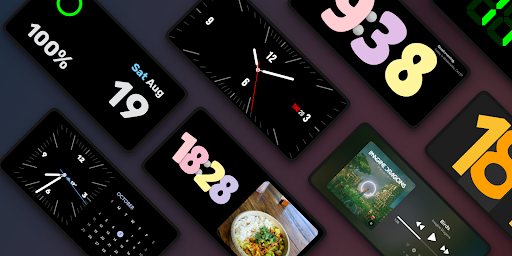
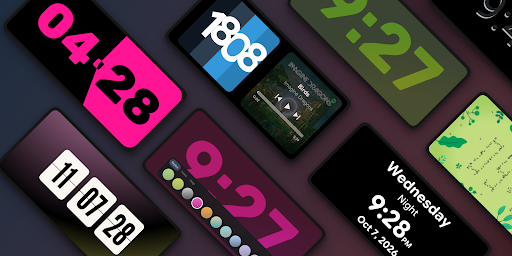
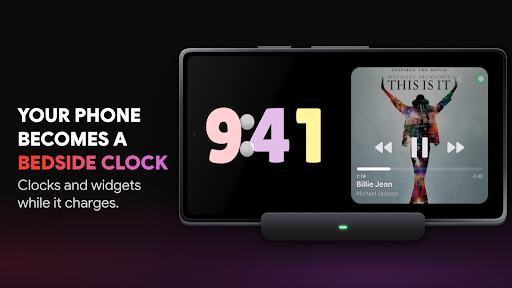
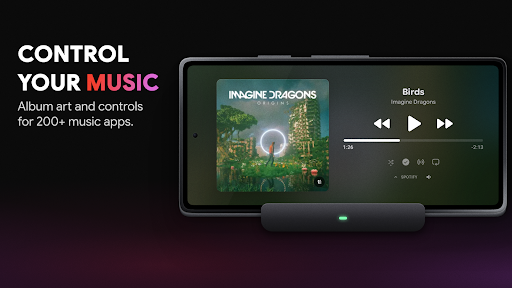
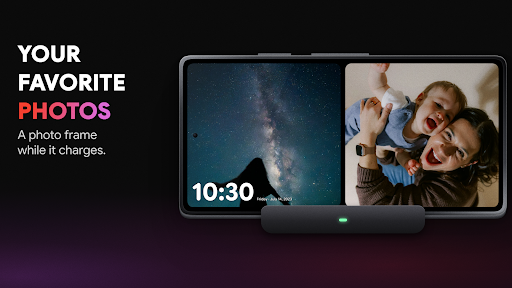
StandBy Mode: Clock & Widgets is an Android app that transforms your smartphone into a smart display while it is charging. Inspired by the StandBy mode on iPhone, the app offers various clock styles, widgets, weather information, music controls, and a photo frame. It is a suitable choice if you want to make use of an old smartphone or a charging device as a convenient bedside or desk clock.
One of the key features of StandBy Mode: Clock & Widgets is its ability to display a StandBy interface when your phone is connected to a charger. When the device is placed horizontally on a desk or stand, the screen can continuously display the time and useful information without requiring you to unlock the phone.
The interface is designed with a modern style that works well on different Android devices. Users can enable automatic activation while charging and limit the mode to landscape orientation, creating an experience similar to using a dedicated desk clock.
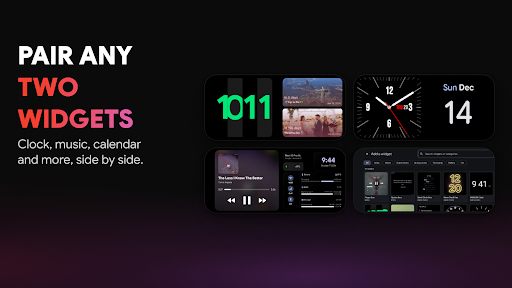
StandBy Mode: Clock & Widgets is not limited to displaying the time. The app supports various widgets that provide information directly on the screen. Depending on the selected layout, you can combine the clock with a calendar, weather information, battery details, or music controls.
The Duo and Quad modes allow the screen to be divided into multiple sections so that different types of information can be displayed simultaneously. This is especially useful when placing your phone on a desk, as you can monitor several pieces of information without opening separate apps.
First, install StandBy Mode: Clock & Widgets on your Android smartphone and grant the necessary permissions. Then, open the app and select your preferred clock style, widgets, and screen layout.
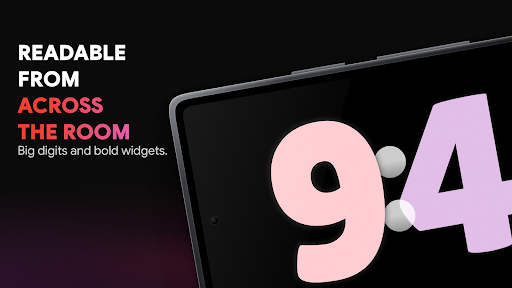
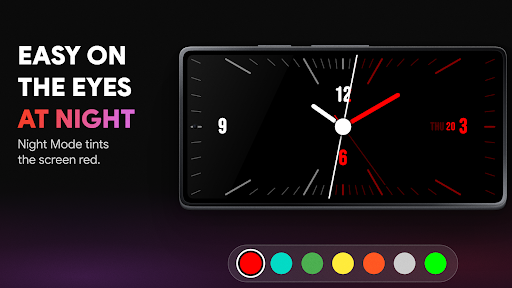
Connect your phone to a charger and place it horizontally on a stand. You can try different clock styles to find the interface that best suits your preferences. If you plan to use the app at night, activate Night Mode and adjust the brightness. For studying or working, the timer and stopwatch can also be useful for managing your time.
StandBy Mode: Clock & Widgets stands out for its high level of customization. The wide range of clock designs and widget options makes it easy to create a StandBy screen that matches your needs. Features such as weather information, calendars, music controls, Photo Frame, and Night Mode also make the app more versatile.
However, the app contains advertisements, and some advanced features may require a Premium upgrade. If you only need a simple clock while your phone is charging, the basic version may already be sufficient. Users who want more widgets and customization options can consider exploring the additional Premium features.
If you want to turn your Android smartphone into a desk clock or information display while charging, StandBy Mode: Clock & Widgets is worth trying. The app combines customizable clocks, widgets, weather information, music controls, a photo frame, and a night mode in one intuitive interface. With its extensive customization options, it is particularly suitable for users who want to make better use of their phone’s screen instead of leaving the device idle while charging.