home chevron_right Apps chevron_right Personalization chevron_right One Shade
Basicone
v1.8.7
• Unlocked
| Updated On | |
|---|---|
| Google Play ID | com.treydev.ons |
| Category | Personalization |
| Version | 18.5.11 |
| Size | 21 MB |
| MOD Features | Pro Unlocked |
| Requires | Android 9 |
| Price | |
| Free | |
| Content Rating | |
| Everyone | |
| Internet Required | |
| Not Required | |

One Shade APK gives Android users complete control over the appearance and behavior of their notification panels. From colorful themes to personalized backgrounds, sounds, and quick settings, the app offers plenty of ways to refresh your device interface. Explore its customization tools below and discover how to make everyday notifications more attractive and convenient.
The standard Android notification panel may look functional, but its familiar layout can become uninspiring after a while. One Shade offers an alternative by letting users redesign this essential part of the interface without replacing the entire operating system or installing a custom ROM.
The application provides tools to modify notification styles, adjust quick settings, select different color schemes, and personalize individual visual elements. Instead of sticking with the manufacturer’s default appearance, you can build an interface that reflects your preferences. Whether you enjoy minimalist layouts, vibrant colors, or darker themes, there are plenty of combinations to explore.
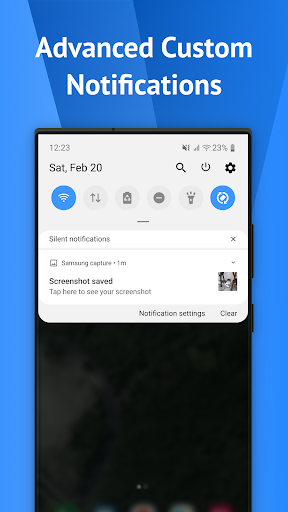
One Shade includes ready-made designs that help you change the appearance of your notification panel without starting from scratch. Simply browse the available presets, select a style that catches your attention, and apply it to give incoming alerts a different visual presentation. Depending on the chosen configuration, the interface can take on a completely new color scheme and layout.
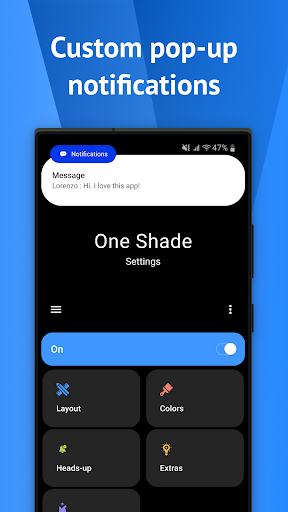
You can also organize notifications according to their sources and preferred display styles. Messages, social networking alerts, application updates, and incoming calls can be easier to distinguish when their visual presentation is properly configured. This approach adds personality to your screen while helping you recognize different types of activity at a glance.
Visual customization is only part of the experience. One Shade also provides options for managing how notifications appear and how you interact with them. Depending on the available permissions and application settings, you can configure notification handling, access messages, and perform certain actions directly from the notification panel.
Quick replies make conversations more convenient by allowing you to respond without navigating through several screens. You can choose to answer immediately, postpone your response, or use predefined messages where supported. These options are particularly useful when you need to handle incoming communication while performing other tasks.
A distinctive notification experience involves more than colors and icons. One Shade lets you customize alert sounds by selecting available audio options or choosing music stored on your device. Assigning a preferred sound helps make incoming alerts feel less repetitive and gives your interface another personal touch.
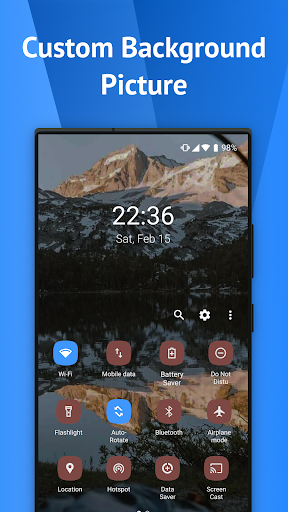
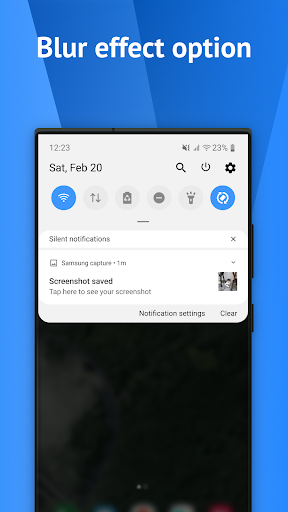
For a more distinctive appearance, you can also use your favorite pictures as notification backgrounds. The application applies a darker presentation to help maintain visibility while displaying notification content. Meanwhile, grouping or managing unwanted application alerts can reduce unnecessary distractions and keep the notification area more organized.
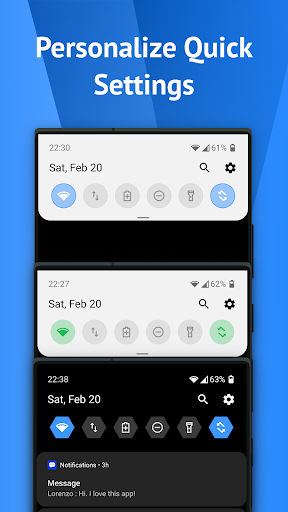
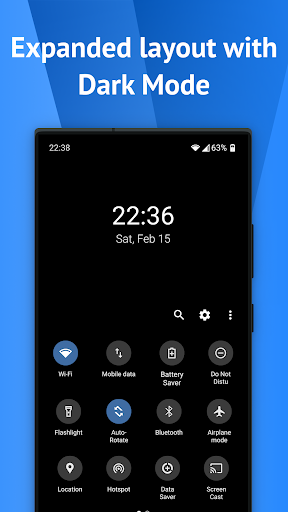
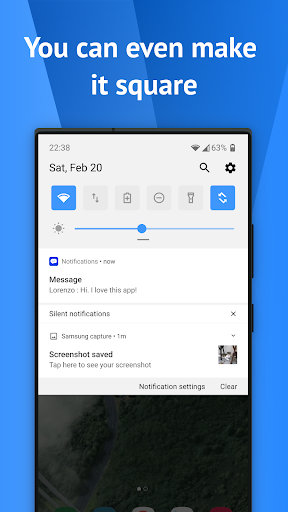
One Shade offers additional adjustments for users who want greater control over the final appearance. You can experiment with notification colors, modify background brightness, and switch between light and dark modes according to your surroundings. A brightness slider makes it easier to find a comfortable display level without changing the entire theme.
These adjustments are useful when moving between different lighting environments. For example, a darker interface may feel more comfortable at night, while a brighter presentation can improve visibility during daytime use. Combining these settings allows you to create a notification panel that looks appealing without sacrificing readability.
Small interface details can make a noticeable difference. One Shade supports different icon presentations, including rounded, square, rectangular, and waterdrop-inspired shapes. You can experiment with these options alongside gradient effects and other visual adjustments to create a more consistent design.
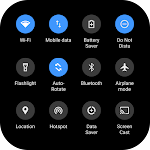
Quick settings also receive attention through customizable layouts and appearance options. By adjusting these elements, you can make commonly accessed controls fit your preferred visual style. Rather than accepting the original Android design, you have more freedom to arrange an interface that feels familiar and comfortable.
The modified edition of One Shade is intended for users who want access to additional customization options without purchasing the premium package separately. It focuses on removing certain restrictions associated with the standard application.
MOD Feature:
Pro Unlocked: Unlocks premium features and customization options for a more complete experience.
Please note that modified APK files come from unofficial sources and may carry security or compatibility risks. Review the requested permissions and scan the installation file before using it.
To experience the available customization tools, you can get the One Shade installation package through APKMODY. Follow these steps to prepare the application on your Android device:
Visit APKMODY: Open the APKMODY website using your preferred mobile browser and search for One Shade.
Choose Your Version: Check the available APK or MOD APK options, then select the package that matches your needs.
Download the File: Tap the download option on the One Shade page and wait until the installation package is saved to your device.
Allow Installation: If Android requests permission, enable installation from the relevant unknown-source option for your browser or file manager.
Complete Setup: Open the downloaded APK, follow the installation prompts, and launch One Shade when the process finishes.