home chevron_right Apps chevron_right Personalization chevron_right Nova Launcher
Volume Control Panel Pro
v35.576
• Premium
| Updated On | |
|---|---|
| Google Play ID | com.teslacoilsw.launcher |
| Category | Personalization |
| Version | 89700 (8.9.7) |
| Size | 36 MB |
| MOD Features | Prime Unlocked |
| Requires | Android 8.0 |
| Price | |
| Free | |
| Content Rating | |
| Everyone | |
| Internet Required | |
| Not Required | |

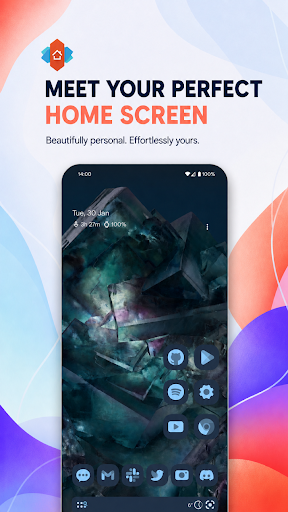
Nova Launcher MOD APK gives Android users greater control over their home screen through extensive layout options, icon customization, and convenient navigation tools. Whether you prefer a clean minimalist interface or a personalized design filled with widgets and shortcuts, the launcher makes it easy to shape your device around your habits. With the Prime Unlocked feature, you can also explore premium customization options without the usual restrictions.
One of Android’s biggest advantages is the freedom to customize its appearance and functionality. Instead of sticking with the default home screen, you can install a third-party launcher to change how applications, widgets, folders, and menus are displayed.
Nova Launcher is a popular option that replaces the standard home screen with a flexible interface. It allows you to adjust icon arrangements, scrolling behavior, app drawer layouts, and other visual details without changing your Android operating system.
Nova Launcher combines visual customization with practical tools for organizing applications. Its main features include:
Personalize Icons And Overall Appearance
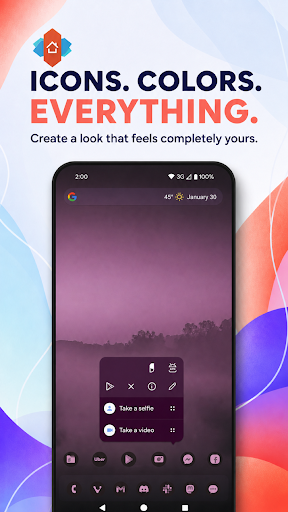
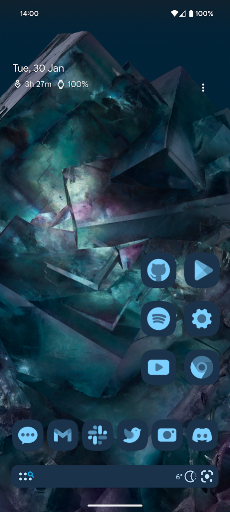
Apply compatible icon packs to give applications a consistent appearance, from colorful artwork to minimalist designs. You can also adjust icon sizes, label visibility, folder styles, and home screen grids to create a layout that matches your preferences.
Switch Between Light And Dark Themes
Choose between light and dark appearances to suit different environments. Depending on the version, you can switch themes manually or configure automatic changes through available system settings.
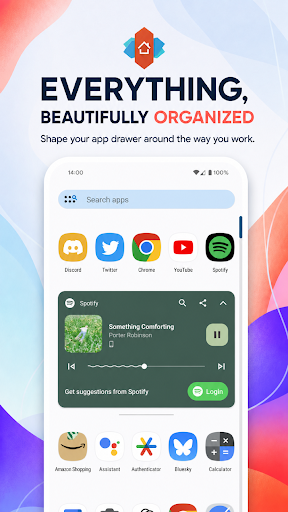
Organize Applications With A Flexible App Drawer
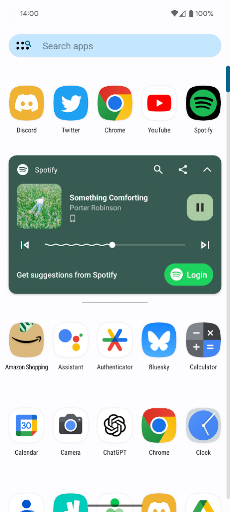
Nova Launcher offers vertical or horizontal scrolling, adjustable grid sizes, and custom folders to simplify application management. You can group games, productivity tools, and social platforms to find frequently used apps more quickly.
Arrange Widgets And Icons With Subgrid Positioning
Subgrid positioning provides greater control over where icons and widgets appear. Rather than following standard grid cells, you can arrange interface elements more precisely, improving spacing and making better use of your screen.
Enjoy Smooth Navigation And Responsive Performance
The launcher provides fluid transitions and responsive navigation when moving between home screen pages, opening folders, or accessing the app drawer. Actual performance depends on your device specifications and animation settings.
Save Your Layout With Backup And Restore
Backup and restore tools help preserve your preferred home screen configuration. You can save launcher settings and restore them after reinstalling the application or changing devices. Keep a separate copy of important backup files to avoid losing your setup.
The free edition already offers useful customization tools, while Nova Launcher Prime introduces additional controls for users who want greater flexibility.
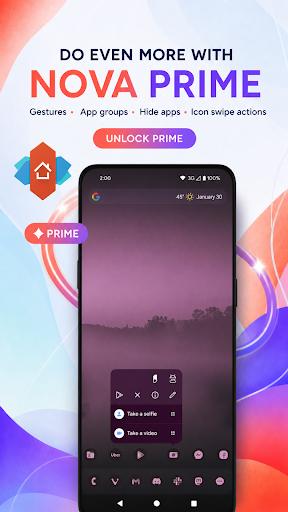
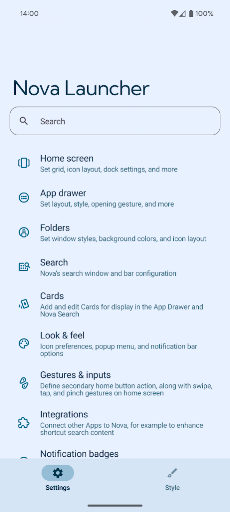
Prime introduces customizable gestures such as swiping, pinching, and double-tapping. You can assign these movements to open applications, access launcher functions, or activate shortcuts, reducing the steps needed to perform everyday actions.
Organize installed applications into custom tabs and folders instead of browsing one long list. For example, you can create separate categories for entertainment, communication, work, and utilities to make navigation more convenient.
Prime allows you to hide selected applications from the main app list without uninstalling them. This helps reduce clutter when your device contains programs you rarely use. Note that hiding an application does not protect its data or restrict access through other methods.
Configure supported gestures on home screen icons and folders to trigger specific actions. This provides quicker access to frequently used applications and launcher commands.
Prime also offers extra customization options, including additional scrolling effects and unread-count indicators for supported applications. Feature availability may vary depending on the launcher version and Android compatibility.
The modified edition focuses on making Prime customization tools accessible through an unlocked feature.
Prime Unlocked: Provides access to supported premium features, including additional gesture controls, app drawer organization, and other Prime customization options.
This edition allows users to explore more launcher settings. However, modified APKs are unofficial builds, so compatibility, updates, and certain functions may differ from the original release.
Yes. After installation, you can select Nova Launcher as your default home application. Your device will then use its interface whenever you return to the home screen. You can switch back through Android’s default app settings.
Nova Launcher’s backup and restore function helps save and recover your preferred configuration. Create a backup before reinstalling the launcher or changing devices. Some widgets and shortcuts may still require manual setup afterward.
Nova Launcher supports many Android devices, but compatibility depends on the operating system version and application requirements. Certain features may also behave differently across manufacturers, so check the package information before installing.
Ready to give your Android home screen a different appearance? APKMODY offers access to Nova Launcher APK and its modified edition. Follow these steps to prepare your device:
Find The Launcher: Visit APKMODY using your Android browser and search for Nova Launcher.
Choose A Package: Review the available APK and MOD versions, including their features and compatibility information.
Download The File: Select your preferred package and wait until the installation file is saved to your device.
Review Installation Permissions: If Android blocks the process, allow your browser or file manager to install applications from that source, provided you trust the file.
Complete The Setup: Open the APK, follow the installation prompts, and launch Nova Launcher when finished.
Customize Your Home Screen: Set it as your default launcher and start adjusting icons, widgets, folders, and other interface settings.