home chevron_right Apps chevron_right Communication chevron_right Tevegram

Quetta – Video Private Browser
v2.2.1
• Unlocked
| Updated On | |
|---|---|
| Google Play ID | cassian.telegram.ooa.pro |
| Category | Communication |
| Version | 3.5.13 |
| Size | 0 B |
| MOD Features | Premium Unlocked |
| Requires | Android 7.0 |
| Price | |
| Free | |
| Content Rating | |
| Everyone | |
| Internet Required | |
| Required | |

Tevegram MOD APK offers an alternative way to access Telegram on a larger screen. Developed by clapps, Tevegram: Telegram for TV is a third-party application designed specifically for Android TV devices and TV boxes. It is available through Google Play and the App Store in supported regions, making it easier to bring your conversations and shared media into your living room.
Tevegram is intended for smart TVs and TV boxes that support its operating system and app requirements. A conventional television without a compatible TV box cannot install the application directly, as it lacks the necessary app installation features.
The app is designed to work with a wide range of TV models and TV boxes. However, compatibility may vary depending on the device. Some models do not properly support mouse or touchpad input, so navigating with the standard remote control may be a more practical alternative.
Although its primary purpose is TV use, Tevegram may also run on compatible phones or through an emulator. This gives users another way to access the interface before projecting their screen onto a television.
Tevegram is not necessarily available in every country or territory. If the app does not appear when you search for it on Google Play or the App Store, regional restrictions may be the reason.
Availability can also affect certain account-related functions. For example, if you cannot receive a verification code through your phone number after installing the application, the service may not be supported in your location. Check the app’s availability and regional requirements before attempting to sign in.
Unlike the official Telegram app, Tevegram does not provide an option to register a new account. You must already have a Telegram account and access to another device where you can receive the login verification code.
When opening Tevegram for the first time, enter the phone number associated with your Telegram account, including the correct international dialing code. Double-check the number before proceeding to avoid login errors.
Next, check your Telegram session on another device for the verification code. Enter the code into the field displayed by Tevegram to complete authentication. Once the process is successful, your existing conversations and account information should become accessible through the TV interface.
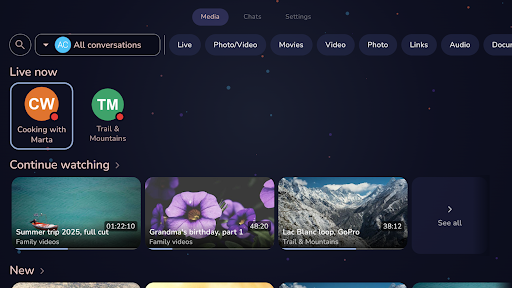
Tevegram keeps its interface relatively straightforward to make navigation easier on a television screen. Its main menu contains four sections: Chats, Media, Settings, and Premium. Each one serves a different purpose, from managing conversations to adjusting the app’s behavior.
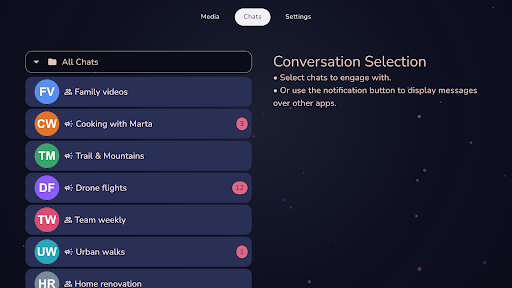
The Chats section is the central place for viewing and managing your Telegram conversations. Its layout separates your contact and group list from the active conversation, allowing you to select a chat and read messages without navigating through complicated menus.
Messages sent and received through your Telegram account are displayed here, along with supported shared content such as photos and videos. This arrangement makes it convenient to follow group discussions or catch up on conversations from a distance.
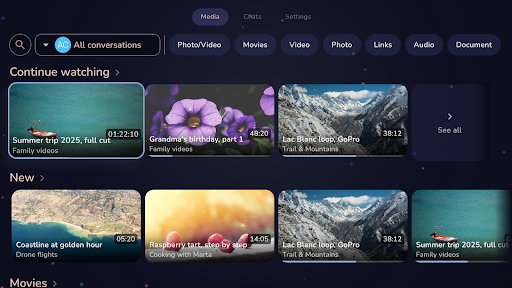
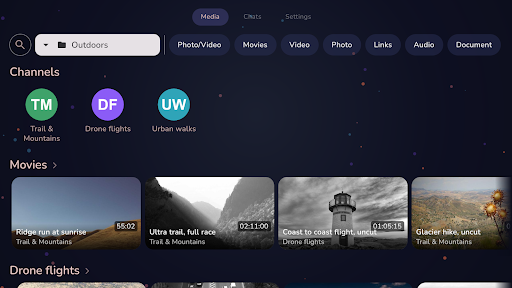
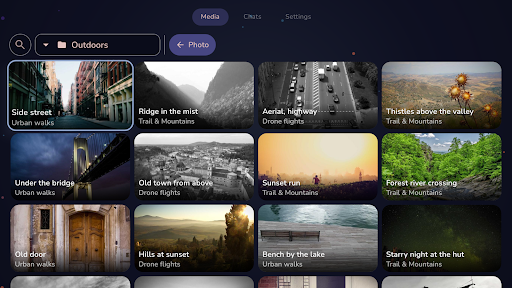
The Media section collects multimedia files shared across your conversations. Instead of opening each chat individually, you can browse available content from a dedicated area.
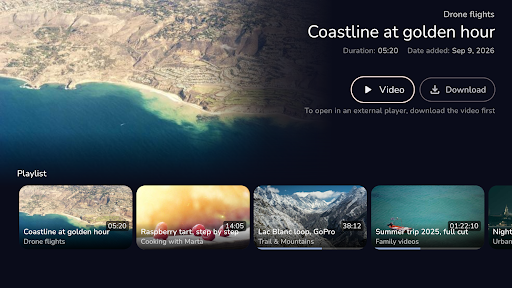
Several viewing and filtering options help you locate specific files. You can narrow the results by conversation or file type, switch between list and grid layouts, and use the search function to find what you need. Photos can be viewed directly, while supported videos can be played within the app. However, this section is intended for browsing rather than sending new files.
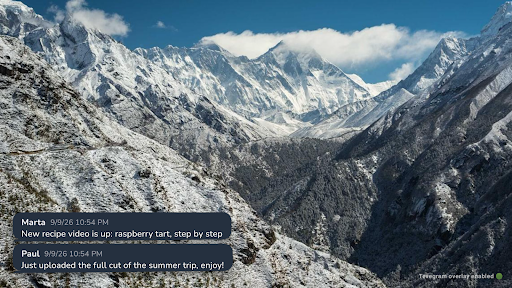
Settings provides several options for managing how Tevegram works on your television. You can customize notification behavior, rearrange interface elements, sign out of your account, and clear stored data to free up device memory.
There is also a Feature Request area where users can submit suggestions to the developer. If you find a missing option or have an idea that could improve the TV experience, this section gives you a direct way to share your feedback.
The Premium section contains the paid upgrade options for Tevegram. Subscribing or purchasing the available upgrade may unlock additional benefits, including expanded data-sharing limits and more customization choices.
Another notable advantage is the removal of certain restrictions on media content. This can make browsing and accessing shared files more flexible. If you want to explore another Telegram experience on Android, you can also check out Telegram MOD APK.
The modified version provides access to the following benefit:
Premium Unlocked: Enjoy Premium features without following the standard payment process.
Want to try Tevegram on your Android device? Follow this quick preparation checklist before opening the app:
Check compatibility: Make sure your TV, TV box, or Android device supports the application.
Prepare your account: Keep your Telegram phone number and another logged-in device nearby so you can retrieve the verification code.
Get the APK: Visit APKMODY and locate the Tevegram MOD APK download page.
Allow installation: If Android blocks the installation, open your device’s security settings and permit installation from the source you used to obtain the file.
Complete setup: Install the APK, launch Tevegram, and sign in with your existing Telegram account.