home chevron_right Apps chevron_right Communication chevron_right Threema

imo HD – Video Calls and Chats
v2026.07.1048
• Unlocked
| Updated On | |
|---|---|
| Google Play ID | ch.threema.app |
| Category | Communication |
| Version | 6.6.1 |
| Size | 45 MB |
| MOD Feature | Not available |
| Requires | Android 7.0 |
| Price | |
| $7.49 | |
| Content Rating | |
| Everyone | |
| Internet Required | |
| Unknow | |

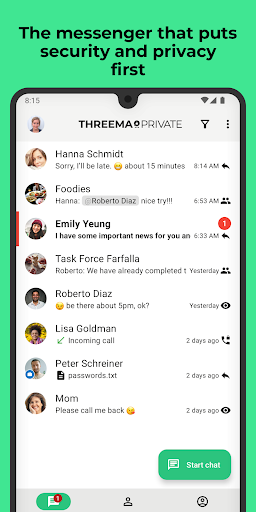
Threema is a privacy-focused messaging app developed in Switzerland, designed to let you communicate without exposing unnecessary personal information. From anonymous account creation to encrypted messages, calls and file sharing, the app puts security at the center of its experience rather than relying on advertising or user tracking. If you are looking for an alternative to mainstream messaging platforms with greater control over your digital identity, Threema is worth exploring.
Have you ever wanted to chat with friends or colleagues without having to provide your phone number, email address or other personal details? Many popular messaging services offer privacy settings, but some still depend on identifying information to create and manage accounts. Threema takes a different approach by prioritizing anonymity, secure communication and user control, making it an appealing option for people who want to keep their online conversations more private.
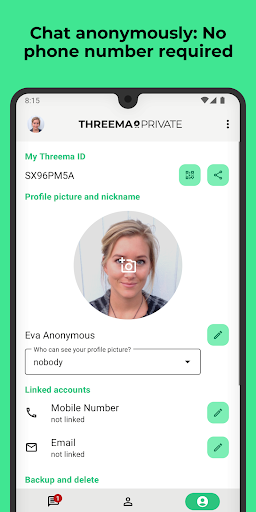
Unlike many messaging platforms, Threema does not require you to register with a phone number or email address. When you launch the app for the first time, it generates a unique Threema ID that serves as your digital identity within the service. This identifier allows you to communicate with others without directly linking your account to your personal information.
This approach gives you greater flexibility when connecting with people online. Instead of providing sensitive details during registration, you can share your Threema ID or QR code with trusted contacts. Compared with services such as Signal or Telegram, this registration method offers an additional layer of anonymity by allowing you to use the app without mandatory phone-based identification.
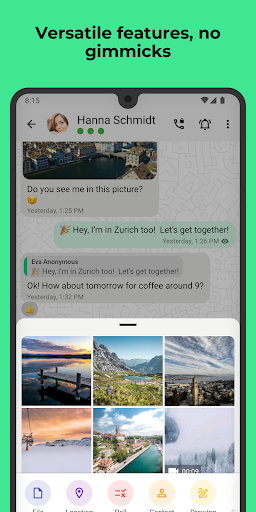
Threema applies end-to-end encryption to its communication features, including text messages, images, videos, voice messages, calls and other shared content. This security approach ensures that communication is encrypted on the sender’s device and decrypted only on the intended recipient’s device, helping prevent unauthorized parties from reading or intercepting the contents of your conversations.
The app relies on established cryptographic technologies, including the NaCl cryptographic library, which is designed to provide efficient and secure encryption. Public-key cryptography plays an important role in this process, allowing users to exchange information securely without sharing a common secret key beforehand. With these protections in place, Threema aims to keep your private communications inaccessible to outsiders while maintaining a smooth messaging experience.
Threema is designed to minimize the amount of information stored on its servers. Messages are handled primarily to facilitate delivery to their intended recipients, while the service aims to avoid retaining unnecessary communication data after the delivery process. This approach reduces the amount of information that remains accessible through the messaging infrastructure.
The company also emphasizes limiting the collection of personal data and metadata, helping users communicate without creating an extensive digital footprint. Although server-side handling may vary depending on the feature and operational requirements, Threema’s privacy-oriented architecture is built around data minimization rather than long-term storage of personal communication records.
Threema gives you the option to use the app without syncing your address book. You can manually add people by entering their Threema IDs or scanning their QR codes, allowing you to decide which contacts you want to connect with. This is particularly useful if you prefer keeping your messaging activity separate from your phone’s contact list.
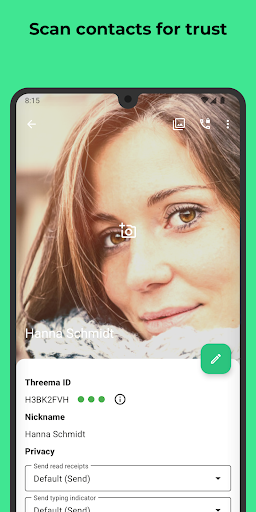
If you choose to enable contact synchronization, Threema uses privacy-oriented methods to match contacts rather than simply exposing your address book in its original form. The app also provides identity verification levels to help you assess the authenticity of other users. Contacts can be marked with different trust indicators, including red for identities with limited verification, yellow for contacts matched through synchronization and green for those verified through QR code scanning. These indicators help you make more informed decisions about whom you communicate with.
Threema supports transparency by making its client-side source code publicly available for inspection. Its Android, iOS and web clients have been open-sourced, allowing developers, security specialists and interested users to examine how the application works. Public access to the code makes it easier for independent reviewers to investigate the implementation and assess whether the software aligns with its stated security principles.
This openness is especially valuable for a privacy-oriented messenger because security claims can be evaluated beyond the developer’s own explanations. Researchers can review the encryption implementation, examine potential vulnerabilities and contribute to discussions about improving the app. Although open-source availability alone does not guarantee perfect security, it provides an additional avenue for independent scrutiny.
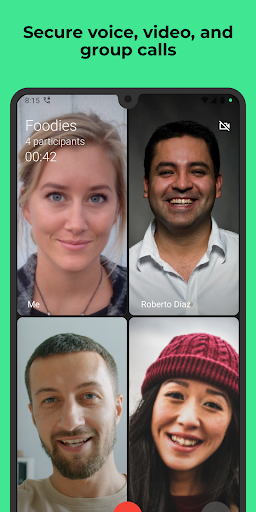
Threema is a suitable messaging option for people who value privacy, want to minimize personal information shared online and prefer a communication platform without advertising-based tracking. With encrypted messaging, secure calls, anonymous IDs and flexible contact management, it offers a different approach to everyday communication. To get the Android version through APKMODY, use the following steps:
Visit APKMODY: Open your browser on your Android phone and access the APKMODY website.
Find Threema: Use the search function to look up Threema APK and open its dedicated download page.
Get the installation file: Locate the APK download section and tap the available download link to save the file to your device.
Install and launch: Open the downloaded APK, follow the installation prompts and grant the necessary permissions if Android requests them. Once installed, launch Threema and create your account.