home chevron_right Apps chevron_right Communication chevron_right Textra SMS


SKEDit
v3.3.115
• Pro Unlocked
| Updated On | |
|---|---|
| Google Play ID | com.textra |
| Category | Communication |
| Version | 4.88 |
| Size | 50 MB |
| MOD Features | Pro Unlocked |
| Requires | Android 8.1 |
| Price | |
| Free | |
| Content Rating | |
| Everyone | |
| Internet Required | |
| Required | |

Textra SMS is an Android messaging application designed to transform the appearance and functionality of your default SMS inbox. With an extensive collection of themes, flexible notification settings, and convenient messaging tools, it makes everyday texting more enjoyable. Whether you prefer a minimalist layout or a colorful interface, Textra SMS gives you plenty of options to create a messaging experience that matches your personal style.
Android offers plenty of customization options for home screens, launchers, icons, and widgets. However, the default messaging interface often receives less attention, leaving users with limited choices when adjusting its appearance. Textra SMS addresses this gap by providing a dedicated platform for personalizing traditional SMS and MMS conversations.
The application combines a clean messaging environment with extensive visual adjustments. You can change themes, modify chat bubbles, select different fonts, and manage notification behavior without complicated setup procedures. Its familiar layout also makes switching from the default messaging application relatively straightforward.
One of Textra SMS’s biggest attractions is its extensive selection of interface themes. The application offers more than 100 designs, allowing you to change the overall appearance of your inbox with minimal effort.
Simply browse the available collection, select a design, and apply it to your messaging interface. Each theme combines coordinated colors and visual elements, creating a consistent appearance without requiring you to adjust every detail individually. This makes it easy to refresh your inbox whenever you want a different look.
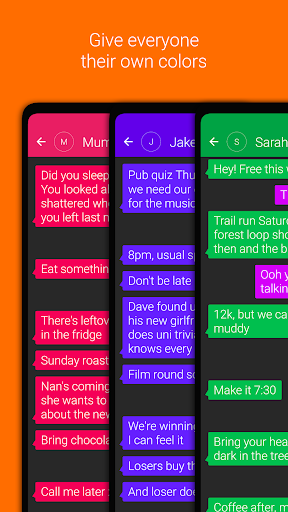
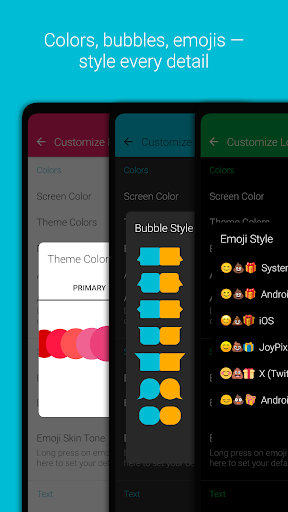
Textra SMS goes beyond basic theme selection by allowing deeper adjustments to individual interface components. You can switch between Light and Dark modes, customize conversation bubbles, and modify the appearance of message threads.
The application also supports different bubble styles, giving conversations a more distinctive look. Font customization provides further flexibility, with options for changing text size, color, and typeface to improve readability or match your preferred aesthetic.
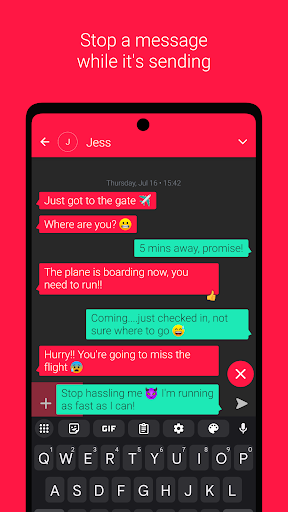
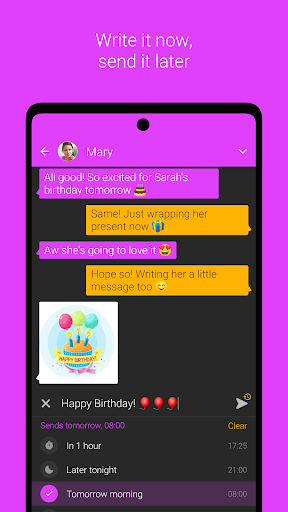
Besides visual improvements, Textra SMS includes practical tools that make everyday communication more convenient. Its scheduled messaging function allows you to prepare an SMS or MMS in advance and choose when it should be sent.
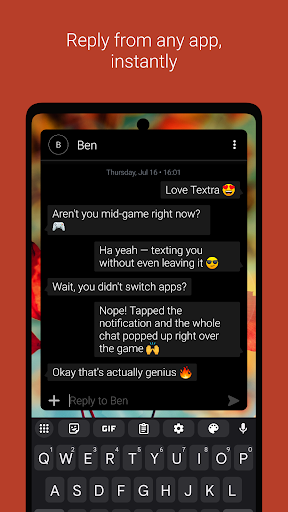
Quick Reply is another useful addition, displaying a compact response window over other applications. This lets you answer incoming messages without repeatedly switching between screens. You can also manage incoming calls while composing messages, making multitasking less disruptive.
Receiving constant notifications can become distracting, especially when several conversations are active. Textra SMS provides detailed alert settings that let you personalize how incoming messages reach you.
You can adjust notification sounds, vibration patterns, alert volume, and LED colors on supported devices. These settings can be configured individually or coordinated through selected themes, helping you recognize incoming messages more easily.
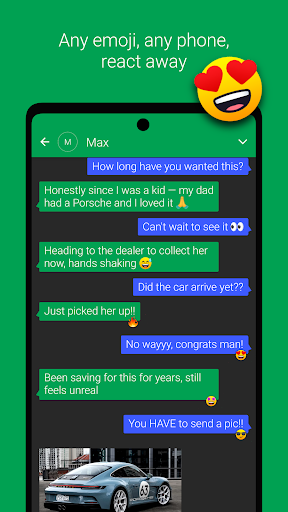
Traditional text messages do not have to feel plain or emotionless. Textra SMS supports a large emoji collection, historically advertising more than 2,000 emoticons for expressing different moods and reactions.
These symbols add personality to everyday conversations, making short replies more expressive. Combined with customizable fonts and chat bubbles, they help create a messaging environment that feels less generic.
If unwanted calls are another concern, you can also explore <Link url=”https://apkmody.com/apps/truecaller” title=”Truecaller”/>, an application designed to identify callers and help filter spam calls.
The modified version of Textra SMS is advertised with additional premium access, allowing users to explore features associated with the Pro edition.
Pro Unlocked: Provides access to premium functionality without the standard purchase requirement.
Keep in mind that modified APK files are unofficial releases. Their reliability, security, and compatibility may differ from the original application.
Textra SMS offers a convenient way to refresh your default messaging experience through flexible themes, personalized notifications, and useful communication tools. It also works with supported services and platforms such as Pushbullet, MightyText, Android Wear, and Android Auto.
To explore the available versions on APKMODY, use the following navigation steps:
Visit APKMODY: Open the website in your Android browser and head to the app download section.
Locate Textra SMS: Use the search function to find the application’s dedicated page.
Compare APK editions: Review the standard and MOD versions, checking their feature descriptions and compatibility information.
Open the download page: Select your preferred edition to view its available download options.
Install and configure: Once the file has been downloaded, verify its source before opening it. Follow Android’s installation prompts, then set Textra SMS as your default SMS application if you want to use it for regular text messaging.