home chevron_right Apps chevron_right Communication chevron_right OGWhatsApp


AutoResponder for WA
v5.4.0
• Unlocked
| Updated On | |
|---|---|
| Category | Communication |
| Version | 16.20 |
| Size | 38M |
| MOD Feature | Not available |
| Requires | Android |
| Price | |
| Free | |
| Content Rating | |
| Everyone | |
| Internet Required | |
| Required | |
| Languages | |
| English, Arabic, Bengali, Catalan, Croatian, Czech, Danish, Dutch, Finnish, French, German, Greek, Gujarati, Hebrew, Hindi, Hungarian, Indonesian, Irish, Italian, Japanese, Korean, Malay, Marathi, Norwegian Bokmål, Persian, Polish, Portuguese, Romanian, Russian, Simplified Chinese, Slovak, Spanish, Swedish, Thai, Traditional Chinese, Turkish, Ukrainian, Urdu, Vietnamese | |

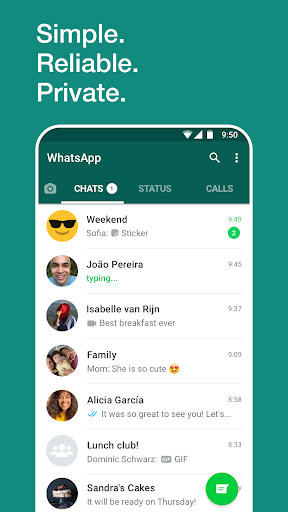
OGWhatsApp APK is an unofficial modified version of WhatsApp that introduces additional customization, privacy controls, and messaging tools. Designed for users who want more flexibility than the standard application offers, it advertises features such as scheduled messages, advanced call management, expanded media sharing, and longer group names. Its familiar messaging interface also makes it easier for existing WhatsApp users to explore these additional options.
WhatsApp has become one of the most widely recognized messaging platforms, connecting billions of users through internet-based communication. It allows people to exchange text messages, voice notes, photographs, videos, documents, and other content without relying on traditional SMS services.
Its accessibility across smartphones and computers has made it a common choice for personal conversations, workplace coordination, and group communication. However, some users want more control over appearance, privacy, and messaging behavior. This demand has encouraged the development of unofficial alternatives such as OGWhatsApp.
Although WhatsApp provides a comprehensive set of communication tools, certain limitations may affect users with more specific requirements.
Media restrictions: File-sharing limits may make transferring particularly large documents or videos inconvenient.
Storage consumption: Frequently receiving photographs, videos, and documents can gradually occupy considerable device space.
Limited customization: Some interface and messaging preferences cannot be adjusted extensively through the official application.
Privacy preferences: Users may want more detailed controls over online visibility, read receipts, and other interaction indicators.
These limitations do not make WhatsApp unsuitable for everyday communication, but they explain why modified versions attract attention.
OGWhatsApp emerged as a third-party modification designed to extend the standard WhatsApp experience. Instead of building an entirely different messaging platform, its developers introduced additional functions and customization options around familiar communication features.
The modified application aims to give users more flexibility when managing conversations, sharing media, and controlling their online presence. However, it is important to understand that OGWhatsApp is not an official Meta product, and its availability or functionality may vary between releases.
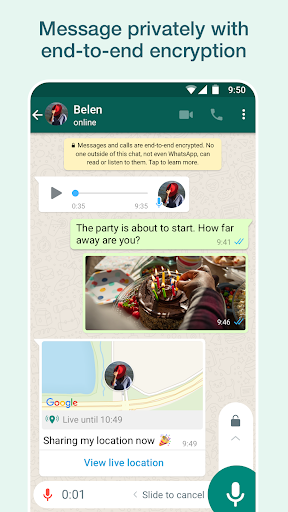
One of the main attractions of OGWhatsApp is its collection of additional privacy settings. Depending on the version, users may be able to hide selected activity indicators, manage read receipts, and customize how their online status appears to other contacts.
These options provide greater flexibility when communicating with different people. Nevertheless, unofficial modifications cannot guarantee complete privacy or prevent every form of data exposure.
OGWhatsApp advertises extra tools for managing conversations, including options for finding and handling messages through keywords. These functions can help users locate particular information without manually browsing through lengthy chat histories.
Some releases may also introduce additional controls for message visibility and conversation management. Their availability depends on the specific package, so users should review the included features before installation.
Message scheduling is a convenient option for people who frequently communicate with friends, relatives, or colleagues at specific times. Rather than remembering to send every message manually, users can prepare content in advance and select a preferred delivery time.
This feature is useful for birthday greetings, reminders, and routine announcements. However, scheduled delivery may depend on application activity, device settings, and the functionality of the installed version.
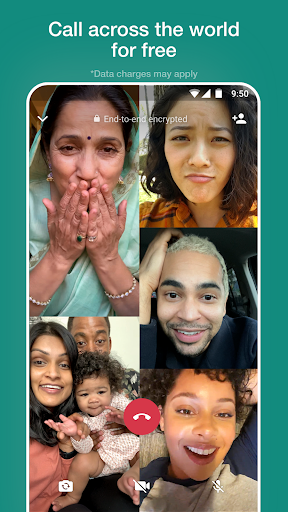
OGWhatsApp offers more flexible communication management through advertised call restrictions and direct messaging options. Users may be able to prevent selected contacts from making unwanted calls, helping reduce interruptions during busy periods.
Another convenient function is the ability to start conversations with numbers that are not saved in the contact list. This reduces unnecessary contact management when sending a quick message to a new person.
Sharing photographs and videos is an important part of everyday messaging. OGWhatsApp advertises support for sending larger batches of images, with some versions claiming a limit of up to 90 pictures in one transfer.
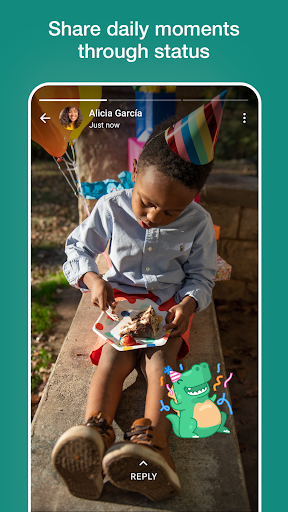
The application may also include tools for saving status updates, giving users another way to manage shared media. Actual limits and supported functions can differ depending on the release and platform restrictions.
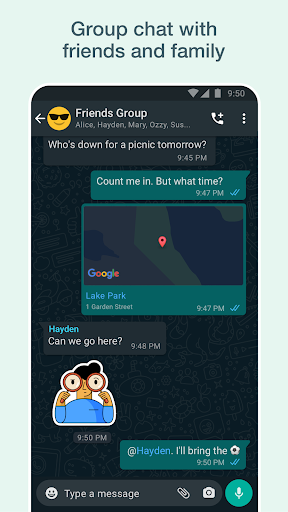
Group conversations often bring together friends, family members, or work teams. OGWhatsApp advertises extended group-name customization, including support for names exceeding the character limits associated with certain older WhatsApp versions.
This provides additional room for descriptive titles, creative group identities, and clearer organization. It is a relatively small adjustment, but it can make managing multiple communities more convenient.
OGWhatsApp is an unofficial application, so users should understand the potential risks before replacing their primary messaging client. Modified packages are not distributed or maintained by Meta, and their security standards cannot be assumed to match those of official WhatsApp.
Using unofficial WhatsApp modifications may violate the platform’s terms of service and could result in temporary or permanent account restrictions. Claims of guaranteed anti-ban protection should not be treated as reliable.
Users should also consider backing up important conversations before changing applications. Avoid entering sensitive information into packages from unknown sources, and review requested permissions carefully.
There is no guarantee that every OGWhatsApp package is safe. Since it comes from third-party developers, its code, update process, and data-handling practices may not receive the same security reviews as the official application. Downloading from an unverified source can expose your device and personal information to potential risks.
Using both applications may be possible when they support separate package identities and account configurations. However, compatibility depends on the specific versions, Android restrictions, and account requirements. Back up important conversations before attempting to install another messaging client.
The application may request access to contacts, camera, microphone, photographs, and storage-related resources to support its communication functions. Only grant permissions that are necessary for the features you intend to use. You can review or revoke available permissions through Android’s application settings.
If you want to explore OGWhatsApp, APKMODY is a place where you can search for its available Android installation packages. Before proceeding, make sure you understand that this is an unofficial WhatsApp modification and check the package details carefully.
Use the following checklist to prepare your installation:
Visit APKMODY: Open the website through your Android browser and search for OGWhatsApp.
Review the release: Check the version number, update information, compatibility, and package details.
Download the APK: Select the available installation file and save it to your device.
Check installation permissions: Open Android settings if prompted and allow installation from the selected source only when you trust the package.
Complete setup: Open the application and follow its account configuration instructions. Back up existing conversations before transferring or changing accounts.