

zFont 3 – Emoji & Font Changer
v3.9.2.2
• Unlocked
| Updated On | |
|---|---|
| Google Play ID | com.netmod.syna |
| Category | Tools |
| Version | 4.3.0 |
| Size | 32 MB |
| MOD Features | Premium |
| Requires | Android 6.0 |
| Price | |
| Free | |
| Content Rating | |
| Everyone | |
| Internet Required | |
| Unknow | |

NetMod VPN Client (V2Ray/SSH) is a networking application for Android designed for users who want greater control over VPN and proxy connections than typical VPN applications provide. It is aimed at users who have some networking knowledge and want to manage connections through technologies such as V2Ray and SSH. With its range of configuration options, the app can support customized connection setups. However, beginners may need additional time to understand the technical concepts involved.
NetMod VPN Client (V2Ray/SSH) focuses on managing customized network connections on mobile devices. Rather than offering only a simple connection button, it is designed for users who want to configure or use VPN, proxy, and server settings according to their needs.
V2Ray and SSH are technologies commonly associated with advanced networking configurations. As a result, this application is more suitable for users who already understand concepts such as servers, proxies, connection addresses, and authentication details. If you only need a simple VPN for everyday browsing, a more automated VPN application may be easier to use.
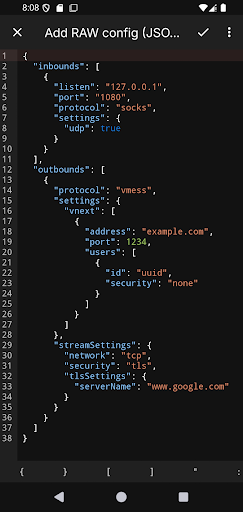
One of the main features of NetMod VPN Client is its ability to work with configurations involving V2Ray and SSH. These technologies can provide different ways to establish network connections, depending on the server and configuration being used.
This creates more customization possibilities than a basic VPN service. However, connection performance depends on the server, configuration, and network quality. Users should obtain configurations from trusted sources and avoid entering authentication information into unknown services.
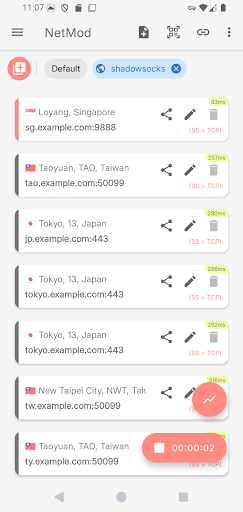
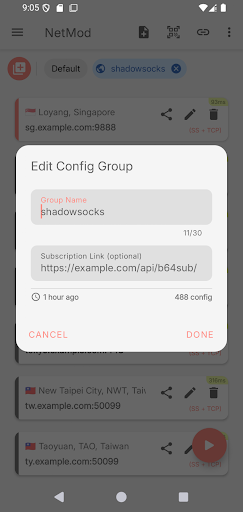
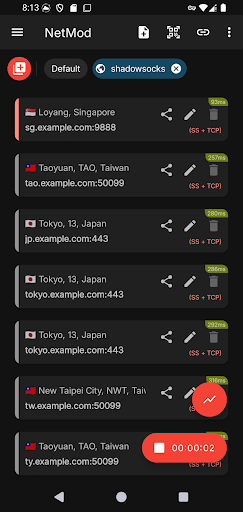
The application is designed for users who want greater control over their connections instead of relying entirely on automatic settings. Users can manage different configurations and select the connection that best fits a particular situation.
This approach can be useful for people who regularly work with multiple servers or need to test different network configurations. However, having more options can also make the initial setup more complicated, especially for users who are unfamiliar with networking terminology.
NetMod VPN Client (V2Ray/SSH) can be particularly useful for users who understand concepts such as proxies, remote servers, connection ports, and authentication credentials. They can take advantage of advanced settings to create connections that match specific requirements.
In contrast, beginners may find it difficult to work with technical parameters. It is therefore important to understand what each setting does before changing it. An incorrect configuration can prevent the connection from working or make it unstable.
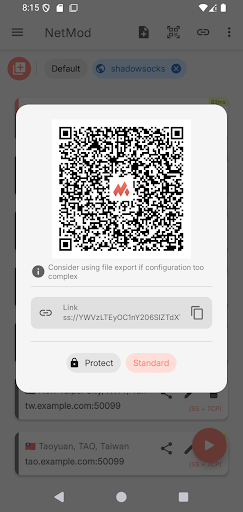
Start by opening NetMod VPN Client and becoming familiar with its interface and available connection options. If you already have a valid V2Ray or SSH configuration, enter the information according to the format required by the server. Avoid changing technical parameters unless you understand their purpose.
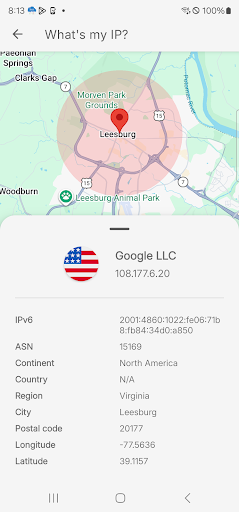
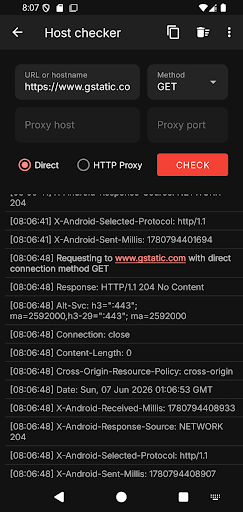
After entering the configuration, carefully check the server address, connection port, and authentication information. If the application requests permission to create a VPN connection on your device, review the permission before approving it. You can then start the connection and check whether Internet access works correctly.
If the connection fails, check each configuration parameter individually rather than changing several settings at once. You should also verify the server status and the quality of your current network. When using SSH or configurations containing authentication credentials, protect your passwords, keys, and other sensitive information. Do not share them with unknown people or store them on untrusted services.
For beginners, the best approach is to start with a simple configuration and learn what each component does. Once you understand how the connection works, you can gradually explore more advanced settings and adjust the configuration according to your requirements.
NetMod VPN Client (V2Ray/SSH) is a networking tool aimed at users who want greater control over VPN and proxy connections on Android. Support for V2Ray and SSH configurations gives the application considerable flexibility, particularly for people who are already familiar with advanced networking technologies. However, it may not be the best choice for users who simply want a VPN with automatic setup and minimal configuration. For users with networking knowledge who need to manage customized connection profiles, the application can provide a flexible environment for controlling mobile network connections.