home chevron_right Apps chevron_right Photos & Videos chevron_right Made

Pix Editor
v1.4.51
• Premium Unlocked
| Updated On | |
|---|---|
| Google Play ID | com.made.story.editor |
| Category | Photos & Videos |
| Version | 1.2.20 |
| Size | 29 MB |
| MOD Features | Premium Unlocked |
| Requires | Android 6.0 |
| Price | |
| Free | |
| Content Rating | |
| Everyone | |
| Internet Required | |
| Required | |

Photos help us preserve moments that might otherwise fade with time. With smartphones making photography more accessible than ever, capturing memories is no longer difficult. However, turning ordinary pictures into polished social media content often requires more than basic editing tools. Made APK addresses this need with a collection of templates, filters, fonts, and creative layouts designed especially for Instagram and Facebook Stories.
Photo-editing applications are everywhere, but not all of them focus on helping users tell visual stories. Made takes a slightly different approach by combining conventional image adjustments with tools for designing attractive social media posts. Instead of simply applying a filter and uploading a picture, you can arrange multiple images, add text, experiment with backgrounds, and create a consistent visual theme.
The app is particularly useful for people who regularly share updates on Instagram and Facebook. Its editing tools are organized around story creation, making it easier to produce content that looks more deliberate and visually connected. Whether you want to share travel memories, daily activities, or promotional material, Made provides several creative options without requiring professional design skills.
One of Made’s main attractions is its selection of ready-made templates. The app includes 32 free designs alongside 50 additional templates associated with premium access. These layouts come in different styles, giving you a starting point for creating stories that match your preferred aesthetic. New backgrounds and design options also help keep your posts from looking repetitive.
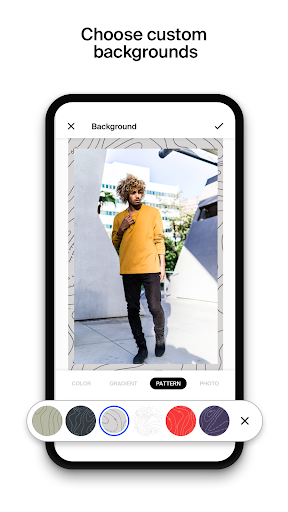
Customization goes beyond choosing a template. You can adjust typography, remove or change backgrounds, and combine different visual elements to develop a more personal design. The app also offers 80 built-in textures and 40 solid-color swatches, providing plenty of options for changing the appearance of your compositions.
Text is another important part of a well-designed story. Made includes 16 free fonts that you can use to add captions, short messages, or other information to your images. Premium users gain access to a broader selection, making it easier to experiment with different typography styles. Combined with the available backgrounds and textures, these options help you create a more consistent visual identity.
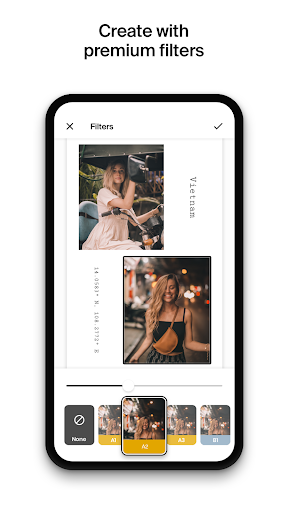
The filter library is divided into 10 categories, ranging from simple adjustments to more polished visual treatments. You can experiment with different looks until your photos match the mood you want to communicate. Rather than relying on a single preset, the variety encourages you to explore different combinations for each project.
A collection of individual images does not always communicate an idea effectively. Made helps solve this problem by allowing you to arrange several pictures into a connected composition. You can combine photographs, text, and decorative elements within a single layout, creating a smoother visual flow from one section to another.
This approach works particularly well for travel diaries, event recaps, product showcases, and everyday updates. Instead of uploading disconnected images one after another, you can organize them into a more coherent presentation. The available effects and layout options add another layer of visual interest without making the editing process unnecessarily complicated.
Made also includes AI-assisted suggestions that can help users choose suitable designs based on their images and content. This feature is useful when you are unsure which layout or visual direction to select. It offers a more convenient starting point, especially for people who want attractive results without spending too much time adjusting every detail manually.
Made provides a free version for users who want to explore its basic editing tools. Those who need additional design resources can consider the premium subscription, which is listed at $4.99 per month. The paid plan offers access to exclusive templates and other premium features that expand the available customization options.
A seven-day trial is also mentioned for eligible users, allowing them to test premium content before deciding whether to subscribe. Since subscription prices and trial conditions may change by region or version, check the details displayed in the app before making a payment.
The Made MOD APK is listed with a Premium Unlocked modification, intended to provide access to features normally reserved for paying subscribers. Depending on the specific release, this may include premium templates and additional creative resources that are unavailable in the standard free version.
This option may appeal to users who want to experiment with a wider range of layouts, fonts, and design elements. However, modified applications are unofficial versions, so the advertised features are not guaranteed to work exactly as described. They may also lack official support or receive updates at a different pace from the original app. Download and install them only from sources you trust.
Whether you prefer the original editor or want to explore the premium-unlocked edition, APKMODY provides separate download options to help you choose the appropriate package.
Before proceeding, take a moment to check the version information and file details:
Standard APK: Choose this release if you want to use Made’s regular features and access premium content through its official subscription.
MOD APK: Select this alternative if you want to try the build advertised with Premium Unlocked.
Device compatibility: Confirm that your Android version supports the selected release.
Installation permission: If Android blocks the installation, review the permission for installing apps from that particular source. Enable it only when you trust the downloaded file.
After checking these details, locate the downloaded APK in your device’s file manager and open it to begin installation. Follow the prompts displayed on your screen, then launch Made and explore its available editing tools. With its varied templates, fonts, filters, and story layouts, the app gives you plenty of room to turn everyday photographs into more expressive social media content.