home chevron_right Apps chevron_right Photos & Videos chevron_right FilmoraGo


VRTV VR Video Player
v4.1.0
• Unlocked
| Updated On | |
|---|---|
| Google Play ID | com.wondershare.filmorago |
| Category | Photos & Videos |
| Version | 15.7.80 |
| Size | 235 MB |
| MOD Features | Premium Unlocked |
| Requires | Android 7.0 |
| Price | |
| Free | |
| Content Rating | |
| Everyone | |
| Internet Required | |
| Required | |
| Languages | |
| English, Arabic, Dutch, French, German, Indonesian, Italian, Japanese, Korean, Portuguese, Russian, Simplified Chinese, Spanish, Swedish | |

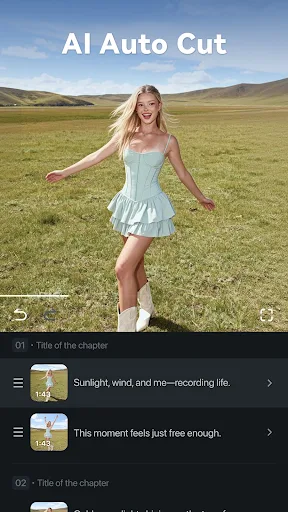
FilmoraGo is a convenient mobile video editor that makes it easier to turn ordinary footage into eye-catching content. With a collection of editing tools, creative filters, ready-made templates, and high-quality export options, the app supports both beginners and experienced creators. Whether you want to prepare short clips for social media or polish personal recordings, FilmoraGo offers a flexible editing experience directly on your Android device.
Designed for mobile content creation, FilmoraGo combines essential editing functions with advanced customization options. Its straightforward interface helps users work with video clips, audio, text, and visual effects without requiring professional editing knowledge.
FilmoraGo is a popular video editing application that brings a wide range of creative tools to Android smartphones. Instead of relying on complicated desktop software, users can complete many editing tasks directly from their mobile devices. The app supports different content styles, making it suitable for personal videos, travel highlights, birthday greetings, and social media posts.
Another advantage lies in its balance between convenience and customization. You can start with a ready-made design for a quick result or manually adjust individual elements to achieve a more personal look. This flexibility makes FilmoraGo a practical choice for people who frequently create and share video content.
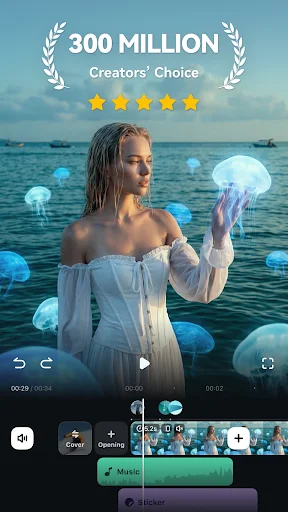
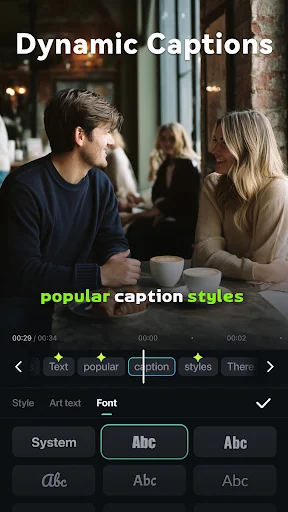
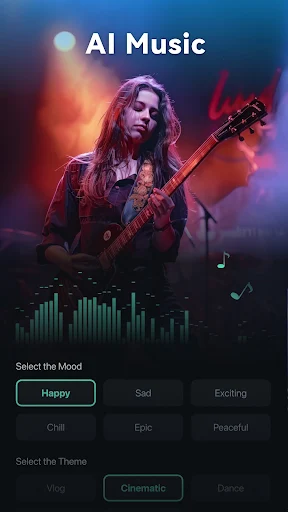
FilmoraGo provides a collection of tools that cover everything from simple adjustments to more detailed visual editing. Users can trim unwanted footage, combine multiple clips, add text overlays, insert stickers, and include music stored on their devices. These basic functions help organize raw recordings into a complete video.
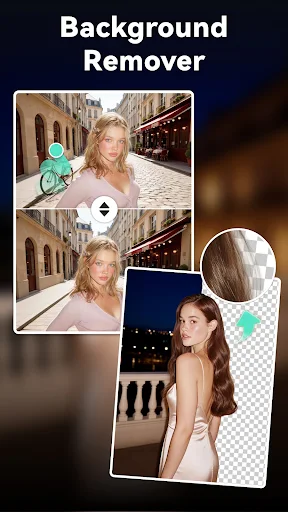
For more creative control, the application also offers visual effects, background adjustments, blur options, brightness controls, and color filters. Its filter collection includes four main categories: Preset, Landscape, Cyberpunk, and B&W. Each theme brings a different visual atmosphere, allowing you to adjust the appearance of your footage without spending too much time on manual color correction.
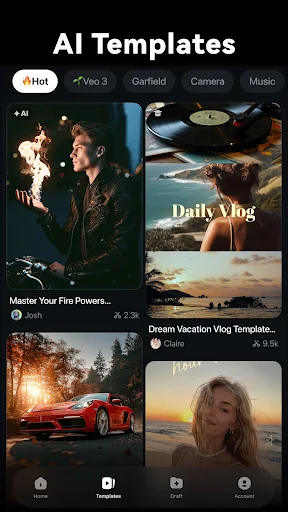
Creating an attractive video from scratch can take considerable effort, especially when you need to publish content regularly. FilmoraGo addresses this challenge through its built-in Template library, where users can select professionally arranged designs and apply them to their own footage.
The application provides more than 30 templates covering different occasions and creative styles. For example, a Happy Birthday design works well for celebration videos, while Travel templates help turn holiday recordings into memorable visual stories. These options are particularly useful when you want polished results without adjusting every transition or effect individually.
The library also organizes designs around popular content trends and music styles. You can explore templates inspired by platforms such as TikTok and Instagram or choose Music Beats layouts that synchronize visual elements with the rhythm. This variety makes it easier to find a suitable starting point for different audiences and publishing purposes.
Visual quality is an important part of the editing process. Applying multiple effects, filters, and adjustments can sometimes affect the sharpness of the original footage, resulting in blurry details or less satisfying playback. FilmoraGo provides export options designed to preserve video clarity after editing.
Whether you work with ready-made templates or customize clips manually, the application aims to maintain the quality of your source material throughout the process. The available output resolution depends on the version and export settings you use. With FilmoraGo Pro, users can access Full HD (1080p) export, making it easier to prepare clear videos for social media and other viewing platforms.
The MOD version is designed for users who want to explore additional editing capabilities without being limited by the standard free version. It focuses on unlocking premium resources that make video creation more flexible.
Premium Unlocked provides access to selected paid features and creative resources that are normally reserved for a Pro subscription. This upgrade-oriented experience can help users explore more editing options, experiment with different visual styles, and create content with fewer restrictions.
Here are some of the main benefits associated with the Premium Unlocked feature:
Premium templates: Access additional designs for different occasions and social media content.
Advanced filters and effects: Explore more visual styles to customize your footage.
Exclusive stickers: Add extra decorative elements to make videos more expressive.
Watermark removal: Enjoy cleaner exports without the standard branding.
Full HD export: Access higher-resolution output options, including 1080p.
Note: MOD features may vary depending on the APK version. Unofficial modified applications may also carry security or compatibility risks, so check the file carefully before installation.
Before choosing a version, users may want to understand the differences between the standard application and its premium features. The following answers cover some common concerns.
FilmoraGo offers a free version on Google Play that includes essential editing tools for everyday projects. However, certain advanced resources, premium templates, exclusive stickers, and high-quality export options require a Pro subscription. The free version may also apply limitations to video resolution and include branding in exported content.
With FilmoraGo Pro, users gain access to a broader collection of editing materials, additional customization tools, watermark removal, and Full HD (1080p) export. The available features depend on the subscription and application version.
FilmoraGo is designed for mobile editing, with an interface that is relatively easy to navigate on different Android smartphones. Basic projects involving trimming, text, music, and simple effects should be manageable on many mid-range devices.
However, performance can vary depending on RAM, processor capability, available storage, and project complexity. Videos with multiple layers or demanding effects may require more processing power. For a smoother experience, close unnecessary background applications and keep enough free storage before starting larger editing projects.
If you want to experience FilmoraGo on your smartphone, APKMODY is a convenient destination to explore its available APK versions. Before downloading, check the version information and Android compatibility to make sure the file suits your device.
Follow these instructions to get started:
Visit the APKMODY website using your Android browser.
Search for FilmoraGo APK in the website’s search bar.
Open the application page and review its version, file size, and available download options.
Select the appropriate APK file and wait for the download to finish.
Open the downloaded file, allow installation from the relevant source if Android requests permission, then follow the on-screen instructions.
Launch FilmoraGo and explore its editing tools.