

Swift Backup
v5.1.0
• Pro Unlocked
| Updated On | |
|---|---|
| Google Play ID | com.g19mobile.gameboosterplus |
| Category | Utilities |
| Version | 8.2.6 |
| Size | 17 MB |
| MOD Feature | Not available |
| Requires | Android 6.0 |
| Price | |
| $0.49 | |
| Content Rating | |
| Everyone | |
| Internet Required | |
| Not Required | |

Game Booster 4x Faster Pro is designed for Android users who want to manage device resources and improve their gaming setup. It brings together performance presets, graphics customization, and system information in one place, making it easier to adjust settings before launching a game. Explore its main tools, understand their limitations, and find out how to download the APK through APKMODY.
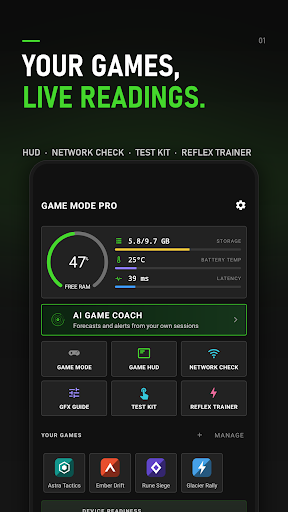
Game Booster 4x Faster Pro is a gaming utility that provides tools for adjusting selected device and game settings. Rather than functioning as a game itself, it serves as a companion application for users who want to prepare their phones before playing demanding mobile titles.
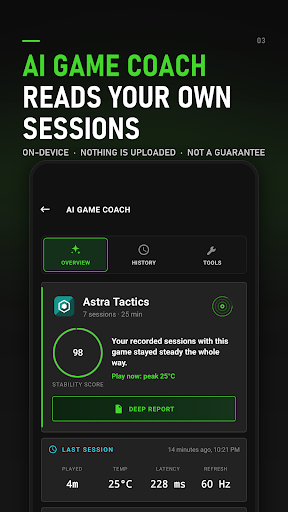
The app focuses on simplifying performance adjustments. Depending on the device and supported features, users can select optimization profiles, manage graphics-related options, and check basic system information. These controls may help reduce unnecessary background activity or make it easier to choose settings that suit the phone’s hardware.
However, the name does not guarantee that every game will run four times faster. Actual performance depends on factors such as the processor, GPU, available memory, operating system, and the game’s own optimization.
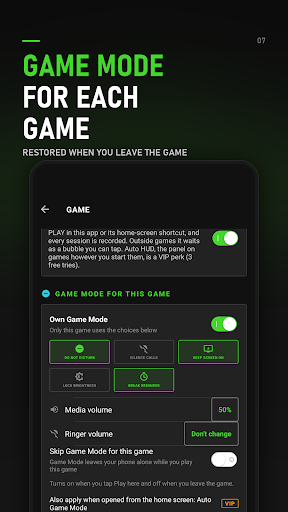
One of the application’s central functions is its game optimization system. Users can select a game and apply an available performance profile before opening it. The purpose is to prepare the device for gaming by prioritizing selected settings and reducing potential sources of unnecessary resource usage.
This can be useful on phones with limited hardware, especially when several applications are running in the background. Still, a booster cannot create additional processing power or overcome every hardware limitation. The improvement, if any, will vary depending on the device and game.
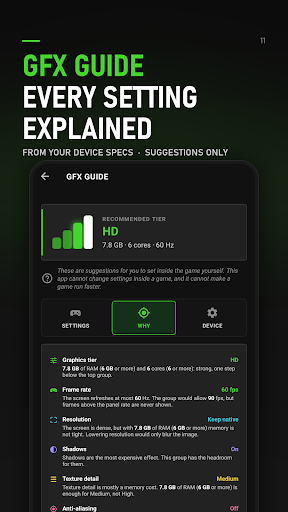
Game Booster 4x Faster Pro also advertises graphics customization through its GFX engine. Supported options may allow users to change resolution, rendering quality, and other visual parameters.
Resolution settings can influence both image clarity and GPU workload. Lower values may reduce the processing demand on older devices, while higher values can make supported games look sharper. The application also promotes HDR-related options, although access to these settings depends on hardware capabilities and game compatibility.
Players should avoid selecting the highest graphics configuration automatically. If a phone struggles to render demanding effects, reducing visual quality may provide a more stable experience than forcing settings beyond the device’s limits.
Frame rate affects how smoothly movement appears on screen, which is particularly important in racing, action, and shooting games. Game Booster 4x Faster Pro advertises options for adjusting or unlocking higher FPS levels in supported configurations.
The actual frame rate remains limited by the device’s display, processor, GPU, and the game’s built-in restrictions. Selecting a higher FPS option does not guarantee that the game will maintain that rate throughout a match. For consistent gameplay, choose a setting that your phone can handle without excessive heat or battery consumption.
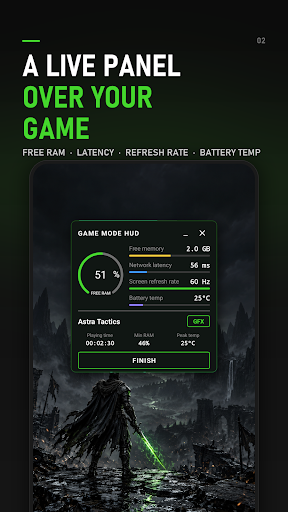
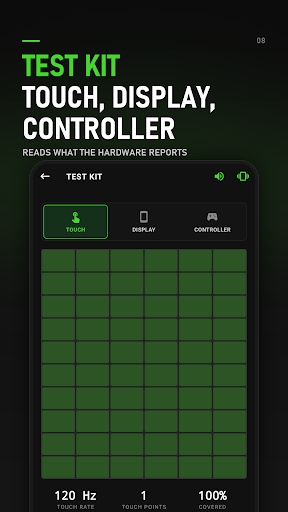
Performance tuning becomes more useful when users understand the condition of their devices. The application provides system information that may include:
Memory: Shows available RAM and gives users an idea of how much capacity remains for running applications.
Storage: Displays information about device storage, helping users identify when space is becoming limited.
Temperature: Provides a reference for monitoring device heat during use.
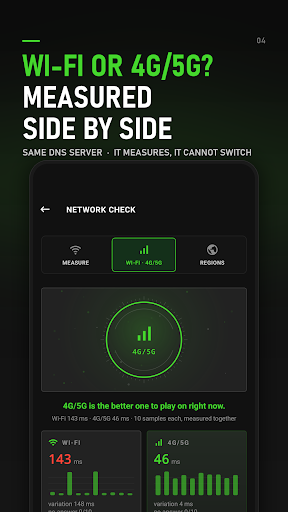
Network latency: Offers an indication of connection responsiveness, which can help users distinguish network delays from graphics-related stuttering.
These indicators are useful for basic checks, although they should not replace dedicated diagnostic tools. For example, high ping is usually related to network conditions rather than a lack of graphics performance.
Zero Lag is one of the performance-oriented options promoted by Game Booster 4x Faster Pro. It aims to apply a more aggressive configuration for users who prioritize responsiveness over visual quality.
The application also mentions support for graphics technologies such as Vulkan and OpenGL, which are used by Android games to render visual content. Compatibility depends on the phone’s hardware, Android version, and the game itself. Enabling a particular graphics option will not necessarily improve performance if the device or game does not support it properly.
For the best results, test the available profiles individually. If a setting causes instability, visual glitches, or overheating, return to a less demanding configuration.
Not necessarily. The name describes the application’s intended purpose rather than a guaranteed performance result. Any improvement depends on the device’s specifications, background processes, game requirements, and the settings being adjusted.
It may help users manage selected settings and reduce unnecessary background activity, but it cannot eliminate hardware limitations. Older phones may still struggle with games that require substantial processing power or memory. Using moderate graphics and FPS settings is generally more practical than forcing maximum quality.
No. Network latency is influenced by internet speed, signal quality, router performance, server distance, and network congestion. A game booster may display latency information, but it cannot guarantee a better connection or remove server-side delays.
You can find the Game Booster 4x Faster Pro APK through APKMODY if you want to try its optimization tools. Before installing, take a moment to check the release information and make sure the file is suitable for your Android version.
After downloading, use this setup approach:
Review the APK: Check the version details and compatibility notes on the download page. Avoid files from unfamiliar sources or listings with unclear information.
Install the application: Open the downloaded APK and follow Android’s installation prompts. If the system requests permission to install from that source, enable it only after confirming that you trust the file.
Choose your games: Launch Game Booster 4x Faster Pro and add the supported games you want to manage.
Test a suitable profile: Begin with moderate performance settings, open a game, and observe its stability, temperature, and responsiveness.
Adjust when necessary: If you notice overheating, visual problems, or unexpected battery drain, reduce the settings or return to the original configuration.