
World VPN
v3.7
• Premium Unlocked

| Updated On | |
|---|---|
| Google Play ID | com.intsig.camscanner |
| Category | Utilities |
| Version | 7.27.5.2610140000 |
| Size | 221 MB |
| MOD Features | Premium Unlocked |
| Requires | Android 5.0 |
| Rating Score | |
| Price | |
| Free | |
| Content Rating | |
| Everyone | |
| Internet Required | |
| Not Required | |
| Languages | |
| English, Arabic, Bengali, Filipino, French, German, Hindi, Indonesian, Italian, Japanese, Korean, Malay, Polish, Portuguese, Russian, Simplified Chinese, Spanish, Thai, Traditional Chinese, Turkish, Vietnamese | |

CamScanner makes document scanning and digital file management easier by turning an ordinary smartphone into a portable scanning device. From capturing receipts and contracts to converting printed content into editable text, the application combines practical tools for everyday paperwork. Explore its scanning functions, OCR technology, sharing options and Premium benefits to discover how it can simplify your workflow.
Carrying a traditional scanner is no longer necessary when important paperwork can be digitized directly through a mobile camera. CamScanner provides a convenient workspace for capturing, processing, organizing and sharing documents without requiring additional equipment.
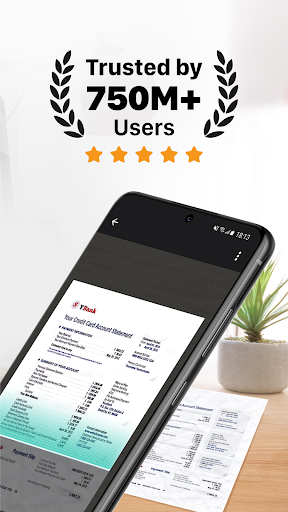
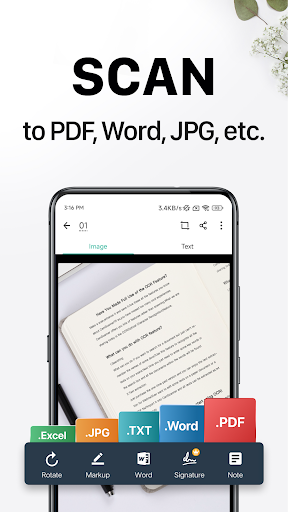
CamScanner is a document-scanning application that allows users to capture physical papers and convert them into digital files. It supports PDF and JPG exports alongside additional functions such as text recognition, document sharing, digital signatures and cloud synchronization.
The application is suitable for students, office workers, business owners and travelers who regularly handle paperwork. Instead of keeping numerous physical copies, users can create digital archives and access important information directly from their devices.
CamScanner uses image-processing technology to improve the appearance of captured documents. After taking a photo, users can adjust the scanned area, remove unnecessary backgrounds, correct perspective and enhance text readability.
Its scanning tools accommodate different materials, including:
Office Documents: Digitize contracts, invoices, reports and business paperwork.
Study Materials: Preserve lecture notes, textbooks and handwritten assignments.
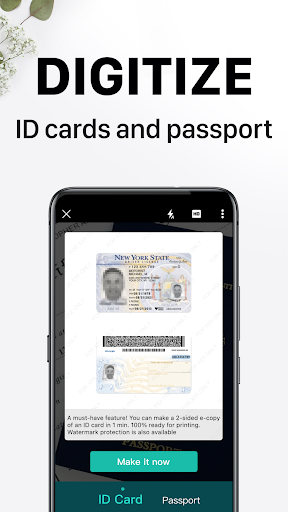
Personal Records: Store receipts, certificates and identification documents.
Travel Papers: Keep digital copies of tickets, maps and other important information.
Basic scanning functions can also be useful without an internet connection, allowing users to capture documents while traveling or working in areas with limited connectivity.
Once a document is ready, CamScanner provides several ways to distribute it without manually transferring files between devices. Users can share scanned copies through email, messaging applications such as WhatsApp and WeChat, or supported social platforms.
Document links offer another convenient option when sending files to colleagues or friends. Instead of repeatedly attaching the same document, users can distribute a link through their preferred communication channel, depending on the available sharing settings.
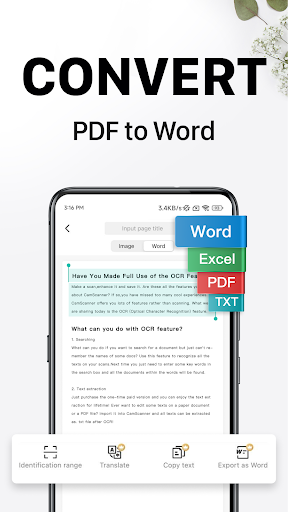
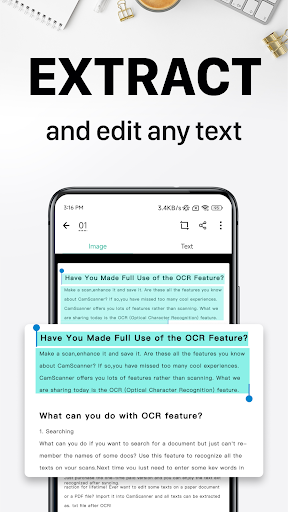
Optical Character Recognition (OCR) helps convert text inside scanned images into machine-readable content. CamScanner uses this technology to recognize printed information, making documents easier to search, copy and process.
The supplied feature information mentions recognition and translation support across 41 languages, while image-to-text conversion is listed for 16 languages. Premium access may also provide Word export, allowing users to edit recognized content rather than working exclusively with static images. Since OCR accuracy depends on image quality, checking the extracted text remains important.
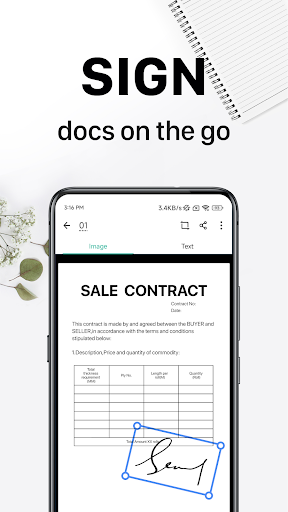
CamScanner includes a digital-signature function that allows users to place their signatures on supported documents directly from a mobile device. This reduces the need to print paperwork, sign it manually, scan it again and send it back.
The feature is particularly convenient for professionals who frequently handle approvals, agreements and administrative documents while away from the office. Users should still verify whether a digital signature meets the legal requirements of their particular document or transaction.
Cloud synchronization helps users maintain access to their files when switching between supported devices. After signing in with the same account, they can retrieve synchronized documents from another compatible smartphone or tablet.
This function is useful for people who frequently move between personal and work devices. It also provides a more organized way to maintain digital records without repeatedly transferring individual files.
Book Scan Mode is designed to capture printed pages for reading, studying or future reference. It helps users preserve selected sections of physical books as digital documents, making useful information easier to keep and review.
According to the supplied feature details, this function is available to Premium accounts. Students, researchers and regular readers may find it particularly helpful when collecting study materials or organizing references.
CamScanner MOD APK refers to unofficial application packages modified by third parties. Some releases advertise access to Premium functions without the regular subscription process, although the actual benefits depend on the specific package.
The main promoted modification is Premium Unlocked, which claims to provide access to selected paid resources. Advertised additions may include:
Watermark-Free PDF: Export scanned documents without the standard PDF watermark.
Expanded Cloud Uploads: Access additional upload capacity for supported cloud services.
Ad-Free Interface: Reduce advertising interruptions while scanning.
Enhanced Scanning: Use advanced image-processing options for clearer documents.
Multilingual Recognition: Access additional language-related text recognition capabilities.
These benefits are not guaranteed across all modified releases. Unofficial packages may also contain altered code, security vulnerabilities or compatibility issues, so users should carefully review the source and requested permissions before installation.
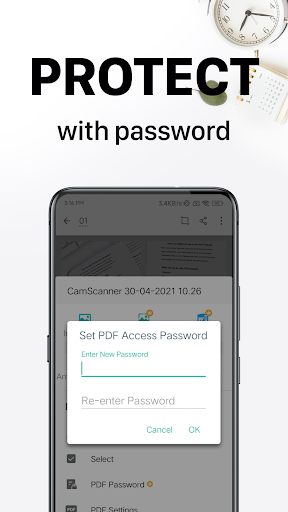
The official Premium offering focuses on improving document management for people who regularly work with scanned files. Depending on the current subscription, benefits may include watermark removal, additional cloud storage, fewer advertisements, enhanced scanning options and expanded OCR capabilities.
These resources can make a difference when handling large numbers of documents or converting printed information into editable files. However, available functions and storage limits may change according to the subscription plan and application version.
Here are some common questions about the application’s pricing and security that users should consider before installing it.
CamScanner provides a free edition with basic scanning and document management functions. Users who need additional resources can consider the Premium subscription.
The supplied pricing information lists two options:
Subscription | Listed price |
|---|---|
Monthly | $4.99/month |
Annual | $49.99/year |
These figures may no longer reflect current prices. Check the official application for updated subscription costs, billing conditions and available benefits before purchasing.
CamScanner has a long history as a widely used document-scanning application, but its security history deserves attention. Earlier versions faced security concerns involving malicious code, which led to warnings from security researchers.
For safer usage, download the application from trusted sources, install the latest updates and review its requested permissions. Avoid storing highly sensitive documents in unfamiliar modified applications, as unofficial APK packages may introduce additional privacy and security risks.
If you want to use CamScanner on your Android device, APKMODY is a place to explore available installation packages. Follow these steps to find the version that matches your requirements:
Open APKMODY: Visit the website through your Android browser.
Find CamScanner: Search for the application using its exact name.
Review Package Information: Check the version, release details and Android compatibility.
Select an Edition: Compare the available APK options before choosing a package.
Download and Install: Follow the installation instructions and carefully review requested permissions.
Start Scanning: Open the application, capture your first document and explore its editing tools.