Microsoft Teams
v1416/1.0.0.2026203802
• Utilities
| Updated On | |
|---|---|
| Google Play ID | com.monect.portable |
| Category | Utilities |
| Version | 9.1.4 |
| Size | 44 MB |
| MOD Features | VIP Unlocked |
| Requires | Android 7.0 |
| Price | |
| Free | |
| Content Rating | |
| Everyone | |
| Internet Required | |
| Unknow | |

PC Remote MOD APK turns your smartphone into a convenient control center for your computer, giving you more freedom to work or relax without sitting at your desk. From operating a virtual mouse and keyboard to controlling games, managing presentations, and transferring files, this app brings several useful PC functions to your fingertips. Whether you’re lying comfortably on the couch or presenting in front of an audience, you can handle everyday computer tasks directly from your mobile device.
PC Remote is a utility application designed to let users control computers through smartphones or tablets. It provides several remote-access functions, including mouse and keyboard controls, screen streaming, file transfers, and gamepad support. Instead of constantly moving between your phone and computer, you can use one device to manage many basic operations from a distance.
The application supports Android and iOS devices, with its available functions depending on the connection method, companion software, and device compatibility. It can be useful in different situations, whether you want to pause music from across the room, manage files, control a game, or operate a presentation without standing next to your computer.
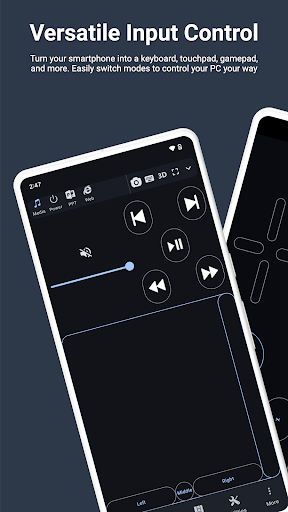
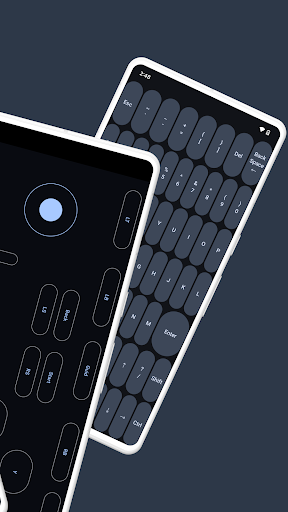
One of PC Remote’s most practical features is its ability to replace a traditional mouse and keyboard with mobile controls. After connecting your phone to your computer, you can move the cursor by sliding your finger across the touchscreen. Single or double taps handle common clicking actions, while the virtual keyboard lets you enter text without reaching for your physical keyboard.
This setup can be particularly helpful when you’re watching movies, listening to music, or giving a presentation from a distance. You can also connect through supported Wi-Fi or Bluetooth options, depending on your device and configuration. Even if you forget to bring a wireless mouse to a meeting, your smartphone may serve as a convenient alternative.
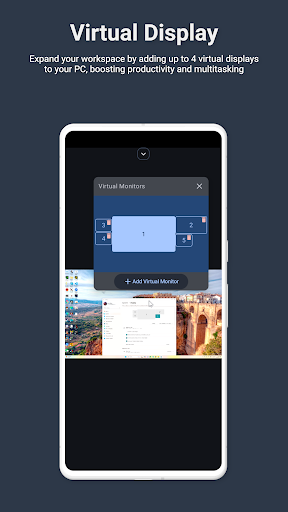
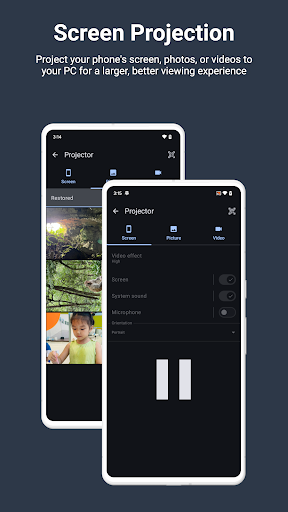
PC Remote also offers screen streaming, allowing you to view your computer’s display directly on your phone. This creates a mobile viewing window for checking what’s happening on your PC without constantly looking at the monitor. It’s useful when you need to keep an eye on an ongoing task while moving around your room.
Beyond simply displaying the screen, supported remote-control functions let you interact with your computer through your phone. You can open applications, navigate menus, move files, and work with documents using the available controls. The actual responsiveness and image quality may depend on your network connection, computer performance, and device settings.
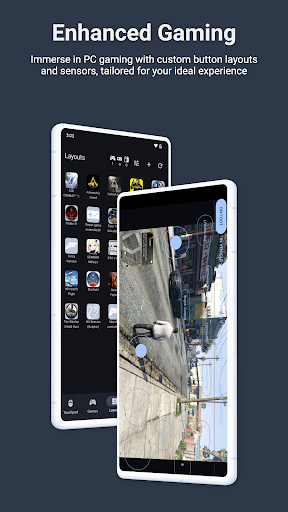
For gaming enthusiasts, PC Remote offers another interesting way to use a smartphone. The application can turn your mobile device into a virtual game controller, reducing the need to purchase a separate physical gamepad for basic gaming sessions. Its control options can be adapted to different genres, making it easier to find a layout that suits your playing habits.
Some notable gaming functions include:
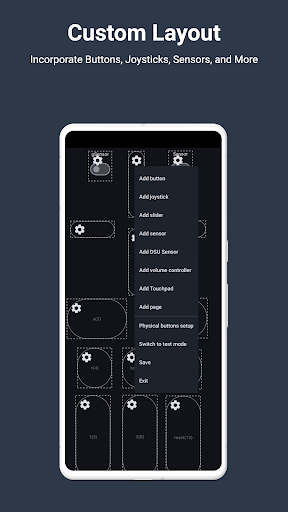
Customizable gamepad layouts: Choose from available controller designs or arrange virtual buttons to match your preferences. Different layouts can suit racing, shooting, sports, and other game genres. For example, you can configure controls for passing and shooting in a football game or position buttons for movement and actions in an adventure title.
Motion-based steering: For supported racing controls, your phone’s movement can act as a steering input. Tilting the device gives you an alternative to using on-screen directional buttons, creating a more hands-on driving experience.
Responsive control input: PC Remote is designed to provide responsive remote commands, although actual latency depends on your connection, hardware, and network conditions. A stable connection is especially important when playing games that require quick reactions.
PC game streaming: The application can also stream supported PC games to your smartphone. This allows you to view and control gameplay remotely, provided your computer can run the game and your network can handle the stream. Demanding titles such as Cyberpunk 2077 or Elden Ring may require powerful hardware and a reliable connection, so performance can vary considerably.
Keep in mind that streaming a demanding game to a phone is not necessarily equivalent to running it natively on a mobile device. For the best experience, pay attention to network stability, image quality, and control responsiveness.
PC Remote can also be useful in professional or educational settings thanks to its presentation-control functions. Once connected to a compatible computer, you can use your phone to navigate slides and manage supported presentation actions without staying beside the PC.
This feature is convenient for teachers, students, and office workers who frequently present information to an audience. Rather than relying on a dedicated presentation clicker, you can use your smartphone to move through slides while maintaining more freedom to walk around the room. Certain additional controls, such as volume adjustment or text input, may also be available depending on the setup.
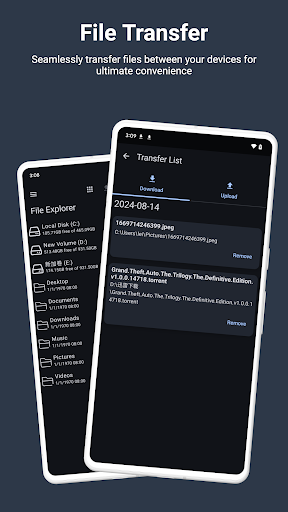
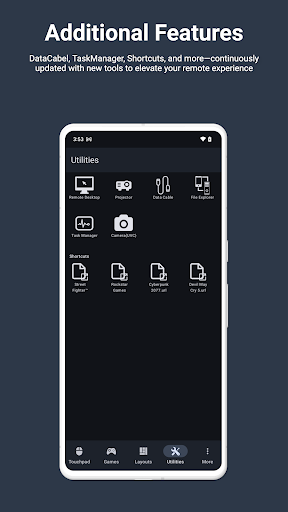
Transferring files is another useful part of the PC Remote experience. The application supports file exchange between a mobile device and a computer, helping you move documents, screenshots, videos, and other content without relying on a USB cable for every transfer.
For instance, you can send a presentation from your phone to your PC before a meeting or move a downloaded video to your smartphone for convenient viewing. Transfer speed depends on file size, connection quality, and the devices involved. A stable Wi-Fi connection can make the process more convenient, particularly when handling larger files.
The MOD edition of PC Remote is presented with an unlocked VIP feature, giving users access to the advertised premium functions without following the standard upgrade route. This may be appealing if you want to explore additional tools offered by the application.
<badge color=”success”>MOD Feature</badge>
VIP Unlocked: Premium access is advertised as unlocked in this modified version. The exact features available may depend on the app build.
Because this is a modified APK, its contents and reliability may differ from the official release. Download files only from sources you trust, review the available version information, and consider the security implications before installation.
To try the modified version, visit APKMODY and search for PC Remote MOD APK. Before proceeding, check the version details and make sure the file is suitable for your Android device.
| Step | What to do |
|---|---|
| 1 | Open the APKMODY website using your Android browser. |
| 2 | Search for PC Remote MOD APK. |
| 3 | Visit the matching download page and review its version information. |
| 4 | Select the available APK download option and wait for the file to finish downloading. |
| 5 | Open the downloaded file. If necessary, adjust Android’s installation permission for that source. |
| 6 | Follow the installation prompts, then launch the app and configure its connection to your computer. |