
Genie
v10.7.3
• Premium Unlocked

| Updated On | |
|---|---|
| Google Play ID | com.sygic.aura |
| Category | Utilities |
| Version | 26.6.2-121046 |
| Size | 179 MB |
| MOD Features | Premium Unlocked |
| Requires | Android 12 |
| Price | |
| Free | |
| Content Rating | |
| Everyone | |
| Internet Required | |
| Required | |
| Languages | |
| English, Arabic, Basque, Bulgarian, Catalan, Croatian, Czech, Danish, Dutch, Estonian, Filipino, Finnish, French, Frisian, German, Greek, Hebrew, Hindi, Hungarian, Indonesian, Italian, Japanese, Kabyle, Kazakh, Korean, Kurdish, Latvian, Lithuanian, Malay, Norwegian Bokmål, Persian, Polish, Portuguese, Romanian, Russian, Serbian, Simplified Chinese, Slovak, Slovenian, Spanish, Swedish, Thai, Traditional Chinese, Turkish, Ukrainian, Urdu, Vietnamese | |

Sygic GPS turns your smartphone into a reliable navigation companion, helping you explore unfamiliar roads without depending entirely on an internet connection. With offline maps, voice-guided directions, driving alerts, and route recording tools, the application makes everyday journeys more convenient. Discover its navigation capabilities, useful safety features, and download instructions through APKMODY in this article.
Sygic GPS is a navigation application developed by Sygic that focuses on detailed mapping and route guidance. Designed for drivers and travelers, it provides tools to explore unfamiliar locations, plan journeys, and receive useful information while moving between destinations. Its interface brings essential navigation functions together, making it easier to access directions without dealing with complicated settings.
Whether you are commuting through familiar streets or exploring a new city, having a dependable navigation tool can make a considerable difference. Sygic GPS supports different travel situations through map downloads, route planning, and driving assistance features. These capabilities make it a practical option for users who want more control over their journeys.
A good GPS application should do more than display roads on a screen. It needs to provide understandable directions, reliable location information, and convenient controls that help users concentrate on their journey.
Three important qualities contribute to a useful navigation experience:
Flexibility: A straightforward interface allows users to search for destinations, select routes, and access essential tools without spending too much time navigating menus.
Safety: Driving assistance features such as speed limit notifications and road alerts can help users remain aware of important conditions throughout their journey.
Accuracy: Detailed maps and dependable positioning information are essential for identifying the correct roads, intersections, and destinations.
Sygic GPS combines these elements with additional offline capabilities, giving users more flexibility when navigating areas with limited network coverage.
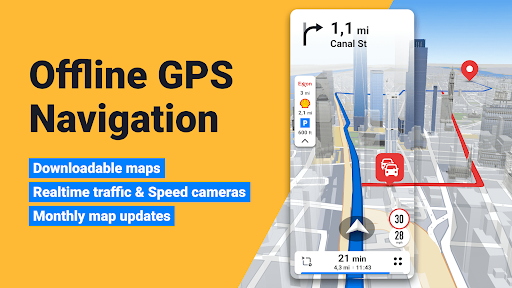
One of Sygic GPS’s most recognizable advantages is its offline navigation functionality. Users can download supported maps in advance and access them later without requiring a continuous mobile data connection. This is particularly helpful when traveling through remote areas, entering regions with unstable signals, or trying to reduce mobile data consumption.
Having maps stored directly on your device also makes journey preparation more convenient. You can review your destination, familiarize yourself with the surrounding roads, and plan your route before leaving home. However, map downloads and updates still require an internet connection, while certain connected services may need online access.
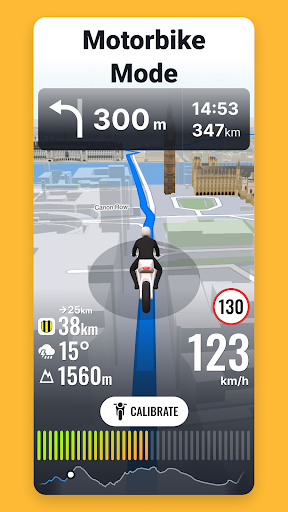
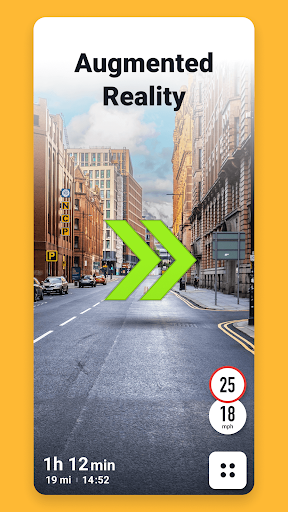
Looking at your phone repeatedly while driving can become distracting, so voice navigation provides a more practical alternative. Sygic GPS offers spoken directions that help users follow planned routes without constantly checking the display.
The application provides guidance about upcoming turns and other relevant navigation instructions. This allows drivers to anticipate changes along their route and make decisions more comfortably. Voice guidance is especially useful when navigating complicated intersections or unfamiliar urban areas.
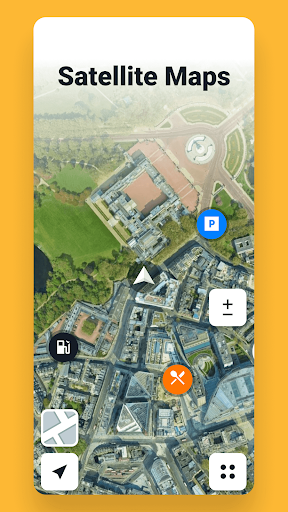
Sygic GPS provides detailed map information covering numerous countries and regions. Users can explore roads, local destinations, and important infrastructure through its mapping interface, making it easier to understand unfamiliar surroundings.
Map information and available updates depend on the selected region and application version. Keeping downloaded maps updated is important because road layouts, access restrictions, and other navigation details can change over time. With suitable map data available, users can prepare journeys more confidently and reduce the likelihood of unnecessary detours.
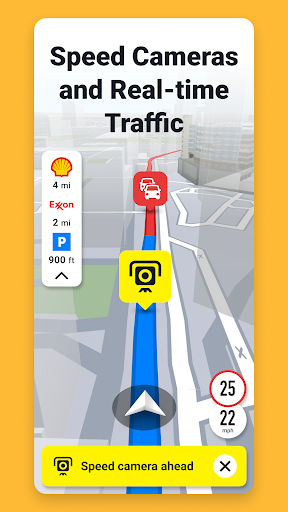
Another useful part of Sygic GPS is its collection of driving assistance alerts. Depending on the region, subscription, and available data, the application can provide notifications about speed limits, speed cameras, and other road-related information.
These alerts help drivers remain aware of important conditions instead of relying exclusively on visual directions. Some versions also offer additional assistance features designed to make driving more informed. Nevertheless, GPS notifications should be treated as supplementary information rather than a replacement for road signs, traffic regulations, or careful driving.
Sygic GPS has offered a dashcam-style recording function in supported versions, allowing users to capture footage during their journeys. This feature can be useful for keeping a visual record of road conditions and documenting unexpected situations.
Depending on the available version, recorded footage can be stored on the device for later review. Users should check the recording settings and available storage before enabling this function, particularly when planning longer trips.
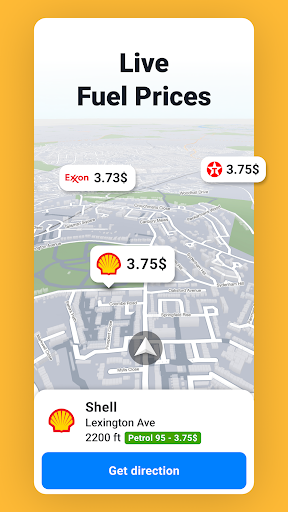
Beyond conventional turn-by-turn directions, Sygic GPS includes additional tools that can make travel planning more informative. Depending on the available map data and subscription, users may access information about points of interest, nearby services, and other notable locations.
These options are particularly useful when exploring unfamiliar destinations. Instead of treating navigation as simply following a line between two points, users can discover relevant places along the way and make better use of their travel time.
Sygic GPS offers a free navigation experience alongside paid Premium options. The free version provides access to selected basic functions, while subscriptions unlock additional navigation and mapping capabilities.
The original pricing description mentions a Premium purchase range of approximately $14–$22 and a seven-day trial. However, these figures should not be considered fixed because subscription prices, trial eligibility, and available packages may change depending on the country, platform, and promotional period.
Premium subscriptions are intended for users who need a broader collection of navigation tools. Depending on the selected package, benefits may include:
Enhanced Navigation: Access additional route guidance and navigation functions.
Advanced Map Information: Unlock more detailed mapping content and supported travel information.
Driving Assistance: Use additional alerts and tools designed to support everyday journeys.
Extended Coverage: Access eligible Premium features across supported countries and regions.
Some features may also be offered through separate in-app purchases. Before subscribing, review the current package details to understand exactly which services are included.
The MOD version is advertised with the following modification:
Premium Unlocked: Intended to unlock selected Premium navigation features without the standard subscription restrictions.
Please note that unofficial modified versions may not support every Premium service. Online map updates, account-based functions, and connected features can still require legitimate access. Modified installation packages may also present security and privacy risks, so check their source carefully before installing.
Want to explore offline navigation and additional driving assistance tools? Follow this installation guide to find Sygic GPS on APKMODY.
Install Sygic GPS using these steps:
Open The APKMODY Website: Launch a browser on your Android device and access APKMODY.
Search For Sygic GPS: Enter the application name in the search field and open the matching result.
Compare Available Releases: Review the APK and MOD descriptions, version numbers, file sizes, and device requirements.
Select A Download Source: Choose your preferred edition from the available options and start downloading the installation package.
Install The Application: Once the file has been saved, open it through your file manager and follow the Android installation instructions. Enable installation permission only if your device requests it.
Prepare Your Maps: Launch the application, configure the necessary permissions, and download the maps for your intended travel region while connected to the internet.