
VPNLY
v2.0.1
• Utilities

| Updated On | |
|---|---|
| Google Play ID | com.surfshark.vpnclient.android |
| Category | Utilities |
| Version | 3.39.0 |
| Size | 70 MB |
| MOD Feature | Not available |
| Requires | Android 6.0 |
| Price | |
| Free | |
| Content Rating | |
| Everyone | |
| Internet Required | |
| Required | |

Surfshark VPN is a privacy-focused application that helps users protect their internet connections and enjoy more flexible online access. It combines a global server network, advanced encryption, and useful security tools such as Kill Switch and MultiHop to improve the browsing experience. With support for multiple platforms and convenient account management, Surfshark is an option worth considering for anyone looking for a reliable VPN service.
The internet has become an essential part of everyday life, supporting everything from remote work and online education to shopping, entertainment, and communication. However, connecting to public Wi-Fi networks or accessing websites without appropriate protection can expose users to certain privacy and security risks.
A Virtual Private Network (VPN) helps protect internet traffic by creating an encrypted connection between your device and a VPN server. This makes it harder for third parties on the network to monitor your browsing activity and helps conceal your original IP address from the websites you visit. VPN services are therefore useful for people who frequently connect through public networks or want additional privacy when browsing online.
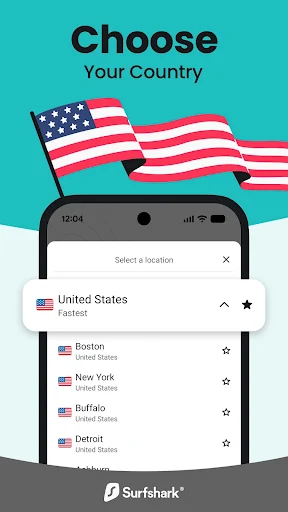
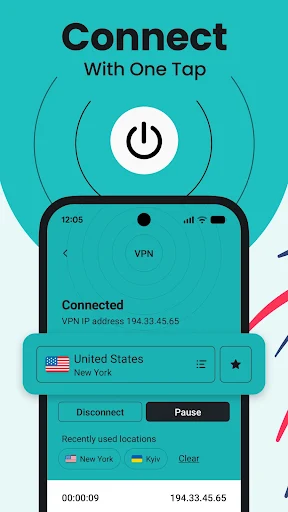
Surfshark VPN combines these functions with a straightforward interface, allowing beginners and experienced users to manage their connections without complicated configurations. You can select a server, activate the VPN, and start browsing through an encrypted connection within a few moments.
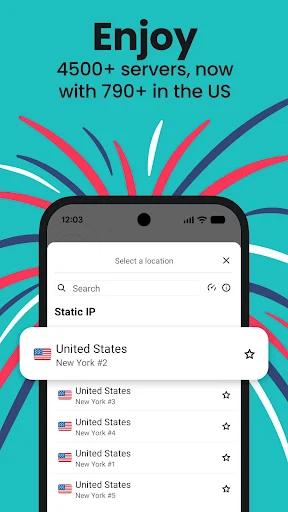
One of Surfshark’s main advantages is its extensive international server network. The service has expanded considerably since its early days, offering thousands of servers across numerous countries and regions. This provides users with different connection locations depending on their browsing needs, preferred virtual location, and network conditions.
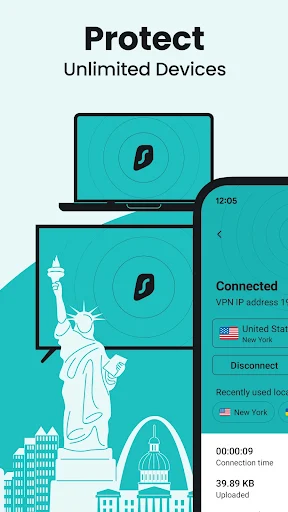
The application supports major operating systems, including Android, iOS, Windows, and macOS. This cross-platform compatibility makes it easier to maintain a consistent VPN experience when switching between smartphones, tablets, and computers. Depending on the subscription plan, users can also connect multiple devices simultaneously under one account.
Surfshark can be useful for everyday browsing, streaming, and online activities that benefit from a different virtual location. Connection performance depends on factors such as server distance, network congestion, internet speed, and the selected protocol. Choosing a nearby server is generally a good starting point when speed is your main priority.
Kill Switch is an important security feature that helps prevent accidental exposure of your internet traffic. If the VPN connection unexpectedly drops, this function can block internet access until the protected connection is restored or you reconnect manually.
This is particularly useful when using public Wi-Fi or handling information that you do not want transmitted through an unsecured connection. Instead of continuing to browse without VPN protection, your device can stop network traffic according to the configured Kill Switch settings.
Surfshark also provides MultiHop, which routes your connection through two VPN servers rather than one. This adds another layer to the connection path and makes it more difficult to associate your original IP address with your final browsing destination. The service also uses AES-256 encryption and supports modern VPN protocols, depending on the platform and configuration.
Setting up a VPN can sometimes be confusing, especially for users who are unfamiliar with server locations, connection protocols, or privacy settings. Surfshark addresses this concern by providing customer support through channels such as live chat and email.
The support team is available around the clock to help with common problems, including installation difficulties, connection errors, account questions, and subscription management. You can also consult the service’s online help center for troubleshooting instructions and setup guides.
Having access to assistance at different times is particularly useful when you depend on a VPN for work or regular internet activities. Instead of spending hours trying to resolve a technical issue yourself, you can contact the support team for guidance.
Surfshark offers several subscription options with different billing periods. Longer plans generally have a lower equivalent monthly cost, while shorter subscriptions provide more flexibility for users who do not want to commit for an extended period.
The original pricing information associated with Surfshark has included the following examples:
| Subscription | Advertised price |
|---|---|
| 1-month plan | $12.95/month |
| 12-month plan | $3.99/month |
| 24-month plan | $2.49/month |
Note: These are reference prices from the supplied information, not verified current offers. Actual prices, promotional discounts, taxes, renewal rates, and payment options may change. Check the official checkout page before purchasing.
Surfshark has also offered trial periods and a 30-day money-back guarantee under eligible subscription conditions. Trial availability and eligibility can vary depending on the platform and region. Review the applicable terms before subscribing if you want to test the service first.
If you want to explore Surfshark VPN on your Android phone, you can find its APK information through APKMODY. Before proceeding, remember that VPN applications handle sensitive network traffic, so downloading the official version from a trusted distribution channel is particularly important.
Use the following alternative method to find and install the application:
Open the APKMODY website: Launch Chrome or another browser on your Android device and access APKMODY.
Locate Surfshark VPN: Enter the application name in the search field and open the matching result.
Review the available version: Check the APK version, developer information, Android requirements, and other installation details.
Choose the download source: Select the available download option. For better security, compare the file with the version distributed through Surfshark’s official channels.
Check the downloaded package: Once the download finishes, open your file manager and find the APK in the Downloads directory.
Start the installation: Tap the package and follow Android’s prompts. If permission is required, allow your file manager or browser to install applications from that source.
Configure your VPN: Open Surfshark, sign in to your account, grant the necessary VPN connection permission, and select a server to get started.