

EasyShare
v7.1.1.7_ex_gp
• Utilities
| Updated On | |
|---|---|
| Google Play ID | com.eset.ems2.gp |
| Category | Utilities |
| Version | 12.0.17.0 |
| Size | 49 MB |
| MOD Features | Premium Unlocked |
| Requires | Android 10 |
| Price | |
| Free | |
| Content Rating | |
| Everyone | |
| Internet Required | |
| Required | |

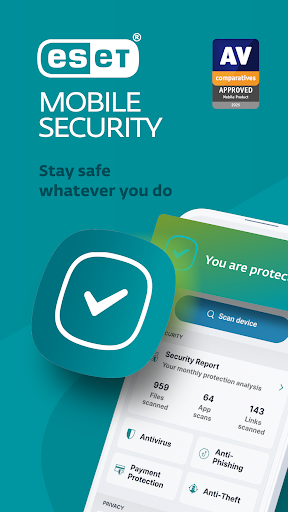
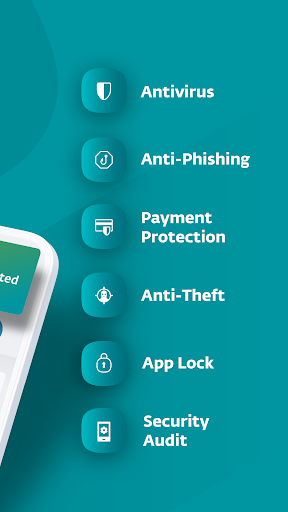
ESET Mobile is a mobile security application designed to protect Android devices against malware, suspicious applications, phishing attempts, and other online threats. Beyond its antivirus engine, the app provides useful utilities such as real-time scanning, network inspection, device location tracking, and remote security management. Whether you frequently browse unfamiliar websites, download files, or access online banking services, ESET Mobile helps strengthen your device’s overall protection.
The internet offers countless opportunities for communication, entertainment, and everyday transactions, but it also exposes mobile devices to various security risks. Malicious downloads, fraudulent websites, intrusive advertisements, and information-stealing applications can compromise personal data if users are not careful. ESET Mobile addresses these concerns through a collection of security technologies that monitor device activity and help identify suspicious behavior.
ESET Mobile is an antivirus and mobile security solution developed to identify, prevent, and handle potential threats on Android devices. Rather than requiring users to inspect every downloaded file manually, the application provides automated scanning tools that examine installed applications and accessible files for suspicious elements.
Its protection system focuses on detecting malicious software, identifying phishing attempts, and alerting users to potential security weaknesses. This is particularly useful when downloading applications, visiting unfamiliar websites, or performing sensitive activities such as shopping and online banking. Depending on the selected subscription and Android version, additional features can provide more extensive protection and device management capabilities.
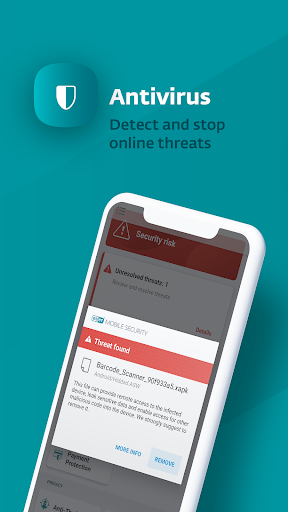
Malware protection is one of the central functions of ESET Mobile. The application scans your device to identify suspicious applications, infected files, and other potential security threats before they cause further problems. Its scanning system can operate automatically according to available settings, while manual scans allow you to check the device whenever necessary.
During operation, ESET Mobile examines supported files and applications, helping detect harmful components that might otherwise remain unnoticed. When a threat is identified, the application provides security notifications and recommended actions so users can decide how to handle the problem. Available scanning coverage may depend on device permissions and Android system restrictions.
After completing a scan, you can review a Security Report containing information about the results and detected issues. The Activity Log also provides a record of security-related events, including threats identified, blocked activities, and completed protection operations. These reports make it easier to monitor your device’s security status without having to repeat the entire scanning process.
ESET Mobile offers additional security functions for users who want more than basic antivirus scanning. Its premium protection package includes tools designed to reduce exposure to phishing websites, suspicious network connections, and intrusive advertising applications.
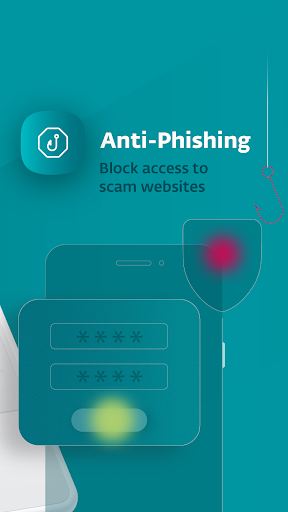
The anti-phishing feature helps identify fraudulent websites that attempt to collect passwords, payment details, or other sensitive information. Meanwhile, network inspection checks supported Wi-Fi connections for potential security weaknesses, helping users recognize unsafe network conditions before transmitting private data.
Another useful component is Adware Detector, which helps identify applications responsible for displaying unwanted advertisements. Instead of allowing intrusive software to interrupt your browsing experience continuously, you can investigate suspicious applications and take appropriate action. The available device coverage and premium benefits depend on the subscription plan associated with your account.
Losing a smartphone can be stressful, especially when it contains personal photographs, documents, and important account information. ESET Mobile includes device location functionality that helps users locate a registered device through supported account services.
If your phone goes missing, you can use another compatible device to access the associated security account and check its reported location. The system can also provide information about the last known position before the battery runs out or the device becomes unavailable.
In addition, users can configure an on-screen message containing contact information to help someone who finds the phone return it. These functions offer practical assistance in unexpected situations, although location accuracy depends on connectivity, device settings, and the permissions granted to the application.
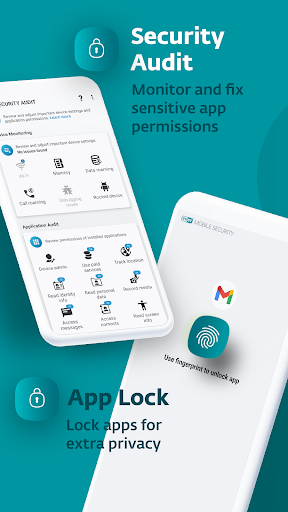
ESET Mobile also provides tools for managing certain security functions without physically holding your smartphone. App Lock allows users to restrict access to selected applications, adding an extra barrier around private information and sensitive services.
Remote management features provide additional control when a device is lost or potentially compromised. Depending on the supported release and subscription, users may access security actions through their account to manage the device or respond to identified risks. This approach is particularly useful when immediate physical access is unavailable.
By combining application protection with remote security controls, ESET Mobile helps users maintain better oversight of their Android devices. However, remote functions require prior configuration, suitable permissions, and an active connection to the relevant services.
Premium Unlocked
The MOD APK edition of ESET Mobile is advertised as providing access to Premium functionality. This version is intended for users who want to explore additional security tools beyond the standard application features.
Depending on the modification, premium utilities may include enhanced protection, advanced scanning options, and additional device security features. However, modified releases are unofficial and may not provide the same reliability, updates, or protection guarantees as the original application. For an antivirus product, using an altered package also introduces additional trust and security considerations.
If you want to install ESET Mobile on your Android smartphone, use the following checklist to find the appropriate package through APKMODY:
Open APKMODY: Launch your browser and enter the APKMODY website address. Use the search function to find the ESET Mobile application page.
Compare Available Versions: Check the listed application information, including version number, Android compatibility, and available APK or MOD APK packages. Choose the release that matches your installation requirements.
Save The APK File: Select the download link provided on the page. Wait for the package to finish downloading before moving to the installation stage.
Prepare Your Android Device: Open Settings if necessary and allow installation from the browser or file manager you used to download the package. Only grant this permission to sources you trust.
Install And Configure Protection: Open the APK file, complete the installation, and launch ESET Mobile. Review the requested permissions, configure scanning preferences, and check the available security features.