home chevron_right Apps chevron_right Photos & Videos chevron_right ToonMe

AI Enlarger: Image Upscaler
v4.1.0
• Unlocked
| Updated On | |
|---|---|
| Google Play ID | com.vicman.toonmeapp |
| Category | Photos & Videos |
| Version | 0.7.26 |
| Size | 64 MB |
| MOD Features | Pro Unlocked |
| Requires | Android 7.0 |
| Price | |
| Free | |
| Content Rating | |
| Everyone | |
| Internet Required | |
| Required | |
| Languages | |
| English, French, German, Hindi, Italian, Japanese, Korean, Portuguese, Russian, Simplified Chinese, Spanish, Turkish | |

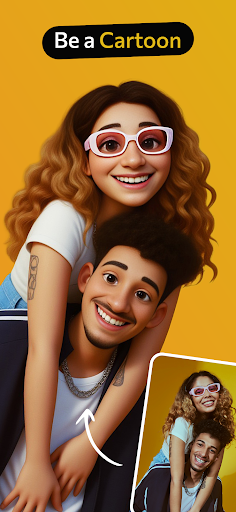
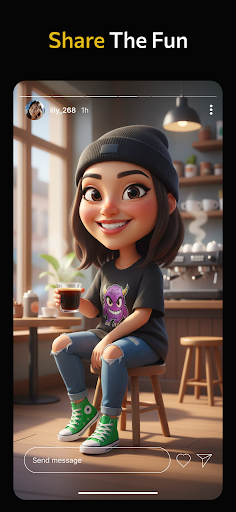
ToonMe MOD APK transforms ordinary portraits into eye-catching cartoon illustrations with the help of AI-powered editing technology. From animated avatars and artistic filters to customized backgrounds, the application offers plenty of creative possibilities for personalizing your photos. Whether you want a fresh social media profile picture or an imaginative portrait, ToonMe makes the editing process simple and enjoyable.
Have you ever imagined what your face would look like as a cartoon character? ToonMe makes this idea accessible through an image-editing application that specializes in cartoon transformations. Instead of manually drawing every detail, you can upload a photograph and let the app process your facial features into an illustrated style.
The application focuses on portrait editing, although its creative tools can also be used to experiment with other types of pictures. Its collection of artistic presets provides different interpretations of your original image, allowing you to explore various visual styles without professional drawing skills.
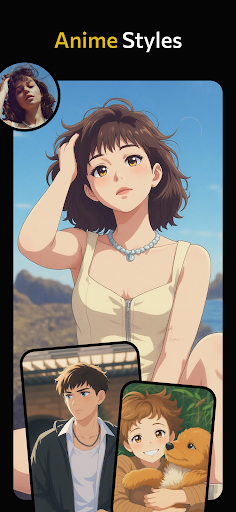
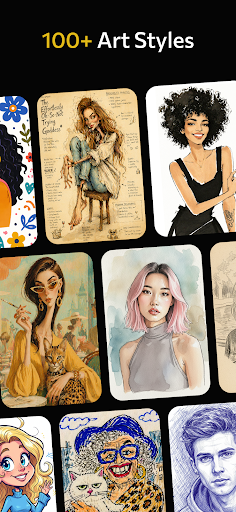
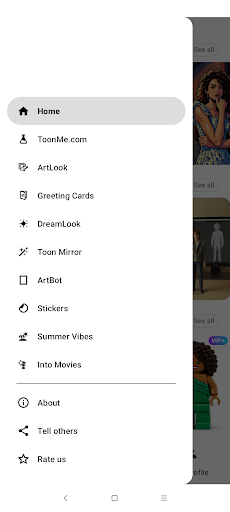
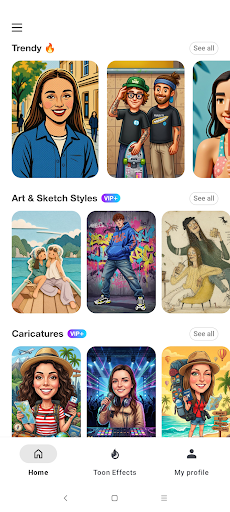
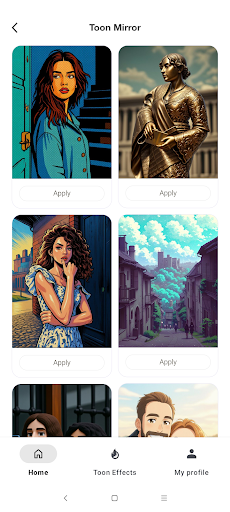
ToonMe offers more than basic cartoon filters. Its editing collection includes multiple illustration styles, ranging from simple, playful designs to more elaborate artwork inspired by animated characters and traditional painting techniques. You can experiment with different appearances, compare the results, and select the version that best represents your personality.
The application also provides creative options for producing animated-looking visuals and personalized content. By combining portrait transformations, decorative effects, and background adjustments, you can develop a distinctive aesthetic for your social media profiles.
You do not need advanced graphic design knowledge to start using ToonMe. The application is designed around a straightforward workflow: select a suitable photograph, choose an editing style, and allow the processing system to generate the result. Most transformations require only a few interactions, making the experience approachable for beginners.
For better results, choose a clear photograph with good lighting and a visible face. Selfies and portrait images generally provide useful references for facial recognition, while full-body photographs offer opportunities to experiment with different compositions and illustration effects.
One of ToonMe’s main attractions is its ability to convert personal photographs into cartoon-style profile pictures. You can select an image from your gallery or capture a new selfie, then browse the available transformation styles to find an appealing result.
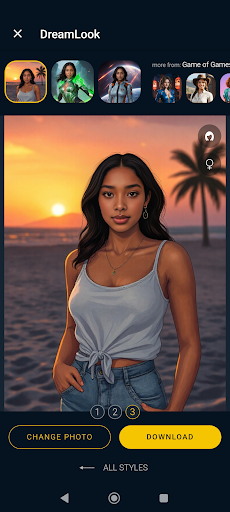
The editing process preserves recognizable facial characteristics while applying illustrated details to create a different appearance. Depending on the selected preset, your portrait may resemble a colorful animation character, a hand-drawn illustration, or a polished digital painting.
After completing the transformation, you can further personalize the picture with text and decorative elements. These additions help make your avatar more expressive, especially when preparing profile images or sharing creative posts on social platforms.
A suitable background can completely change the atmosphere of an image. ToonMe includes background options that allow you to replace or adjust the original setting without having to edit every element manually. This is particularly useful when the original photograph contains distracting details or an ordinary environment.
In addition to background customization, the application provides different visual effects that influence the overall appearance of your artwork. You can combine these elements with cartoon filters to create portraits with distinct colors, textures, and compositions. Experimenting with several combinations is a practical way to develop a consistent visual style.
ToonMe encourages users to explore their creative side through a range of artistic transformations. Its editing options cover several visual approaches, including oil-painting effects, abstract compositions, mosaic textures, and different animation-inspired appearances.
Rather than applying the same filter to every photograph, you can choose an effect based on the mood or concept you want to express. Some styles produce playful cartoon portraits, while others create more sophisticated artwork with painterly details. Adjusting filters, effects, and backgrounds together also gives you greater control over the final composition.
The MOD APK offers the Pro Unlocked feature, providing access to premium editing options that are otherwise associated with a paid subscription. This gives users more opportunities to explore advanced filters, artistic effects, and additional creative resources without being restricted to the standard selection.
Premium availability may vary depending on the application version. Since modified APK files are unofficial, certain features may not work consistently or remain compatible with future updates.
ToonMe offers a free version that allows users to access basic photo transformations and editing options. However, some advanced tools and premium content require a ToonMe PRO subscription.
The subscription prices listed in the original app information are:
Monthly plan: $5.09.
Annual plan: $24.99.
These prices may change depending on the region, platform, and current subscription offers. Check the payment details displayed in the application before purchasing a plan.
ToonMe is a photo-editing application, but users should still review its privacy policy and requested permissions before uploading personal photographs. Since portrait editing involves processing images, it is worth understanding how the application handles uploaded content and associated data.
When downloading the APK, prioritize trustworthy distribution sources and check the file before installation. Be particularly careful with modified editions because they do not necessarily receive the same security checks or updates as the original release.
No professional editing experience is required. Most of the application’s cartoon transformations rely on ready-made presets, allowing beginners to create illustrated portraits through a simple selection process. You can gradually explore additional effects and customization tools as you become more familiar with the interface.
If you want to experiment with cartoon portraits and premium editing tools, visit APKMODY to find the available ToonMe installation files for Android. Getting started only takes a few steps:
Open the APKMODY website using your preferred browser.
Search for ToonMe to access its dedicated download page.
Review the available application information and select either the standard APK or MOD APK edition.
Tap the appropriate download option and wait for the installation package to be saved.
Locate the downloaded file on your Android device and open it.
Follow the on-screen instructions to complete installation. If required, review Android’s permission settings for installing applications from external sources.
Launch ToonMe, select a photograph, and start exploring its creative editing tools.