home chevron_right Apps chevron_right Photos & Videos chevron_right AI Enlarger: Image Upscaler


Panda Video Compress & Convert
v1.3.32
• Premium
| Updated On | |
|---|---|
| Google Play ID | com.app.aiimglarger |
| Category | Photos & Videos |
| Version | 4.0.6 |
| Size | 86 MB |
| MOD Features | Unlocked |
| Requires | Android 12 |
| Price | |
| Free | |
| Content Rating | |
| Everyone | |
| Internet Required | |
| Unknow | |

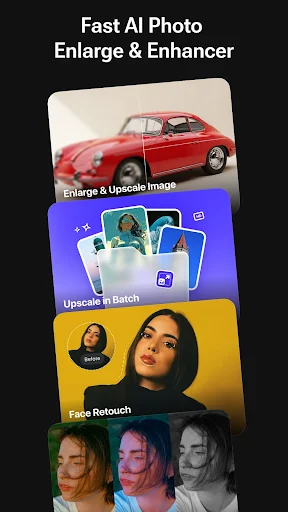
AI Enlarger: Image Upscaler is an image enhancement app designed to help users enlarge pictures while improving their visual quality. Instead of simply increasing the dimensions of an image, an AI-based upscaling process can attempt to reconstruct details and produce a cleaner result. This can be useful for old photos, small images, social media content, product pictures, or other visuals that need a larger resolution. With a mobile-friendly workflow, the app offers a convenient way to improve images without relying on complex desktop editing software.
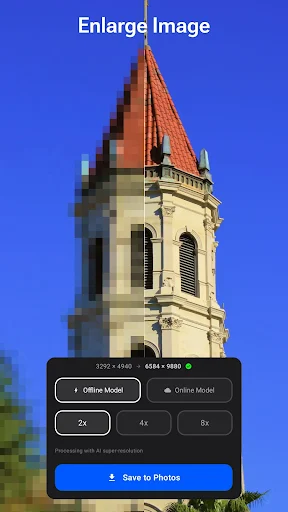
The main purpose of AI Enlarger: Image Upscaler is to increase image resolution while attempting to preserve important visual details. Traditional resizing often makes a small picture look soft or pixelated because new pixels are created without understanding the original content. AI-assisted processing takes a different approach by analyzing the image and estimating additional details. The final result can therefore look clearer, although the improvement depends on the original image and the type of content being processed.
An image upscaler can be useful in many everyday situations. Users may have older photographs with limited resolution, screenshots that need to be enlarged, or images that appear too small for a particular purpose. AI Enlarger: Image Upscaler can provide a convenient way to process these files directly from a mobile device. Results can vary, especially when the original image is heavily compressed, blurry, or extremely small.
One of the advantages of AI-based enhancement is its ability to work beyond basic resizing. The processing can attempt to make edges, textures, and other visual elements appear more defined. This can be helpful when preparing an image for viewing on a larger screen or creating a higher-resolution version for another use. However, AI cannot recover every detail that was never captured in the original file, so users should treat the enhanced result as an approximation rather than a perfect restoration.
Higher-resolution images can be useful for online posts, presentations, personal archives, and creative projects. AI Enlarger: Image Upscaler can make the enhancement process more accessible for users who do not want to learn complicated editing tools. Comparing the original and processed versions is recommended before saving or sharing an image. This helps users determine whether the added sharpness and detail actually improve the picture.
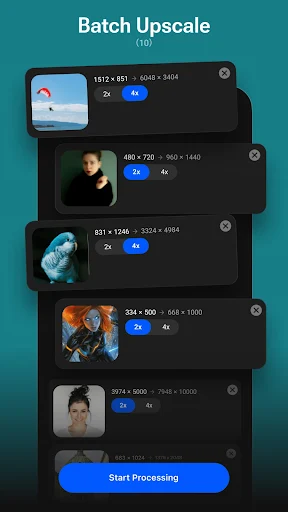
Open AI Enlarger: Image Upscaler and select an image from your device. Choose the available enhancement or enlargement option and start processing the picture. Depending on the current version, you may be able to select different output settings or enhancement levels. Wait for the processing to finish, then compare the result with the original image. If the output looks unnatural, try another setting or use a different source image. Save the improved version when you are satisfied with the result.
AI Enlarger: Image Upscaler provides a practical way to enlarge and enhance images on a mobile device. Its AI-assisted approach can make low-resolution pictures appear clearer and more suitable for larger displays or different digital uses. The app is particularly useful for quick enhancement tasks where a full photo-editing suite would be unnecessary. However, the quality of the final result depends heavily on the original image, and AI processing may sometimes introduce artificial details or artifacts. For the best results, users should compare different settings and keep the original file before applying any enhancement.