home chevron_right Apps chevron_right Personalization chevron_right Super Status Bar – Customize

Impulse – Brain Training Games
v1.7.3.1
• Unlocked
| Updated On | |
|---|---|
| Google Play ID | com.tombayley.statusbar |
| Category | Personalization |
| Version | 2.13.1 |
| Size | 9 MB |
| MOD Features | Unlocked |
| Requires | Android 7.0 |
| Price | |
| Free | |
| Content Rating | |
| Everyone | |
| Internet Required | |
| Unknow | |

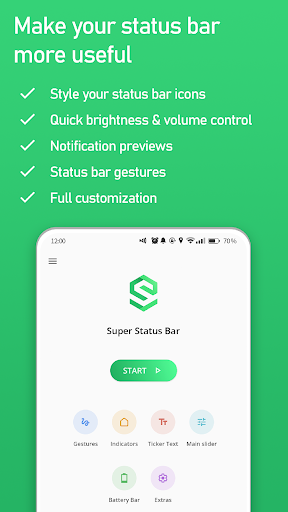
Super Status Bar – Customize is an Android personalization app that gives users more control over the appearance and behavior of their device’s status bar. It works without root and adds features that are not normally available in the standard Android interface. Users can restore scrolling notification ticker text, adjust brightness and volume with status bar gestures, customize icon styles, add a battery bar, and assign shortcuts to different gestures. With more than 5 million downloads on Google Play, the app provides a flexible way to make the status bar more useful and visually personalized.
The main purpose of Super Status Bar – Customize is to transform the standard status bar into a more customizable control area. Instead of only displaying information such as time, battery level, and network status, the app can add interactive controls and visual changes.
The app does not require root access. This makes its customization features accessible to a wider range of Android users. However, some functions rely on Android’s Accessibility Service. The permission is required for features such as status bar gestures and notification ticker functionality.
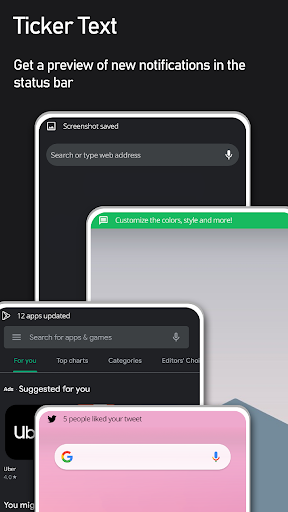
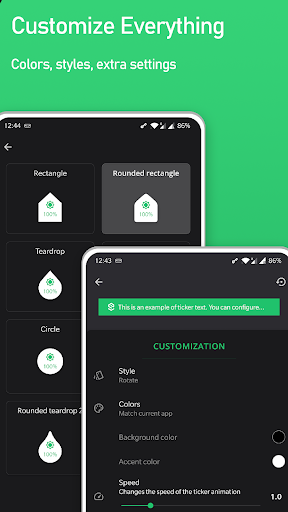
One of the distinctive features is the notification ticker. It brings back a classic scrolling notification style, allowing new notifications to appear discreetly across the status bar. Users can customize the ticker’s font, color, size, and scrolling speed. The feature can also replace floating heads-up notifications when enabled.
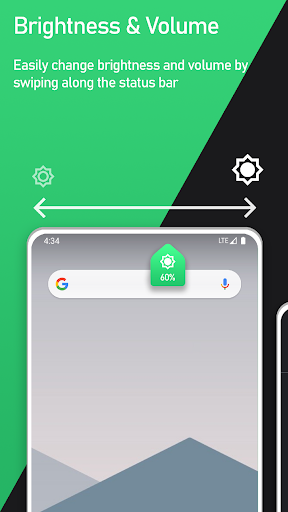
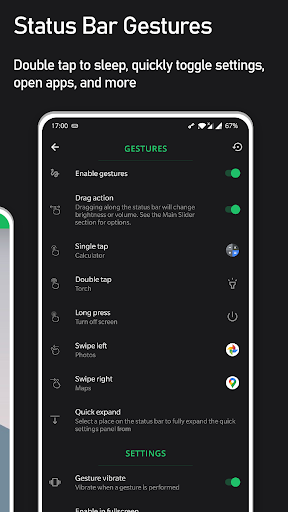
Super Status Bar – Customize also turns the status bar into a quick control area. Users can swipe across it to adjust screen brightness or different volume levels. Supported controls include media, ringtone, notification, alarm, and call volumes. An automatic detection option can adjust the volume category that is currently active.
Gestures are another major part of the application. Users can assign actions to taps, double taps, long presses, and left or right swipes. These gestures can perform functions such as locking the screen, turning off the display, taking screenshots, opening applications, expanding notifications, or accessing quick settings.
The gesture system can also provide navigation shortcuts. Users can configure actions for Back, Home, Recents, switching between applications, and split-screen mode. This can reduce the number of steps needed for frequently used functions.
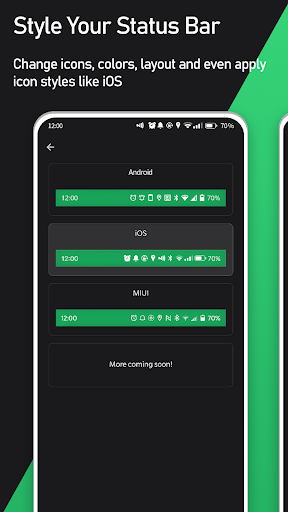
Visual customization is another important feature. The app allows users to change the appearance of status bar icons with different design styles. Current options include iOS, HyperOS, MIUI, and Android-inspired styles. Users can also hide unwanted icons and adjust icon tint and the status bar background color.
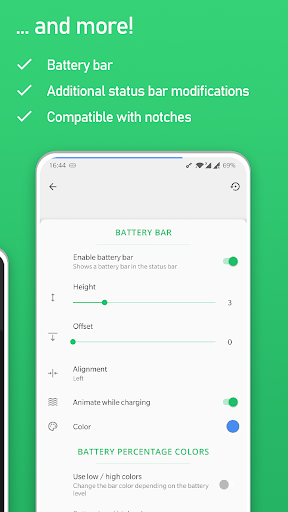
The battery bar provides another way to display battery information. Instead of relying only on the standard battery icon, users can place a slim battery indicator along the top of the screen. Its color, size, and position can be customized. A charging animation can also provide a more noticeable visual indication while the device is charging.
Install Super Status Bar – Customize and open the application. Follow the setup instructions and grant the required permissions. Accessibility Service access may be necessary for status bar gestures and notification ticker features.
After setup, choose the features you want to activate. For example, you can configure a swipe gesture for brightness control or assign a double tap to turn off the display. You can also select an icon style, hide unnecessary status bar icons, and customize the battery bar.
It is useful to configure gestures carefully because the status bar remains accessible across many applications. Choose actions that are easy to remember and avoid assigning functions that could be triggered accidentally. The app was updated on August 24, 2026, with bug fixes and enhancements.
Super Status Bar – Customize offers a broad collection of tools for changing both the appearance and functionality of the Android status bar. Notification ticker text, gesture controls, brightness and volume shortcuts, icon styles, and the battery bar give users several ways to personalize the interface.
Its no-root approach makes the app accessible to many Android users, while the wide range of gesture actions can make common controls easier to reach. Some features require Accessibility Service access, so users should review the permissions before enabling them. For anyone who wants a more flexible and personalized status bar without modifying the device through root access, Super Status Bar – Customize provides a practical set of customization tools.