home chevron_right Apps chevron_right Photos & Videos chevron_right SODA


Video Player – AnyPlay
v1.6.7
• Unlocked
| Updated On | |
|---|---|
| Google Play ID | com.snowcorp.soda.android |
| Category | Photos & Videos |
| Version | 10.5.1 |
| Size | 211 MB |
| MOD Features | VIP Unlocked |
| Requires | Android 10 |
| Price | |
| Free | |
| Content Rating | |
| Everyone | |
| Internet Required | |
| Unknow | |

SODA is a modern selfie camera and photo editing app designed to make everyday portraits look more polished without requiring complicated adjustments. Combining real-time beauty effects, personalized makeup tools, and natural-looking filters, it helps users capture attractive selfies with just a few taps. Whether you prefer a subtle appearance or a more fashionable style, this app provides flexible options to bring out your best features.
Taking a good selfie is not always as simple as pointing the camera and pressing the shutter. Lighting, skin texture, camera angles, and color balance can all influence the final result. SODA addresses these challenges by integrating photography and editing tools into one convenient application.
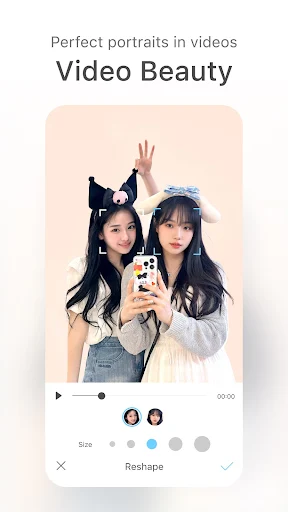
Unlike traditional photo editors that require several manual adjustments after taking a picture, SODA focuses on real-time enhancement. Users can preview beauty effects directly through the camera before capturing their portraits. Its minimalist interface keeps the essential functions accessible, making the editing process straightforward even for beginners.
From applying a suitable filter to refining facial details, most adjustments can be completed with a few screen touches. Another appealing aspect is its emphasis on natural-looking results. Instead of completely transforming facial features, the available effects are designed to enhance the original appearance while allowing users to control the intensity of each adjustment.
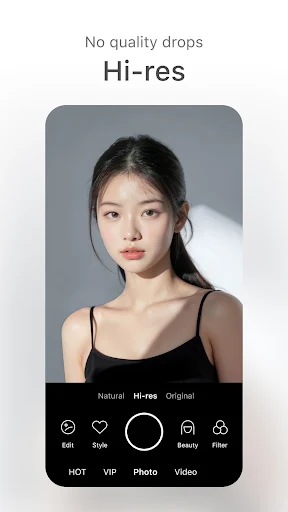
Image quality plays an important role in creating an attractive portrait. SODA includes practical camera functions that help users improve focus and background appearance before saving their pictures.
When taking a selfie, users can tap a specific area of the screen to adjust the camera’s focus. This makes it easier to highlight the subject while creating a softer background effect. The combination of focus and blur adjustments helps portraits appear more defined, particularly when the surrounding environment contains distracting details. With suitable lighting and positioning, users can create pictures that look cleaner and more professional without relying on complicated camera settings.
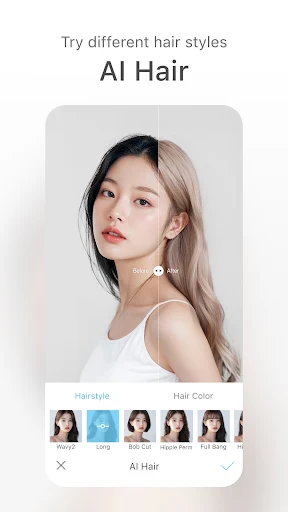
Beyond basic photography, the application offers several visual enhancements that help users experiment with different styles. These features are especially useful when taking pictures without preparing a full makeup look beforehand.
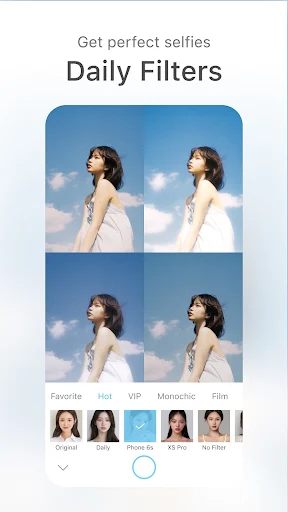
SODA includes various filters developed with selfie photography in mind. Many options focus on improving skin tones, balancing colors, and creating different visual moods. Users can experiment with soft, bright, warm, or more expressive effects depending on the atmosphere they want to achieve.
Applying a filter only takes a tap, making it convenient to compare different appearances before choosing the most suitable one. The collection also provides creative possibilities for social media content. A gentle color adjustment may work well for everyday portraits, while a more distinctive tone can give special photos a stronger visual identity.
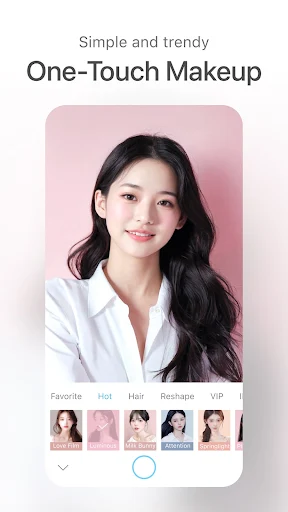
One of the most appealing parts of the editing experience is its integrated makeup toolkit. Instead of applying a single effect to the entire face, users can enhance individual features through different virtual cosmetic options. The available tools help create various beauty styles using modern color combinations and fashionable makeup effects.
Their personalized approach aims to complement different facial characteristics rather than producing an identical appearance for everyone. Users can experiment with several adjustments, compare the results, and find a combination that matches their preferences. Since the effects work in real time, it is also possible to preview the finished look before taking the actual photograph.
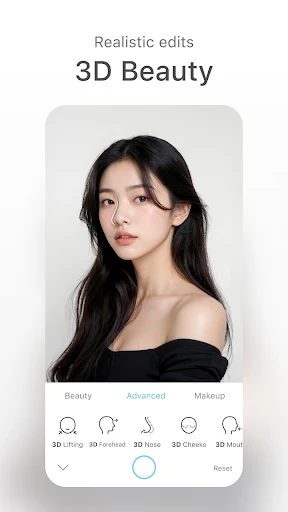
Makeup is only one part of a polished portrait. Skin appearance also influences how natural and attractive the final image looks, which is why SODA includes dedicated retouching functions.
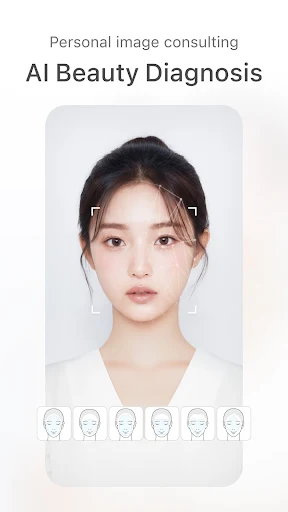
The Skin Retouching toolkit helps improve the appearance of complexion by softening visible imperfections and creating a brighter, smoother finish. These adjustments can make selfies look more refreshed while maintaining a natural appearance when used moderately.
Users can combine skin enhancement with makeup and color filters to achieve a balanced result without opening several different editing applications. Another advantage is the ability to preview changes immediately. This makes it easier to avoid excessive retouching and maintain the original character of the portrait.
For users who want to explore additional creative options, the modified edition provides access to premium features without requiring a separate subscription. This offers more flexibility when experimenting with different selfie styles and editing effects.
VIP Unlocked: The VIP package is unlocked, giving users access to premium content and additional beauty tools included in the supported version. They can explore more editing possibilities and personalize their selfies with fewer feature restrictions.
Ready to create better-looking selfies with less effort? Getting started is straightforward. Visit APKMODY, find the SODA download page, and choose the installation package that matches your preferences.
Find the application: Search for SODA on APKMODY using your Android browser.
Pick your preferred edition: Select the standard APK or modified version.
Download the package: Tap the download option and wait for the file to finish saving.
Complete installation: Open the downloaded file and follow the instructions displayed by Android. If necessary, enable permission to install applications from your selected source.
Start taking pictures: Launch the app, grant the required camera permissions, and explore its filters, makeup effects, and skin enhancement tools.