home chevron_right Apps chevron_right Photos & Videos chevron_right Motionleap

M3U IPTV
v3.1.2
• Premium


| Updated On | |
|---|---|
| Google Play ID | com.lightricks.pixaloop |
| Category | Photos & Videos |
| Version | 1.9.2 |
| Size | 131 MB |
| MOD Features | Pro Unlocked |
| Requires | Android 7.1 |
| Price | |
| Free | |
| Content Rating | |
| Everyone | |
| Internet Required | |
| Required | |
| Languages | |
| English, French, German, Italian, Japanese, Korean, Portuguese, Russian, Simplified Chinese, Spanish, Traditional Chinese, Turkish | |

Motionleap MOD APK opens up creative possibilities by transforming ordinary photographs into eye-catching animated scenes. Developed by Lightricks, Motionleap combines motion controls, visual effects, and editing tools to help users add movement to specific parts of an image. Discover how its main features work, what the Pro version offers, and how to get the APK through APKMODY.
Motionleap is a photo animation and editing application developed by Lightricks. Rather than simply applying filters or adjusting colors, it allows users to introduce movement into otherwise static images. A photograph of a cloudy sky, flowing river, or person’s hair can become a short animated scene with carefully placed motion effects.
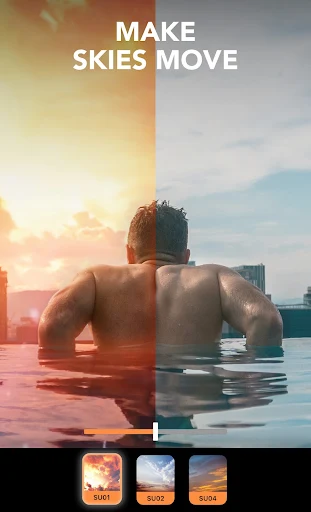
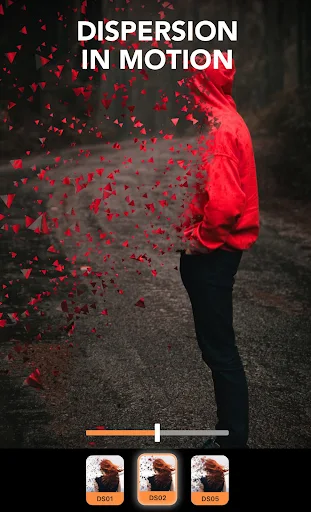
The application provides several creative options for changing the atmosphere of a picture. Users can animate clouds, simulate falling rain, add flames, or experiment with other visual overlays. Camera-style effects such as zoom and tilt also help create a sense of depth and movement. By combining multiple tools, users can produce anything from subtle natural animations to more imaginative compositions.
One of Motionleap’s defining features is the ability to control where and how movement appears. Instead of animating an entire photograph uniformly, users can indicate the areas they want to move and protect other parts from unwanted changes. This makes it easier to create effects such as flowing water while keeping nearby buildings or landscapes still.
Motion controls also allow users to adjust the direction and intensity of an animation. Anchor points and freeze areas help maintain the original structure of the image, while movement paths guide the animated elements. These options give creators more precise control over the final result, especially when working with photographs containing several visual layers.
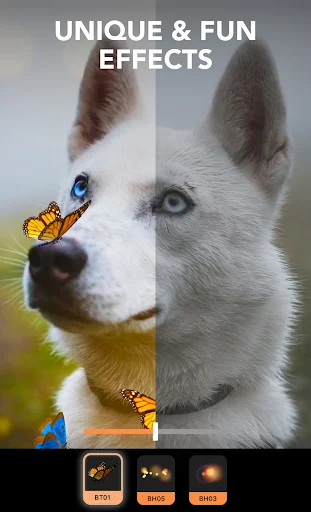
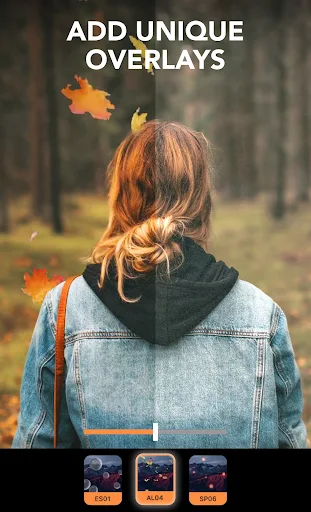
Motionleap includes more than basic animation controls. Its collection of effects and overlays helps users change the mood, lighting, and overall appearance of their photographs. Depending on the version, available tools may include:
Animate: Adds movement to selected parts of a still image through directional paths.
Loop: Creates repeating motion for elements that need continuous animation.
Sky: Changes or animates the sky to give outdoor photographs a different atmosphere.
FX Effects: Adds visual details such as rain, lightning, fire, and other dynamic overlays.
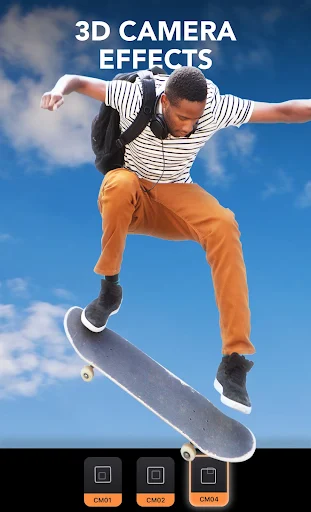
Camera Effects: Uses movements such as zoom and tilt to create a more dimensional presentation.
Users can also combine several effects in one project. For example, an outdoor photograph could feature drifting clouds, falling rain, and subtle camera movement. The key is to balance these elements so the animation looks intentional rather than overcrowded.
Despite offering several advanced tools, Motionleap organizes its editing options in an accessible interface. Users can import a photograph, select an editing category, and preview changes directly on the image. Each tool provides its own adjustment controls, making it easier to experiment without navigating through complicated menus.
Many effects also include adjustable parameters such as opacity, direction, and intensity. Selecting an effect reveals the relevant controls, which users can modify until the result matches their preferences. Beginners can start with a single animation, while more experienced creators can combine multiple effects for a detailed composition.
Once an editing project is complete, users can export their creation in a supported format. Depending on the available options and subscription status, Motionleap can produce animated content such as video clips or GIFs.
These creations are suitable for sharing on social platforms, adding movement to personal projects, or simply giving familiar photographs a different look. Export formats, resolution, and access to certain saving options may vary by version and subscription plan, so check the options available in the installed application before completing a project.
The MOD version is advertised with a Pro Unlocked feature, which may provide access to editing tools and premium effects that are normally included in a paid subscription. This can be useful for users who want to explore more creative options without immediately purchasing the official plan.
However, modified APK features are not guaranteed to work as advertised. Availability may differ between releases, and an unofficial version may not receive the same updates or support as the original application. Users should also consider the security and account risks associated with installing modified software.
Yes. Its editing workflow is designed to make photo animation accessible even to people without professional editing experience. Users can begin with simple motion paths and basic effects before exploring more advanced adjustments.
Motionleap supports exporting animated creations in formats such as video and GIF, depending on the available export options. The formats and quality settings accessible to each user may depend on the application version and subscription.
No. A MOD APK is a modified distribution of the original application, not an official release from Lightricks. Its features, stability, and security cannot be guaranteed by the original developer. For official updates and support, users should choose the version distributed through authorized app stores.
To explore Motionleap, you can check its APK listing on APKMODY. Before proceeding, compare the available release details with your Android device and decide whether the standard or modified edition is appropriate.
The installation process can be approached in three stages:
Find the APK: Open APKMODY and search for Motionleap. Review the version information and download details before selecting a file.
Prepare Android: If your browser prompts you to allow installations from that source, review the permission request and enable it only if you trust the file and its origin.
Complete installation: Open the downloaded APK, follow the on-screen instructions, and launch Motionleap after installation finishes.