home chevron_right Apps chevron_right Photos & Videos chevron_right Grab Photos From Videos


Cast to TV+ Chromecast Roku TV
v12.305
• Premium


| Updated On | |
|---|---|
| Google Play ID | nathanhaze.com.videoediting |
| Category | Photos & Videos |
| Version | 2026.10.29 |
| Size | 98 MB |
| MOD Features | Unlocked |
| Requires | Android 7.0 |
| Price | |
| Free | |
| Content Rating | |
| Everyone | |
| Internet Required | |
| Unknow | |

Grab Photos From Videos is a practical Android app designed for users who want to extract still images from video files. Instead of taking screenshots while a video is playing, users can select a video and look for specific frames that they want to save as individual photos. This approach can be useful when a memorable moment appears quickly, when a video contains useful visual information, or when users want to create images from personal recordings. With a straightforward purpose, the app can provide a convenient way to turn selected video frames into standalone pictures.
The main purpose of Grab Photos From Videos is to make frame extraction easier on a mobile device. Videos contain many individual frames, but finding and saving one particular frame can be inconvenient with standard gallery or video-player tools. A dedicated frame-grabbing application provides a more focused workflow, allowing users to work directly with their stored videos and select the moments they want.
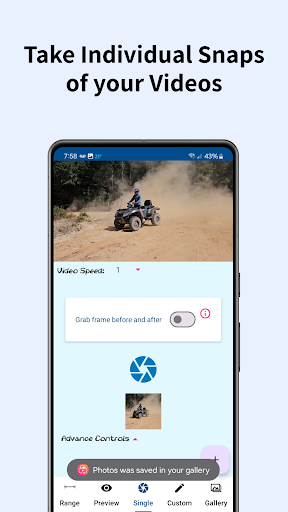
The core feature is the ability to choose a video and identify useful frames. Users can move through the footage until they find the right moment, then save that frame as a separate image. This can be helpful for family videos, travel recordings, sports clips, tutorials, events, or other situations where a single moment is worth keeping as a photo.
Traditional screenshots can capture unnecessary elements from the screen, such as playback controls, notification icons, or other interface details. A dedicated video frame extractor focuses on the video content itself. This makes it easier to obtain a clean still image without manually pausing a video and adjusting the screen before taking a screenshot.
One of the strengths of this type of application is its simple purpose. Users do not need to learn a complicated editing workflow just to save one or several moments from a video. The process can be especially convenient when the original video is already stored on the device.
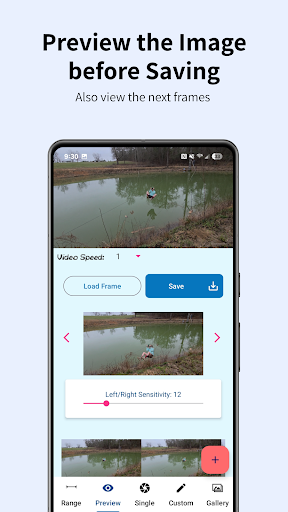
Choosing the correct frame is important because even a small difference in timing can change the result. When a subject is moving, for example, one frame may be sharp while the next one contains motion blur. Being able to review the video and select a suitable moment gives users more control than taking a random screenshot during playback.
Extracted frames can serve different purposes. Users may save memorable scenes from personal recordings, create reference images from instructional videos, or select individual moments from events. A video to photo workflow can also be useful for people who record several images in motion but later discover that a particular frame works better as a photograph.
It is important to remember that extracting a frame does not automatically improve its quality. The resulting image depends heavily on the original video’s resolution, compression, lighting, camera quality, and movement. A high-resolution video will generally provide more useful frames than a heavily compressed or low-quality recording.
Start by opening the app and selecting a video from your device. Play or browse through the footage until you reach the moment you want to capture. Move carefully around the selected point to find the frame with the clearest composition, then use the available capture or save function to store the image.
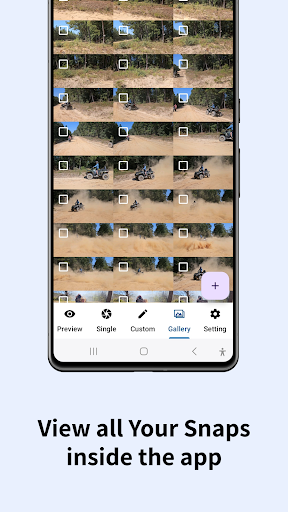
For better results, avoid selecting frames where the subject is moving rapidly or where the video is affected by significant motion blur. If several frames look useful, save multiple options and compare them later. Organizing extracted images into a dedicated album can also make them easier to locate.
Before extracting a large number of images, check the available storage space on your device. Although individual photos are usually small compared with videos, saving many frames can gradually consume storage. It is also worth keeping the original video until you are certain that the extracted images contain everything you need.
Grab Photos From Videos offers a focused solution for users who want to save individual frames from existing video recordings. By providing a more direct alternative to ordinary screenshots, it can make the process of finding and preserving specific moments more convenient. The app can be useful for personal memories, travel footage, events, tutorials, and other videos where a single frame has value. For the best results, users should work with high-quality source videos and carefully select sharp, well-composed frames.