home chevron_right Apps chevron_right Photos & Videos chevron_right Mobizen Screen Recorder


Flud Plus
v2.1.0
• Unlocked

| Updated On | |
|---|---|
| Google Play ID | com.rsupport.mvagent |
| Category | Photos & Videos |
| Version | 3.11.2.5 |
| Size | 55 MB |
| MOD Features | Premium Unlocked |
| Requires | Android 6.0 |
| Price | |
| Free | |
| Content Rating | |
| Everyone | |
| Internet Required | |
| Unknow | |
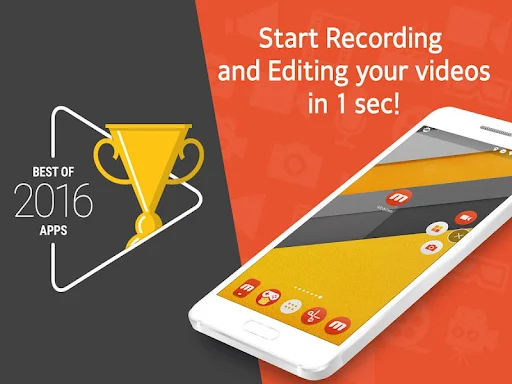
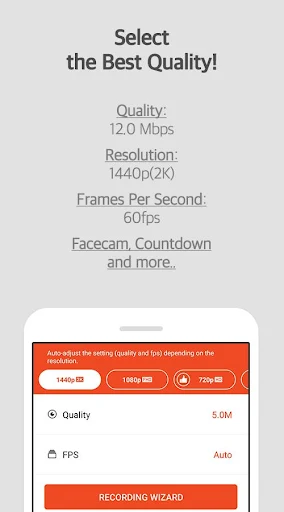
Mobizen Screen Recorder MOD APK is one of the first screen recording applications on mobile. Mobizen Screen Recorder appeared before the screen video recording feature was integrated into the operating system of smartphones. The application was developed and released by MOBIZEN. Mobizen Screen Recorder won the Best Application of 2016 award voted by Google.
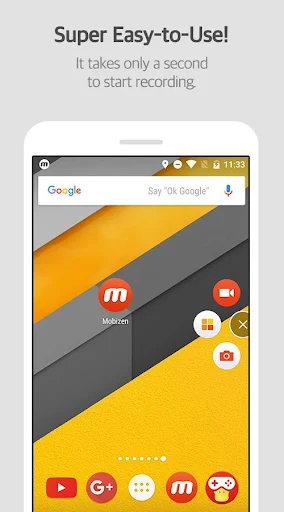
This is the main feature and also the trademark feature of Mobizen Screen Recorder. To record the screen, you need to click on the Mobizen Screen Recorder bubble icon and select the screen recording button (camera icon). After 3 seconds, Mobizen Screen Recorder will record the screen, you can track how much time the application has recorded in the counter in the bubble icon.
While Mobizen Screen Recorder is recording your screen, you can still perform other functions of the app. Once you are done, end the screen recording using the square button inside the bubble icon. Once finished, Mobizen Screen Recorder will immediately save the recorded video to your device’s memory. You can also pause the process by using the “||” button. The app will not stop the screen recording completely, and you can still continue the process at any time.
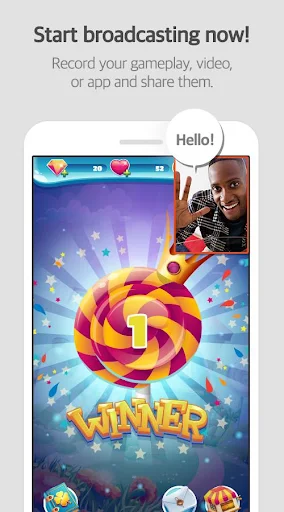
Face Cam is a great feature of Mobizen Screen Recorder. You can enable Face Cam and the app will use your phone’s camera to display your face while recording the screen. Face Cam can use both the front and rear cameras. You can also freely adjust the size and position of Face Cam before and during recording.
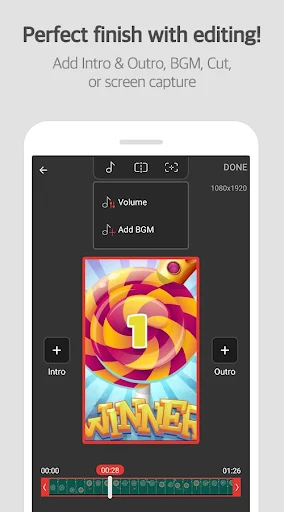
Mobizen Screen Recorder has a built-in simple editor. You can use this feature to edit videos quickly, without the need for any other video editing application. In addition, Mobizen Screen Recorder’s video editor allows editing all videos on your device, not just limited to videos recorded by the application itself.
You can open the editor by selecting the “edit” icon below each video, in the main interface of Mobizen Screen Recorder. After doing so, the editor interface will be launched immediately.
Note that Mobizen Screen Recorder’s editor is very strict about the name of the video selected for editing. The editor will not accept videos with names containing special characters or accented letters, hieroglyphs, etc. If the editor refuses to accept the video due to file name format issues, you need to rename the video to remove special characters or letters as mentioned above.
Mobizen Screen Recorder’s editor provides information about the length and content of each frame in a slider at the bottom of the screen. You can tap or slide anywhere on the slider to check the content of the frame at that position.
At the cursor position in the slider, you can cut the video into two segments using the split button on the toolbar at the top of the screen. After using this feature and saving, Mobizen Screen Recorder will split and save into 2 videos with the exact start point, end point, and length according to the cursor position you just cut. You can cut the video into two or more segments, but the newly formed segments must be at least 5 seconds long.
Mobizen Screen Recorder allows you to adjust the length of the video using two limit bars at the two ends of the slider. You can drag the two bars in or out, all the content between the two limit bars will be kept, the outside will be discarded (adjustments are only applied if you perform a save operation). Note that Mobizen Screen Recorder does not allow you to adjust the video length to less than 5 seconds.
This is a basic feature that any editor must have, of course Mobizen Screen Recorder also has this feature integrated. You can quickly insert audio into the video being edited, by using the music note tool on the toolbar at the top of the screen. After selecting an audio file from the device memory, the audio will be put into a separate channel independent of the original audio channel of the video. In addition, you can adjust the volume of the integrated audio file and the original audio inside the video to your liking.
Note that the audio file you choose also needs to follow the naming rules of no special characters and letters in special format, just like the naming rules for video files.
Premium Unlocked
With a simple, fast, convenient design and a powerful built-in editor, Mobizen Screen Recorder is one of the best screen recording applications at the moment. Mobizen Screen Recorder also works very well when used to record screens in heavy 3D games that require high performance.