home chevron_right Apps chevron_right Photos & Videos chevron_right FitSwap

PureStatus: ByeBye Blur Status
v2026.25
• Premium
| Updated On | |
|---|---|
| Google Play ID | com.fitswap.clotheschanger |
| Category | Photos & Videos |
| Version | 15.0 |
| Size | 42 MB |
| MOD Features | Pro Unlocked |
| Requires | Android 6.0 |
| Price | |
| Free | |
| Content Rating | |
| Everyone | |
| Internet Required | |
| Unknow | |

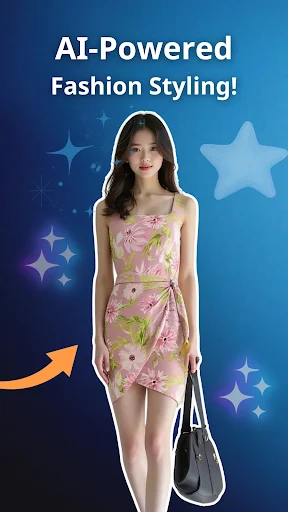
FitSwap MOD APK brings virtual fashion fitting to your phone, allowing you to experiment with different outfits without changing your actual clothes. Powered by AI technology, the application analyzes your appearance and places selected garments onto your photo with impressive visual results. Whether you want to refresh your wardrobe, discover a new fashion identity, or find inspiration before shopping, FitSwap makes the process more convenient and entertaining.
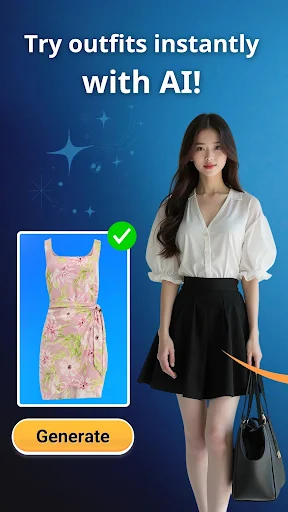
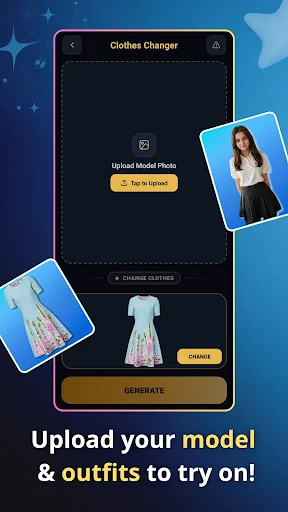
Trying out different clothes can take plenty of time, especially when you have to visit multiple stores or deal with crowded fitting rooms. FitSwap offers a more flexible alternative by turning your smartphone into a virtual fitting space. Simply provide a suitable photo, select your preferred clothing, and let the AI transform your appearance.
What makes this application interesting is its combination of virtual try-on technology, fashion recommendations, and personalized styling tools. Instead of purchasing an outfit just to find out whether it suits you, you can preview different looks beforehand and make more informed fashion choices.
<PRIVATE_PERSON> eliminates the traditional fitting process by allowing you to preview outfits directly through your uploaded photos. You no longer have to repeatedly change clothes, wait for an available fitting room, or carry several items around a store. A few simple actions are enough to explore an entirely different appearance.
To get started, upload a clear picture that shows your face and body proportions. The AI system will process the image, identify important visual details, and generate a new version featuring your selected outfit. You can experiment with dresses, formal suits, casual shirts, or athletic clothing while keeping your original appearance recognizable.
Another advantage is the ability to compare several combinations in one session. This makes it easier to narrow down your favorite looks, especially when preparing for special occasions or planning a wardrobe update.
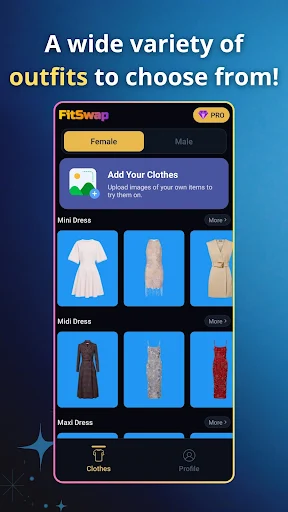
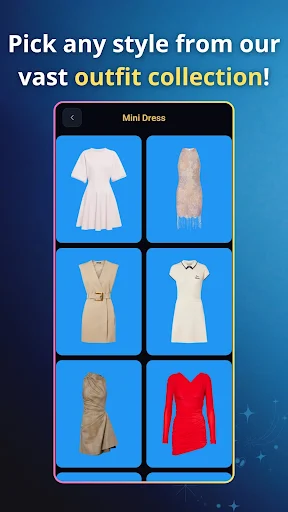
Having plenty of outfit choices makes virtual fitting more exciting. FitSwap provides access to a diverse fashion collection, covering everyday clothing as well as more distinctive looks. Rather than limiting users to a single aesthetic, the application encourages experimentation with different combinations.
Some of the fashion categories worth exploring include:
Streetwear: Oversized shirts, relaxed trousers, sneakers, and trendy pieces inspired by urban culture.
Business Casual: Smart shirts, tailored pants, blazers, and other clothing suitable for professional environments.
Athleisure: Comfortable sportswear designed for workouts, running, yoga, and everyday activities.
Retro & Vintage: Classic-inspired outfits featuring distinctive designs from previous fashion decades.
Cosplay & Fantasy: Creative costumes and imaginative appearances inspired by fictional characters and fantasy themes.
With these different categories, you can move beyond your usual clothing preferences and discover combinations that you might never have considered wearing.
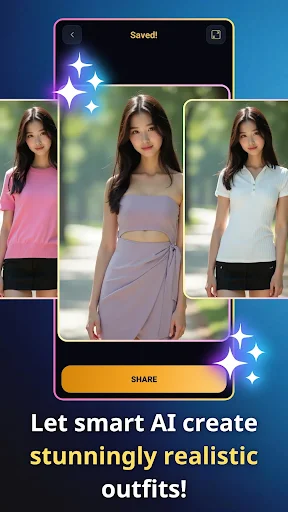
A virtual fitting application is only useful when its results look convincing. Poorly processed images can produce misplaced clothing, unnatural proportions, or noticeable differences between the original photograph and the final result. FitSwap focuses on improving this experience through AI-powered image analysis and outfit processing.
The technology examines visual elements such as body proportions, posture, and lighting to create a more cohesive appearance. Instead of simply placing a clothing image over your photograph, the system attempts to adapt the selected garment to your figure. This helps maintain a more consistent look throughout the generated image.
AI-based adjustments also make it easier to preview how different clothing cuts and designs might appear on your body. However, generated images are still visual simulations, so the actual fit, material, and comfort of a garment may differ from the virtual result.
Choosing individual clothing pieces is one thing, but combining them into a complete outfit requires a different level of creativity. FitSwap addresses this challenge with an AI-assisted mix-and-match feature that recommends complementary garments based on your selected items and preferred appearance.
For instance, when you choose a basic shirt, the application can suggest pairing it with trousers, white sneakers, and a lightweight jacket. If you prefer a sporty appearance, a hoodie combined with jogger pants and sneakers might be a more suitable option. Meanwhile, formal occasions call for coordinated suits, elegant dresses, or sophisticated accessories.
You can also explore different styling directions, including casual, office, party, and sportswear. These suggestions provide useful inspiration when you feel stuck with your current wardrobe or want to create a fresh appearance without spending hours searching for outfit ideas.
Following trends is not always the best way to develop an attractive wardrobe. Finding a style that reflects your personality and feels comfortable is equally important. FitSwap introduces a personal style discovery feature to help users understand their fashion preferences through simple questions or photographs of their everyday clothing.
Depending on the analysis, you may discover that your preferences are closer to one of several popular aesthetics:
Minimalist: Clean silhouettes, neutral colors, and uncomplicated combinations.
Hypebeast: Statement sneakers, recognizable brands, and streetwear-inspired clothing.
Classy & Elegant: Refined outfits, sophisticated cuts, and luxurious-looking details.
Artsy & Creative: Unconventional combinations, expressive colors, and distinctive designs.
Casual & Relaxed: Comfortable everyday pieces that balance simplicity with visual appeal.
Once your preferred aesthetic has been identified, the application can provide additional outfit inspiration and brand recommendations. This gives you a starting point for developing a more consistent wardrobe instead of purchasing random items that rarely work together.
Finding an attractive outfit is exciting, but locating the actual products can sometimes become a frustrating process. FitSwap makes this step more convenient through shopping integrations that connect fashion inspiration with potential purchasing options.
After discovering a look you enjoy, you can explore related shopping destinations and find clothing items that match your preferences. This creates a smoother transition from experimenting with virtual outfits to considering real purchases. Fashion-related promotions and partner discounts may also provide additional opportunities to save money when shopping.
Nevertheless, it is worth checking product descriptions, sizing information, and seller details before placing an order. A virtual preview can help you visualize an outfit, but it should not replace checking the actual specifications of the clothing.
The modified edition of FitSwap introduces an unlocked premium experience, making additional application features accessible without following the standard subscription route.
Pro Unlocked: Provides access to premium features that are otherwise restricted in the regular version.
The availability of specific functions may depend on the MOD build. Since modified applications are not official releases, users should also consider potential security, compatibility, and privacy risks before installing them.
If you want to experience AI-powered outfit transformations on your Android device, follow these steps to get the application through APKMODY:
Visit APKMODY: Open your browser and access the APKMODY website.
Find FitSwap: Use the website’s search function to locate the FitSwap MOD APK download page.
Check The Version: Review the available application information, Android requirements, and MOD details before proceeding.
Download The APK: Tap the download option provided on the FitSwap page and wait for the installation file to finish downloading.
Install The Application: Open the downloaded file. If Android requests permission to install applications from that source, review the permission and enable it only if you trust the file.
Start Exploring: Launch FitSwap, review its permissions, and follow the initial setup instructions to begin experimenting with virtual outfits.