

Wild Cards
v1.1.20
• Card






| Updated On | |
|---|---|
| Google Play ID | com.mobilityware.spider |
| Category | Card |
| Version | 7.8.5.4996 |
| Size | 208 MB |
| MOD Feature | Not available |
| Requires | Android 6.0 |
| Price | |
| Free | |
| Content Rating | |
| Everyone | |
| Internet Required | |
| Unknow | |

Sometimes, the best way to take a break is to step away from complicated games and enjoy a little mental challenge. Spider Solitaire by MobilityWare offers exactly that experience, bringing a familiar card puzzle to Android with a cleaner interface and several modern features. Whether you’re a longtime fan of traditional Solitaire or a beginner looking for a relaxing pastime, this version gives you plenty of opportunities to sharpen your strategy and enjoy a satisfying round whenever you have a spare moment.
Spider Solitaire builds on the familiar foundations of classic Solitaire, but its rules introduce an extra layer of planning. The game uses two standard decks, giving you a total of 104 cards. Your objective is to organize them into eight complete sequences, each arranged from King down to Ace and belonging to the same suit. Once a sequence is completed, it automatically disappears from the playing area.
At the beginning of a round, you’ll see ten columns of cards. Four columns contain six cards each, while the remaining six have five. Only the top card in each column is face-up, leaving the others hidden until you uncover them. Additional cards are placed in a stock pile, ready to be dealt when you need more options.
You can move individual cards or groups of consecutive cards, provided the selected sequence follows the game’s movement rules. When the board becomes difficult to manage, dealing another row adds one card to each column. However, this action can create extra obstacles, so it’s worth checking your available moves before using the stock pile.
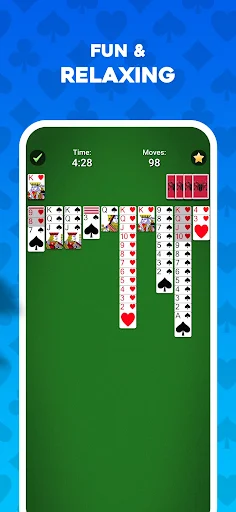
Successful play depends on uncovering hidden cards, creating empty columns, and arranging sequences efficiently. An open column is particularly valuable because it gives you room to temporarily move cards and reorganize larger groups. Thinking several moves ahead often makes the difference between clearing the board and getting stuck.
Not everyone approaches Spider Solitaire with the same level of experience. That’s why MobilityWare provides several variations, allowing you to adjust the challenge according to your preference. The available modes include:
One Suit: A beginner-friendly option with fewer restrictions, ideal for learning the rules and practicing basic strategies.
Two Suits: Adds another layer of complexity, requiring more attention when arranging cards.
Three Suits: Introduces tougher decisions and makes it harder to organize complete sequences.
Four Suits: The most demanding mode, challenging experienced players to manage several suits while planning their moves carefully.
If you’re new to the game, starting with one suit is a sensible way to understand how card movement and sequence building work. More experienced players can gradually move toward the harder variations for a greater mental workout.
Another useful feature is Winning Deals, which offers selected deals designed to be solvable. It gives players an opportunity to focus on finding the right strategy rather than wondering whether a particular layout has an achievable solution.
Spider Solitaire offers more than its standard game modes. Daily Challenges provide fresh puzzles that encourage you to return regularly and test your card-organizing skills. Completing these tasks allows you to earn badges, which contribute to your collection over time. It’s a simple progression feature that gives each day a small objective beyond playing another ordinary round.
The game also introduces weekly events with themed challenges and different locations. These activities may take you through destinations inspired by cities around the world, with distinctive backgrounds and visual details accompanying the card puzzles. Each completed board brings you closer to event milestones and gives you another reason to experiment with different strategies.
These activities are especially appealing if you enjoy having clear goals while playing. Instead of repeating the same standard setup indefinitely, you get additional challenges that encourage you to improve your performance and maintain a regular playing routine.
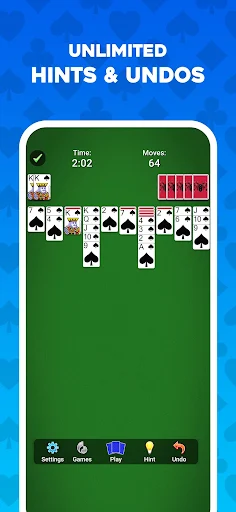
Even experienced players occasionally reach a point where every available move seems to make the board worse. Spider Solitaire includes practical assistance tools to help you deal with these situations. The Hint feature highlights a possible move when you need guidance, making it easier to spot opportunities that might otherwise go unnoticed.
Undo is equally useful because it lets you reverse previous actions and reconsider your decisions. You can experiment with different arrangements without having to restart the entire round whenever a move doesn’t produce the result you expected. These tools are particularly helpful when learning more advanced techniques or exploring the harder difficulty settings.
For players who enjoy tracking their improvement, the game also records performance statistics. Depending on the available tracking options, you can review details such as completion time, number of moves, undo usage, and win rate. Looking back at these figures gives you a clearer picture of your progress and helps identify areas where your strategy could improve.
A familiar card game becomes more enjoyable when you can adjust its appearance to suit your taste. Spider Solitaire offers customization options that let you change the visual presentation rather than sticking with one fixed design. Different themes and backgrounds provide a fresh look, while special victory animations add a little celebration when you successfully clear the board.
You can also adjust practical settings to make each session more comfortable. Sound effects can be enabled or disabled depending on your surroundings, while card movement speed lets you choose a pace that feels natural. The interface also supports layout adjustments for left-handed and right-handed players, making the controls easier to use.
These options may seem like small additions, but they help the game feel more personal. Whether you prefer a quiet session with minimal effects or a more colorful presentation, you can tailor several aspects of the experience without changing the core rules.
If you want to enjoy MobilityWare’s card game on your phone, you can look for the available Android package through APKMODY. Before installing, take a moment to review the listing and make sure the package matches your device.
Use this quick pre-installation checklist:
Visit APKMODY and search for Spider Solitaire by MobilityWare.
Open the matching game page and review its version information, file details, and Android requirements.
Check the available download options, then save the APK package to your device.
Once the download finishes, locate the file through your device’s Downloads folder or file manager.
Open the package and follow Android’s installation prompts. If permission is requested for that installation source, review it before proceeding.
Launch the game after installation and explore the difficulty settings to find a mode that suits your experience.