Reigns: The Witcher
v1.0.3626
• Card
| Updated On | |
|---|---|
| Google Play ID | com.mobilityware.Hearts |
| Category | Card |
| Version | 2.5.1.2781 |
| Size | 194 MB |
| MOD Features | Premium Unlocked |
| Requires | Android 8.0 |
| Price | |
| Free | |
| Content Rating | |
| Everyone | |
| Internet Required | |
| Unknow | |

Some card games reward you for collecting valuable cards, but Hearts turns that idea upside down. In this classic trick-taking game, every heart you capture brings you closer to defeat, while the Queen of Spades can completely ruin your score. Hearts: Card Game brings this familiar challenge to Android through MobilityWare, offering traditional rules alongside additional modes, multiplayer options, and tools for tracking your performance.
Hearts: Card Game is a digital adaptation of the well-known Hearts card game, where four players compete to finish with as few penalty points as possible. Instead of collecting high-value cards, you need to carefully manage your hand, predict your opponents’ moves, and avoid winning tricks containing dangerous cards.
MobilityWare’s version combines the traditional gameplay with convenient mobile features. Whether you’re a longtime Hearts player or someone learning the rules for the first time, you can enjoy quick matches, experiment with different strategies, and gradually improve your decision-making skills.
Every standard Hearts match uses a 52-card deck without Jokers. Four players receive 13 cards each, and the player holding the 2 of Clubs usually leads the opening trick. From that point onward, everyone must follow the suit led by the first player whenever possible. If you don’t have a matching suit, you can discard another card, potentially passing a penalty card to someone else.
The scoring system is what makes Hearts particularly interesting. Each heart card adds one penalty point, while the Queen of Spades carries a much heavier 13-point penalty. That means there are 26 penalty points available in every round. Your objective is to avoid collecting these cards and finish the game with a lower score than your opponents.
Winning tricks isn’t always a good thing, especially when dangerous cards are involved. You need to consider which suits remain in play, identify opportunities to get rid of unwanted cards, and anticipate what other players might be holding. A careless move can force you to collect several penalty points, even when your original plan seemed safe.
Although the traditional rules provide plenty of strategic depth, Hearts: Card Game offers additional options to keep matches interesting. These modes introduce different objectives and scoring conditions, giving experienced players more ways to challenge themselves.
Standard Mode: Enjoy the familiar Hearts experience, focusing on avoiding penalty cards and finishing with the lowest score.
Shoot the Moon: Attempt to collect every heart card and the Queen of Spades in one round. If successful, you can give each opponent 26 points instead of taking those penalties yourself. However, missing even one penalty card can turn this ambitious strategy into a costly mistake.
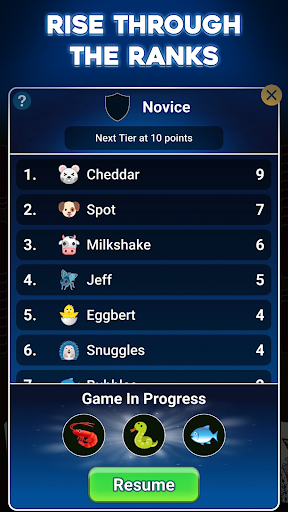
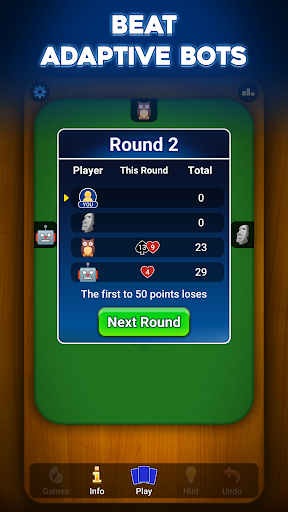
Tournament Mode: Compete across multiple rounds while keeping track of cumulative scores. This format rewards consistency and careful planning rather than relying on a single lucky round.
Custom Rules: Adjust selected gameplay conditions, such as the target score, whether hearts can be played immediately, or restrictions involving the Queen of Spades during the opening trick.
These variations make the game suitable for different preferences. Beginners can stick with the standard rules while experienced players experiment with more demanding conditions.
Improving at Hearts requires more than simply playing one match after another. You also need to recognize recurring mistakes and understand which strategies are producing good results. The statistics section in MobilityWare’s version provides useful information to help you evaluate your progress.
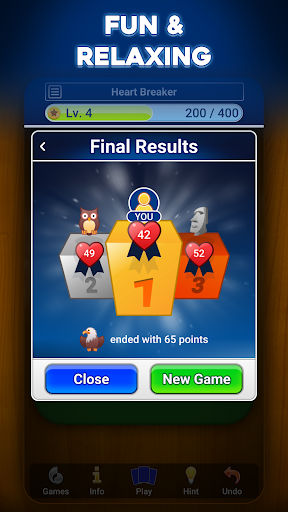
Depending on the available tracking features, you can review figures such as your win rate, average points per round, successful Shoot the Moon attempts, and how frequently you’ve collected the Queen of Spades. These records give you a clearer picture of your strengths and weaknesses.
Score history and progression charts also make it easier to compare performances across multiple sessions. If your results become inconsistent, you can revisit your recent matches and think about whether your card choices or risk-taking habits need adjustment.
Playing against computer-controlled opponents is a convenient way to practice, but competing against real people introduces a different level of unpredictability. Each participant has their own approach to managing cards, avoiding penalties, and deciding when to take risks. As a result, familiar situations can lead to completely different outcomes.
Hearts: Card Game may provide multiplayer options such as private rooms and matchmaking, depending on the available version and service features. These options let you challenge friends or meet other players who enjoy the same card game. Some releases may also include chat functions and competitive leaderboards, adding another reason to return for more matches.
Human opponents can be difficult to predict, so relying on a fixed strategy isn’t always effective. You’ll need to pay attention to the cards already played and adapt your decisions to the changing situation. This makes multiplayer a valuable way to test the skills you’ve developed against AI opponents.
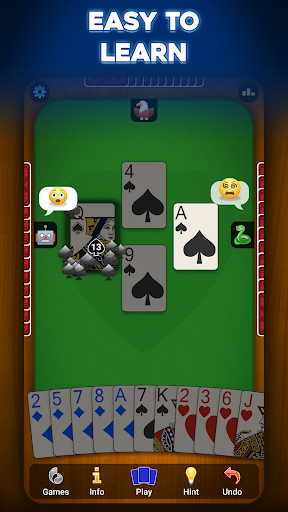
A card game should make it easy to recognize every card and follow the action without distracting visual elements. Hearts: Card Game uses a straightforward interface that keeps the main menu and essential options accessible. New players can quickly locate the play screen, settings, and statistics without spending too much time learning the controls.
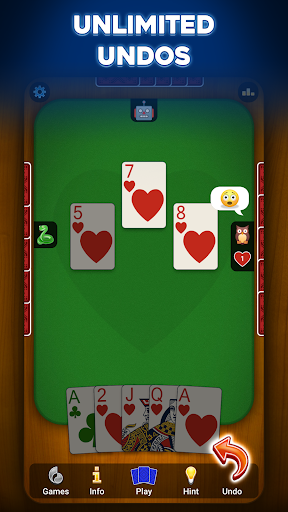
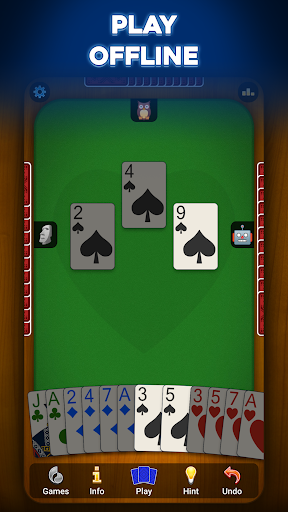
During a match, the table layout clearly displays the four player positions and the cards involved in each trick. Card symbols and values are designed to remain readable on mobile screens, allowing you to focus on strategy instead of struggling with the interface.
The game may also offer different table appearances and visual themes, depending on the version you’re using. Options inspired by traditional wooden tables, green felt surfaces, or softer modern colors provide a little variety between sessions. These customization choices help create a more comfortable playing environment without changing the core rules.
Players looking for additional convenience may be interested in the modified edition of Hearts: Card Game. The advertised MOD feature is:
Premium Unlocked: Provides access to premium-related features that would otherwise require the standard version’s restrictions or payment, depending on the specific MOD release.
Keep in mind that modified APK packages are unofficial and may behave differently from the original application. Feature availability, compatibility, and stability can vary between versions.
Hearts: Card Game is a great choice if you enjoy card games that rely on patience, observation, and clever decisions rather than luck alone. Its familiar rules make it easy to get started, while custom settings, alternative modes, and multiplayer matches provide plenty of reasons to keep playing. Whether you’re trying to avoid the Queen of Spades or attempting the risky Shoot the Moon strategy, every round offers a new challenge.
| Stage | What to do |
|---|---|
| Find the game | Visit APKMODY and search for Hearts: Card Game APK. |
| Check the listing | Review the version, package details, Android compatibility, and available MOD information. |
| Prepare your phone | Make sure you have enough free storage and a stable connection for the download. |
| Save the installer | Select the appropriate download option and wait until the APK file is saved completely. |
| Complete installation | Open the downloaded file. If Android requests permission, allow your browser to install apps from that source, then follow the prompts. |
| Start playing | Launch Hearts: Card Game and explore the available modes and settings. |