home chevron_right Apps chevron_right Communication chevron_right Signal

Threema
v6.6.1
• Communication
| Updated On | |
|---|---|
| Google Play ID | org.thoughtcrime.securesms |
| Category | Communication |
| Version | 8.36.3 |
| Size | 112 MB |
| MOD Feature | Not available |
| Requires | Android 6.0 |
| Price | |
| Free | |
| Content Rating | |
| Everyone | |
| Internet Required | |
| Required | |
| Languages | |
| English, Arabic, Bengali, Catalan, Croatian, Czech, Danish, Dutch, Finnish, French, German, Greek, Gujarati, Hebrew, Hindi, Hungarian, Indonesian, Irish, Italian, Japanese, Korean, Malay, Marathi, Norwegian Bokmål, Persian, Polish, Portuguese, Romanian, Russian, Serbian, Simplified Chinese, Slovak, Spanish, Swedish, Thai, Traditional Chinese, Turkish, Ukrainian, Urdu, Vietnamese | |

Signal is a privacy-focused messaging application designed to protect personal conversations and communication data. It allows users to exchange messages, make voice and video calls, and share media through end-to-end encryption. With disappearing messages, screen security options, and an ad-free experience, Signal provides a convenient way to stay connected while maintaining greater control over personal privacy.
Online privacy has become increasingly important as people rely on messaging applications to communicate, exchange files, and share personal information. However, not every communication platform offers the same level of protection. Data exposure, unauthorized access, and privacy concerns have made users more careful about choosing applications for everyday conversations.
Signal was developed by the nonprofit Signal Foundation to address these concerns through privacy-focused communication tools. Unlike conventional social networking platforms, it places strong emphasis on protecting conversations rather than collecting personal information for advertising purposes. Its popularity has also helped establish it as a recognizable alternative to mainstream messaging services.
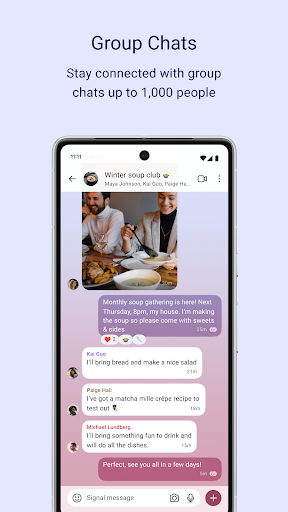
At first glance, Signal works much like other messaging applications. You can communicate with friends, family members, and colleagues through individual chats or group conversations. The main difference is its security architecture, which is designed to prevent unauthorized parties from accessing the content of your private communications.
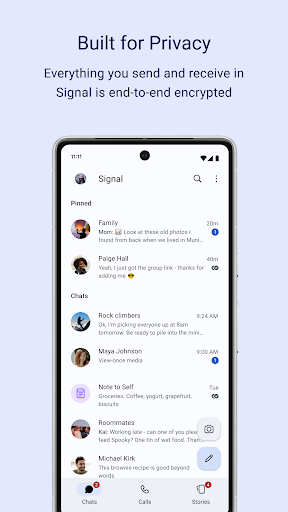
Signal uses its own open-source Signal Protocol to protect messages and calls through end-to-end encryption. This means communication content is encrypted on the sender’s device and can only be accessed by the intended recipient’s device. Intermediaries, including the service provider, cannot ordinarily read the protected conversation content.
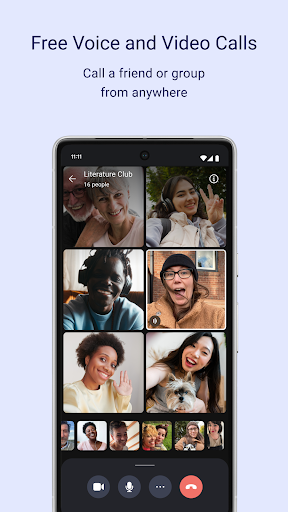
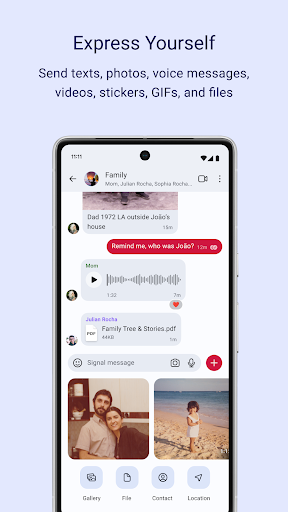
The application supports private text messages, voice calls, video calls, and media sharing. You can also verify the identity of another contact through safety numbers, helping reduce the risk of communicating with an unintended party. For additional protection, Signal supports screen locks using your device’s PIN, fingerprint, or other available authentication methods.
These features make the application suitable for everyday conversations as well as discussions involving sensitive personal information. Nevertheless, encryption does not protect against every possible threat, such as someone accessing an already unlocked device or taking a photograph of your screen.
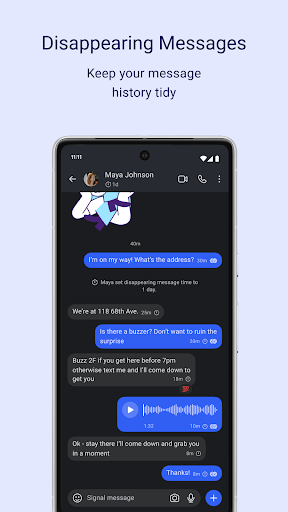
Signal provides a disappearing messages feature that automatically removes messages after a selected period. You can configure a timer for individual conversations or supported chats, reducing the amount of conversation history that remains accessible on your device.
This option is particularly useful when exchanging temporary information or discussing topics that do not need to remain in your chat history indefinitely. Instead of manually deleting individual messages, you can let the application handle the process according to your chosen timer.
Signal also offers screen security options on supported devices. For example, Android users can enable Screen Security to block screenshots within Signal on their own device. However, this does not guarantee that recipients cannot capture conversations using another device or alternative methods.
Another important aspect of Signal is its approach to storing personal information. Messages and attachments are generally stored locally on your devices rather than being maintained as a conventional cloud-based chat history accessible to the service provider.
You can manage linked devices, review connected sessions, and remove devices you no longer use. If your phone is lost, checking and managing linked devices from another available device can help you protect your account. You should also keep your device locked and maintain appropriate backups if you want to preserve important conversations.
Signal supports encrypted backups on compatible platforms and versions, with availability and setup depending on your device. Therefore, it is worth reviewing the current backup options before changing phones or reinstalling the application.
Signal does not rely on conventional advertising or behavioral tracking to support its messaging service. This creates a cleaner communication environment without promotional posts interrupting your conversations.
The application also includes practical customization options that make everyday use more comfortable. You can personalize chat backgrounds, adjust notification preferences, create custom notification settings for conversations, and organize your communication according to your needs.
Together, these tools make Signal more than a basic encrypted messenger. It combines everyday communication functions with privacy-focused settings, allowing users to manage how they interact with others without unnecessary distractions.
If you want to experience private messaging and encrypted communication on your Android device, you can download Signal APK through APKMODY. The installation process is straightforward and only requires a few steps.
Follow this alternative guide to install the application:
Access APKMODY: Open your preferred browser on your Android phone and visit APKMODY.
Search for Signal: Use the website’s search function to locate the Signal application page.
Check the application details: Review the available version, Android compatibility, and package information before proceeding.
Get the APK file: Select the download option and wait for the installation package to finish downloading.
Locate the downloaded file: Open your phone’s file manager and navigate to the Downloads folder.
Install Signal: Tap the APK file and follow the instructions displayed by Android. If necessary, allow your browser or file manager to install applications from that source.
Set up your account: Launch Signal, register your phone number, complete the verification process, and configure your privacy preferences.