
Carly — OBD2 car scanner
v50.07
• Unlocked
| Updated On | |
|---|---|
| Google Play ID | inc.trilokia.pubgfxtool |
| Category | Utilities |
| Version | 0.26.8 |
| Size | 6 MB |
| MOD Feature | Not available |
| Requires | Android 7.0 |
| Price | |
| $0.19 | |
| Content Rating | |
| Everyone | |
| Internet Required | |
| Not Required | |

PGT+: Pro GFX & Optimizer is an Android utility that gives mobile gamers more control over graphics settings and game performance. It provides customization options for resolution, visual quality, and other parameters that may not be available through a game’s standard menu. If you want to experiment with different configurations, this app offers a range of tools to help tailor your gaming experience to your device.
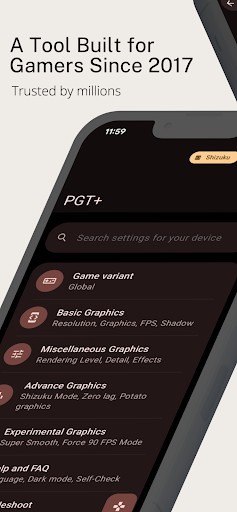
PGT+: Pro GFX & Optimizer is designed for players who want to customize the visual settings of supported Android games. Instead of relying entirely on default configurations, users can explore different graphics options and find a setup that better suits their phone’s hardware and personal preferences.
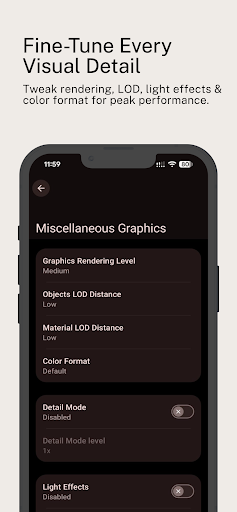
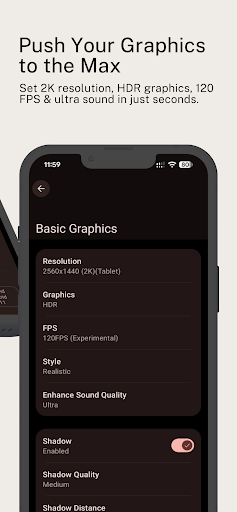
Depending on the supported game and app version, available adjustments may include resolution, texture quality, anti-aliasing, and shading. These options let you experiment with the balance between visual detail and performance. For example, lowering demanding graphics settings may help some devices run a game more comfortably, while higher settings can improve image quality on hardware that can handle them.
Graphics are only one part of mobile gaming. Frame-rate stability, device temperature, and hardware limitations can also affect how a game feels during extended sessions. PGT+ provides configuration tools intended to help users find settings that work better with their devices.
You can experiment with performance-related options and different FPS configurations to see which combination delivers the best results. However, the app cannot guarantee that every game will run without lag or frame drops. Actual improvements depend on your phone, the game, its compatibility with PGT+, and the settings you choose.
PGT+ brings several gaming-related options together in one place, making it easier to experiment without navigating multiple system menus. Its tools are particularly relevant to players who enjoy fine-tuning their gaming setup.
Some features and options associated with the app include:
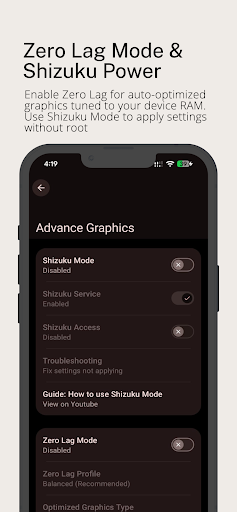
Zero Lag Mode: A setting intended to reduce performance interruptions and make gameplay feel more responsive. Results may vary depending on device hardware and game compatibility.
Game Turbo: Provides gaming-focused configuration options that aim to improve the overall experience while playing supported titles.
FPS Settings: Lets users explore frame-rate configurations and find a suitable balance between smooth movement and visual quality.
Graphics Customization: Offers options for adjusting visual parameters such as resolution and texture quality, where supported.
Battery-related Options: Includes settings intended to help manage power consumption during gaming sessions. Actual battery life still depends on device usage and system conditions.
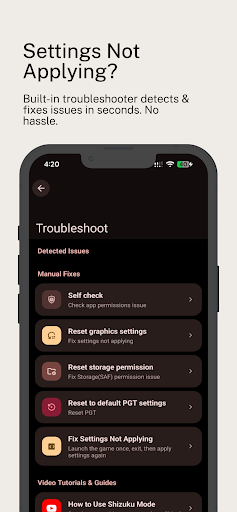
Not every option will necessarily work with every game or Android device. Check the available settings before applying changes, especially when experimenting with advanced configurations.
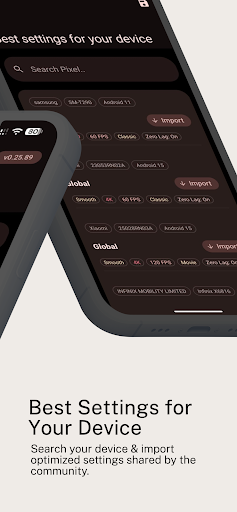
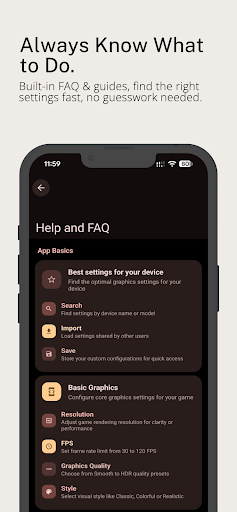
PGT+ features a straightforward interface that groups its customization tools into accessible sections. This makes it easier for new users to explore the available options, while more experienced gamers can spend time testing different configurations.
The app is also described as having a small installation size, making it a relatively lightweight addition to an Android device. Before installing, check the APK version and your phone’s compatibility to ensure that the application can run properly.
If you want to try its graphics and performance tools, you can find PGT+: Pro GFX & Optimizer through APKMODY. Follow this download route:
| Stage | What to do |
|---|---|
| Find the app | Open the APKMODY website and search for PGT+: Pro GFX & Optimizer. |
| Select a release | Visit the app page and review the available APK version and its compatibility information. |
| Get the file | Tap the download option and wait for the APK file to finish downloading. |
| Install it | Open the downloaded file. If Android blocks the installation, allow installation from that source in your device settings, then continue. |
| Start customizing | Launch PGT+ and review the available options before applying changes to a supported game. |