

Ultrasurf VPN
v3.3.6
• Premium Unlocked


| Updated On | |
|---|---|
| Google Play ID | com.ertech.daynote |
| Category | Utilities |
| Version | 6.13.1 |
| Size | 55 MB |
| MOD Features | Premium Unlocked |
| Requires | Android 7.0 |
| Price | |
| Free | |
| Content Rating | |
| Everyone | |
| Internet Required | |
| Unknow | |

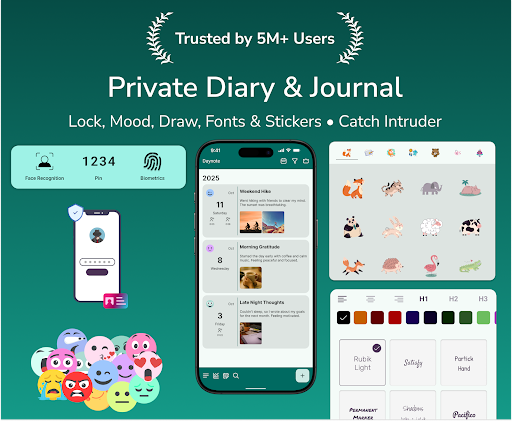
Daynote MOD APK turns your phone into a personal space for recording thoughts, daily experiences, plans, and meaningful moments. With customizable diary pages, privacy controls, and backup options, the app makes journaling simple and personal. Whether you enjoy writing every day or just want a place to save occasional memories, Daynote offers practical tools to help.
Not every memory comes from a major event. A short conversation, an unexpected trip, or a passing thought can become something worth remembering. Daynote provides a convenient space to capture these details before they fade from memory.
You can use it as a personal diary, a quick note-taking tool, or a place to organize schedules, ideas, emotions, and future plans. Its straightforward design makes it suitable for spontaneous entries as well as longer journal sessions.
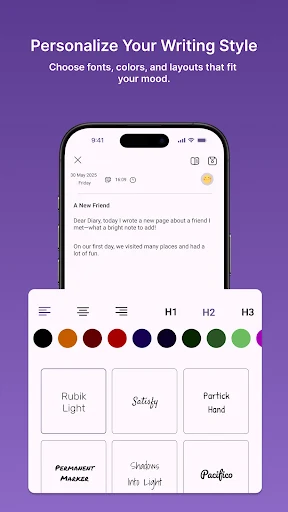
A personal diary should reflect the person writing it. Daynote includes customization options that let you shape its appearance instead of relying on plain text entries. Choose from different themes, background colors, and fonts to create pages that match your mood.
Text formatting tools, font sizes, colors, and emojis add further flexibility. You can also select a mood for an entry, giving each memory a little more personality. These options make the writing experience feel more engaging and encourage you to keep adding new pages.
Writing regularly does not have to involve long paragraphs or complicated routines. With Daynote, you can start with a few sentences about what happened during the day, how you felt, or something you want to remember. Even a brief entry can become meaningful when you revisit it months or years later.
The app also works for different writing purposes. For example, you might record personal goals, note an interesting idea, keep track of travel experiences, or write down plans for an upcoming event. Having these details in one personal space makes it easier to revisit your thoughts instead of leaving them scattered across different apps.
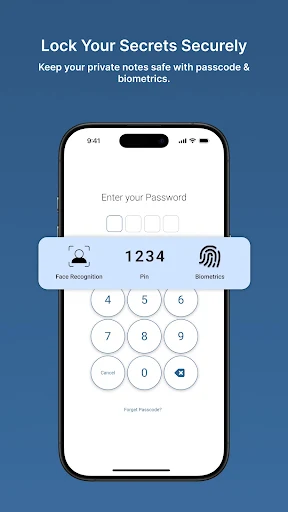
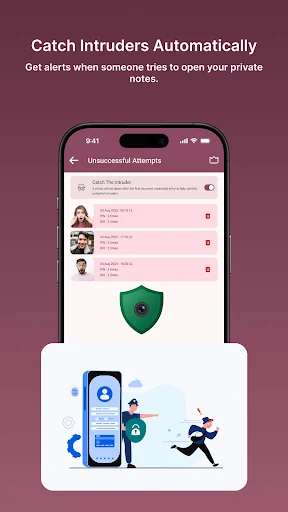
Personal journals often contain information that users would rather keep to themselves. Daynote addresses this concern with several locking options, including password protection and biometric authentication through fingerprint or face recognition on supported devices.
The developer states that diary information stays on the user’s device rather than being stored on its servers. However, this should not be treated as a guarantee against every possible data loss or security issue. It is still worth reviewing your device’s security settings and keeping backups of important entries.
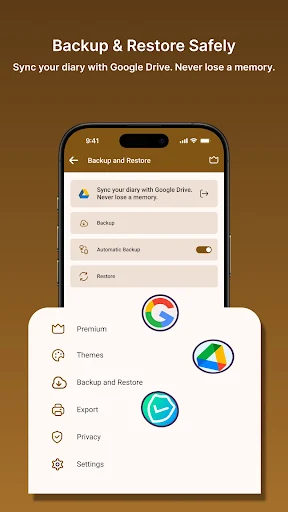
Losing a phone should not necessarily mean losing years of diary entries. Daynote supports Google Drive synchronization, allowing users to keep information updated across devices. Its automatic backup and restore tools also provide another way to preserve written memories.
When you want a separate copy, the app can export diary entries as TXT or PDF files. These formats are useful for keeping personal archives, printing selected pages, or sharing specific memories when you choose to do so.
Daynote supports offline journaling, so you do not need a constant internet connection to record your thoughts. Open the app while traveling, commuting, or relaxing somewhere without Wi-Fi, then write as usual. Once your connection returns, newly added content can synchronize according to the app’s settings. This makes Daynote convenient for users who prefer to write whenever inspiration strikes rather than waiting until they are online.
The modified edition listed here advertises access to the following feature:
Premium Unlocked: Opens premium features that may otherwise require an upgrade in the standard version.
The exact availability of premium tools can vary between builds. Since this is an unofficial modified package, its security, stability, and compatibility cannot be guaranteed.
Ready to turn everyday experiences into a personal collection of memories? Follow these steps to get the installation file through APKMODY:
Open the APKMODY website in your Android browser.
Search for Daynote MOD APK using the website’s search function.
Open the matching app page and review its version information.
Tap the download option and wait for the APK file to finish downloading.
If Android blocks the installation, allow your browser or file manager to install apps from that source in your device settings.
Open the downloaded file, complete the installation, and launch Daynote.
Only install APK files from sources you trust. Review the requested permissions before opening the app, and keep a separate backup of any diary entries you cannot afford to lose.