

INKredible PRO
v3.1.5
• Utilities






| Updated On | |
|---|---|
| Google Play ID | com.pandavpn.androidproxy |
| Category | Utilities |
| Version | 10.0.0 |
| Size | 18 MB |
| MOD Feature | Not available |
| Requires | Android 5.0 |
| Rating Score | |
| Price | |
| Free | |
| Content Rating | |
| Everyone | |
| Internet Required | |
| Required | |
| Languages | |
| English, Arabic, French, Indonesian, Japanese, Korean, Russian, Simplified Chinese, Spanish, Thai, Traditional Chinese, Turkish | |

PandaVPN Pro provides a convenient way to access the Internet while adding an extra layer of privacy to everyday online activities. With thousands of servers across multiple countries, the app supports fast connections, unrestricted bandwidth, and flexible server selection. Whether you need a VPN for browsing, gaming, or accessing online services, PandaVPN Pro brings several useful tools together in one application.
PandaVPN Pro focuses on connection speed, privacy, and ease of use. Its combination of encryption technology, multiple protocols, and an extensive server network makes it suitable for different online activities.
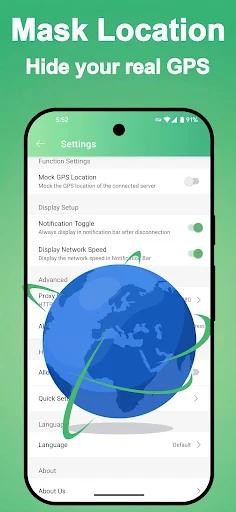
PandaVPN Pro uses encryption technology to protect information transmitted through its VPN connections. By routing Internet traffic through remote servers, the application helps conceal your original IP address and reduces exposure to certain online tracking methods.
This feature is particularly useful when connecting to public Wi-Fi networks or accessing websites outside your usual region. However, VPN encryption does not guarantee complete anonymity or eliminate every online security risk.
Privacy is one of the main aspects highlighted by PandaVPN Pro. According to its stated policy, the service does not collect browsing history, connection timestamps, or original and assigned IP addresses.
The application also aims to minimize the personal information required during registration. These practices are intended to reduce the amount of user data associated with VPN sessions. Users should still review the provider’s current privacy policy to understand exactly what information is collected and how it is handled.
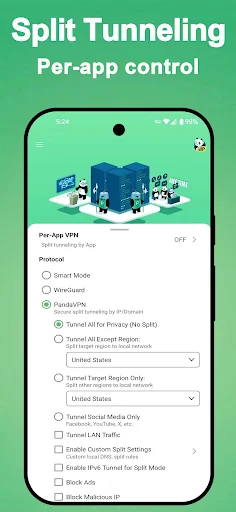
Different network conditions require different connection methods. PandaVPN Pro supports protocols such as OpenVPN and Shadowsocks, allowing users to access alternative connection options depending on their needs.
The automatic selection feature helps simplify this process by choosing a suitable protocol without requiring extensive technical knowledge. This makes the application accessible to beginners while retaining flexibility for more experienced users.
PandaVPN Pro promotes a network of more than 3,000 servers distributed across numerous international locations. Users can select servers in different regions to find suitable connection speeds and access location-dependent online services.
Having multiple server options also helps users switch connections when their current location experiences congestion. The actual speed depends on factors such as distance, network conditions, and server availability.
A stable VPN connection can be useful for certain online gaming situations, particularly when players need to connect through different regions. PandaVPN Pro supports popular mobile titles such as PUBG Mobile and Garena Free Fire.
Its international server network provides additional connection choices, although using a VPN does not automatically reduce ping. In some cases, routing traffic through a distant server may increase latency, so selecting a nearby location is generally preferable.
Besides Android, PandaVPN Pro supports several other operating systems, including Windows, macOS, iOS, Linux, and Android TV. This compatibility allows users to access VPN services across different devices.
Depending on the subscription plan, users can choose the appropriate platform and maintain a more consistent browsing experience when switching between smartphones, computers, and televisions.
Another useful feature is the integrated ad blocker, which helps reduce unwanted advertisements during browsing. By limiting certain advertising elements, PandaVPN Pro aims to provide a cleaner online experience.
This function can make website navigation more comfortable, although its effectiveness may vary depending on the website and type of advertisement.
PandaVPN Pro is designed with a straightforward interface that does not require complicated configuration. Users simply open the application, select a preferred server, and tap the connection button.
Those who do not want to choose manually can rely on automatic server selection. The app will identify a suitable connection based on available network conditions and the user’s location.
PandaVPN Pro advertises a seven-day money-back guarantee for eligible paid subscriptions. Users who are dissatisfied with the service can contact the provider within the specified period to request a refund, subject to the applicable terms.
Customer support is also promoted as available 24/7, giving users a channel to report connection problems, ask questions, or receive assistance with account-related issues.
Before installing the application, users may want to understand its pricing and security features. Here are two common questions worth considering.
PandaVPN Pro offers a trial period so users can explore its features before purchasing a subscription. The original pricing information lists several payment options:
Subscription | Listed Price |
|---|---|
7 days | $6 |
1 month | $10 |
3 months | $29 |
1 year | $58 |
Prices and trial conditions may change depending on the platform, region, and current promotions. Check the official payment page before subscribing.
The application uses VPN encryption to protect traffic between the device and its selected server. It also advertises a no-logs policy and IP address masking to support private browsing.
Nevertheless, a VPN cannot guarantee absolute security. Users should combine it with strong passwords, trusted websites, and updated device software to improve overall protection.
If you want to explore its VPN features, APKMODY is one place to look for the PandaVPN Pro installation file. Follow this quick guide to locate the appropriate version:
Step 1: Open the APKMODY website using your Android browser.
Step 2: Enter PandaVPN Pro in the search bar and access the corresponding application page.
Step 3: Review the available APK version, file information, and Android compatibility.
Step 4: Select the download option and wait until the installation package is saved.
Step 5: Open the downloaded file, allow installation from the selected source if prompted, and complete the setup.