
AI Writer Copilot
v1.21.8
• Premium Unlocked
| Updated On | |
|---|---|
| Google Play ID | com.utorrent.client.pro |
| Category | Utilities |
| Version | 8.2.55 |
| Size | 30 MB |
| MOD Features | Unlocked |
| Requires | Android 7.0 |
| Price | |
| $2.99 | |
| Content Rating | |
| Everyone | |
| Internet Required | |
| Required | |
| Languages | |
| English | |

uTorrent Pro APK provides a practical solution for downloading large files through the BitTorrent network directly on Android devices. Instead of relying on traditional download methods, users can manage multiple torrents, control bandwidth consumption, and resume interrupted transfers within one application. Its lightweight design, flexible download settings, and ad-free experience make it a convenient choice for people who frequently work with large files.
uTorrent Pro is an Android application designed to download and manage files through the BitTorrent protocol. It connects users with other peers sharing the same content, allowing data to be transferred in multiple parts rather than relying on a single download source.
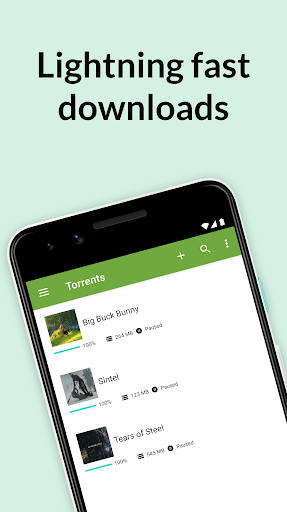
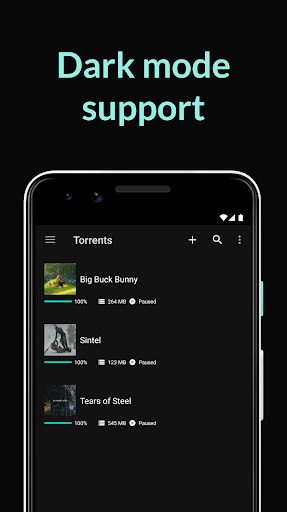
The application supports magnet links, torrent files, RSS feeds, and background downloads. Users can also manage download priorities, monitor transfer progress, and adjust network settings to suit their connection. This flexibility makes it useful for handling documents, videos, archives, and other large data packages.
Despite offering several download management tools, uTorrent Pro maintains a relatively compact installation size. Its interface is straightforward, while resource usage is designed to remain manageable during everyday operation.
This lightweight approach helps the application run without placing unnecessary demands on device memory and processing power. Users can monitor active transfers, access completed files, and adjust preferences without navigating through complicated menus.
Downloading files individually can consume considerable time, especially when dealing with several large packages. uTorrent Pro supports multiple active torrents, allowing users to transfer different files within the same session.
You can also prioritize specific downloads depending on their importance. For example, an essential document can receive more attention while less urgent transfers remain in the queue. This arrangement makes download management more flexible and organized.
Unstable internet connections or unexpected device interruptions can affect ongoing downloads. Rather than restarting the entire process, uTorrent Pro can resume supported torrent transfers from previously downloaded pieces.
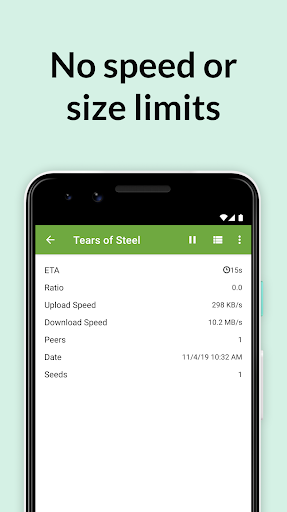
This feature saves time and reduces unnecessary data consumption when a connection becomes unstable. The application also displays transfer progress, helping users identify incomplete files and monitor their status before opening them.
Beyond its basic transfer functions, uTorrent Pro includes several settings that help users control how files are downloaded. These options provide greater flexibility when managing different network conditions and download priorities.
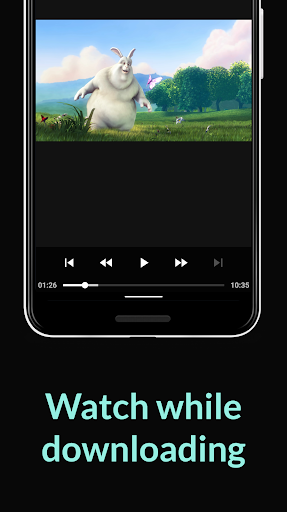
Smart streaming: Supports accessing compatible media while downloading, depending on file availability.
Scheduled downloads: Allows users to plan transfer activity around preferred periods.
Global speed limits: Helps control overall upload and download bandwidth.
Individual speed controls: Provides options to manage transfer speeds for particular torrents.
RSS support: Helps users follow compatible feeds and discover newly available torrent content.
The Pro edition focuses on improving the overall downloading experience through additional convenience, fewer interruptions, and enhanced management options. Its benefits are particularly relevant to users who regularly handle multiple torrent transfers.
Advertisements can make an application less comfortable to use, especially when users frequently access its interface to monitor transfers. uTorrent Pro offers an ad-free experience, reducing promotional interruptions while navigating download lists and settings.
This cleaner interface also makes important information easier to follow. Users can focus on file progress, transfer speeds, and available controls without unnecessary advertising elements.
uTorrent Pro provides additional protection-oriented features compared with the standard experience. Depending on the version, users may have access to tools that help manage their privacy and reduce exposure to unwanted content.
However, a Pro subscription does not automatically make every torrent download safe. Users should still verify file sources, avoid suspicious links, and review application permissions before accessing downloaded content.
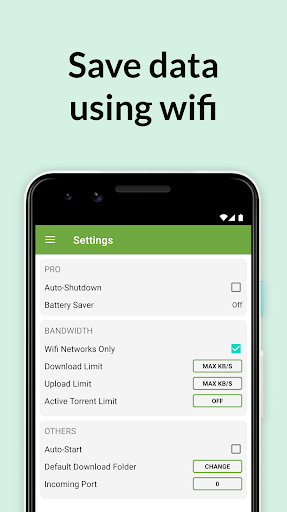
Managing network resources is important when downloading large files on a mobile device. uTorrent Pro allows users to adjust upload and download limits according to their connection and daily needs.
These controls help prevent torrent activity from consuming excessive bandwidth while browsing the web or using other online services. You can also prioritize important transfers to make better use of available network capacity.
The uTorrent Pro MOD APK is an unofficial modified package that advertises access to selected paid features without following the standard subscription process. Its actual functionality depends on the package, and some benefits may still require verification from the developer’s servers.
Unlocked: Claims to activate selected Pro functions, providing access to an upgraded downloading experience without the usual payment requirement.
Because modified APK files come from third-party sources, their reliability and security cannot be guaranteed. Check the package information carefully and avoid granting unnecessary permissions during installation.
The official uTorrent Pro edition is a paid application that offers additional features beyond the standard version. The original pricing information has listed an annual subscription of $19.95, although current prices may vary depending on the platform and region. Users should check the official purchasing page for the latest details.
Yes. Its relatively simple interface makes it accessible even for people who have never used a torrent client. Users only need to open a compatible torrent file or magnet link, select the download location, and monitor the transfer process. Additional bandwidth settings are available for those who want more control.
Several factors influence torrent performance, including internet stability, peer availability, and network restrictions. To improve transfer speeds, consider these adjustments:
Use a stable Wi-Fi connection instead of an unreliable mobile network.
Choose torrents with a healthy number of seeders.
Reduce unnecessary background downloads.
Adjust upload and download limits to match your connection.
Check whether your device or network restricts torrent traffic.
Changing the bandwidth settings may improve performance, but actual speeds still depend on the available peers and network conditions.
If you want to experience its torrent management tools on Android, APKMODY provides a convenient place to explore the available uTorrent Pro packages. Before downloading, visit the APKMODY website and search for the application using its full name. Review the release information, package version, and compatibility details to select a suitable file.
Follow these steps to complete the installation:
Open the uTorrent Pro page on APKMODY and choose the APK or MOD version you prefer.
Tap the download option and wait until the installation package is saved to your device.
Open the downloaded file through your Android file manager.
If prompted, allow installation from that source after checking that the package is trustworthy.
Complete the installation, launch the application, and configure your download preferences.