
AutoTap Pro
v1.03.7
• Utilities
| Updated On | |
|---|---|
| Google Play ID | com.mobisystems.office |
| Category | Utilities |
| Version | 16.7.61461 |
| Size | 143 MB |
| MOD Features | Premium Unlocked |
| Requires | Android 9 |
| Price | |
| Free | |
| Content Rating | |
| Everyone | |
| Internet Required | |
| Not Required | |
| Languages | |
| English, Arabic, French, German, Hebrew, Hindi, Italian, Japanese, Portuguese, Russian, Simplified Chinese, Spanish, Swedish, Thai | |

MobiOffice transforms your smartphone into a convenient workspace where you can create, view, and edit essential office documents. Supporting Word, Excel, PowerPoint, and PDF formats, the application brings practical productivity tools together with flexible cloud storage. Explore its standout capabilities, Premium features, and installation options through our guide below.
Handling office documents on a smartphone can become inconvenient when different file types require separate applications. MobiOffice addresses this challenge by bringing essential productivity tools into a unified environment. Users can open, create, and modify various documents without constantly switching between different programs.
The application is designed for students, office employees, and anyone who regularly works with digital files. Its interface provides convenient access to common editing functions, while support for multiple storage services makes document organization more straightforward. Whether you need to review a report, update a spreadsheet, or prepare a presentation, MobiOffice offers a flexible mobile workspace.
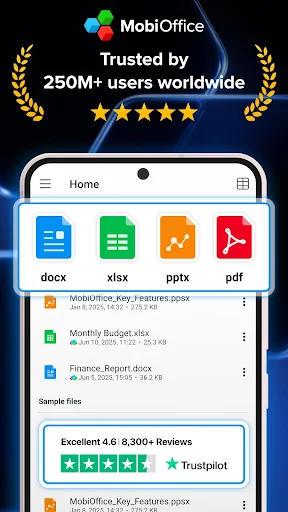
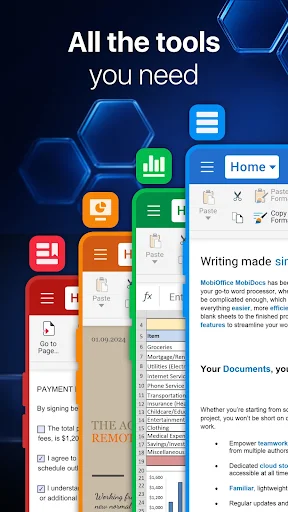
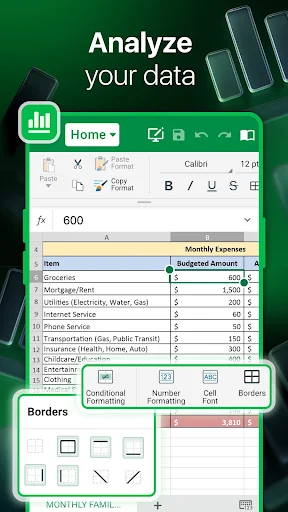
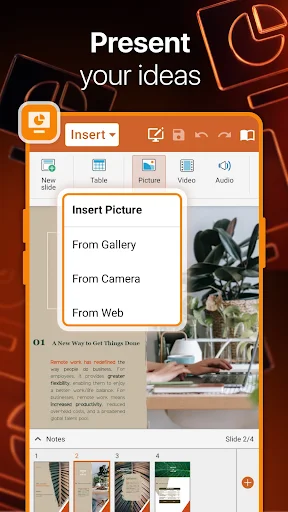
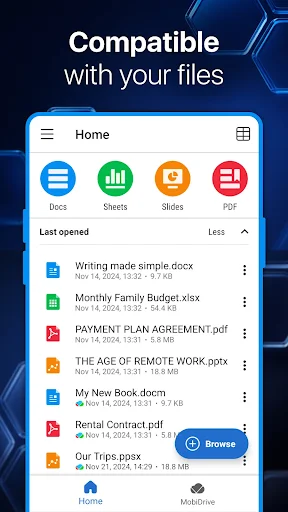
MobiOffice brings together tools for working with Word documents, Excel spreadsheets, PowerPoint presentations, and PDF files. Instead of installing separate programs for each format, users can handle different assignments within the same application.
Another advantage is its compatibility with popular productivity ecosystems, including Microsoft 365 and Google Drive. This makes it easier to access existing documents and continue working across different services. By combining file management, editing, and document viewing, MobiOffice reduces the complexity of everyday office tasks.
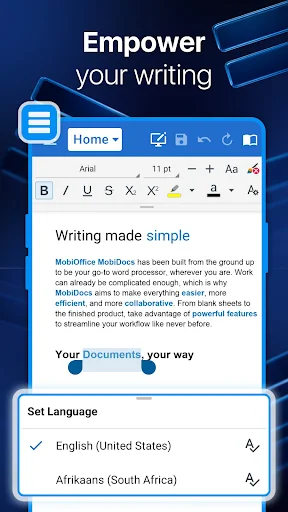
MobiOffice provides a collection of editing functions that cover common document requirements. For text files, users can adjust fonts, sizes, colors, formatting, and other presentation details to make their content easier to read. These options are useful when preparing reports, updating business documents, or making quick corrections while away from a computer.
Spreadsheet tools allow users to view and work with numerical information, while presentation support makes it possible to review and modify PowerPoint slides. The application also handles different document layouts, helping maintain a more consistent workflow when working with files created on other platforms.
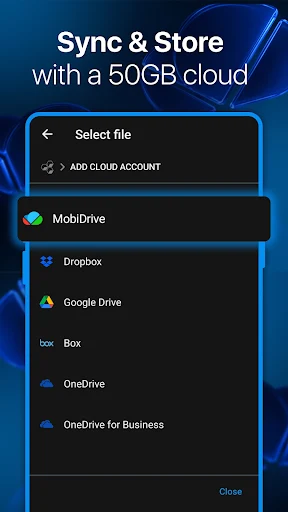
Managing documents becomes more convenient when everything is accessible from a centralized workspace. MobiOffice allows users to save files locally or connect external cloud services, including Google Drive, OneDrive, Box, and Dropbox.
This flexibility helps prevent important documents from becoming scattered across different locations. Users can retrieve their stored files when needed, organize their working materials, and continue editing without repeatedly transferring documents between applications. Cloud integration is particularly useful for people who frequently switch between smartphones, tablets, and computers.
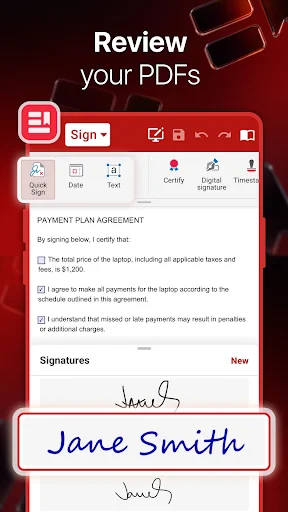
PDF management is another important component of MobiOffice. The application supports opening and reading PDF files, making it convenient to review contracts, forms, reports, and other documents directly on Android devices.
Depending on the available features and subscription, users can also interact with PDF content through editing tools, form completion, and electronic signatures. These capabilities reduce the need for additional software when handling documents that require more than simple viewing.
Working with different document formats often requires conversion before editing can begin. MobiOffice includes conversion options that help transform PDF files into formats such as Word and Excel, making their content easier to reuse.
The application also supports additional document-related conversion workflows, including ePub. These tools are particularly helpful when users receive files in a format that does not suit their immediate requirements. Instead of recreating everything manually, they can use the available conversion functions to streamline their workflow.
MobiOffice integrates with MobiDrive, its cloud storage service, allowing users to keep documents accessible beyond their phone’s internal memory. The original application description mentions a 5 MB default storage allowance for new users, although current account limits and promotional offers should be checked directly within the service.
Besides its built-in storage option, users can connect their preferred cloud accounts to manage existing files. This arrangement provides more flexibility when handling personal documents, shared materials, and professional projects.
MobiOffice is available across Android, iOS, and Windows, making it suitable for users who work with multiple devices. Documents can be accessed through supported platforms, helping reduce interruptions when moving from a smartphone to a desktop environment.
Its broad format compatibility also extends beyond standard Microsoft Office files. The application supports numerous document types associated with Google Workspace, OpenOffice, and Apple’s iWork ecosystem. This makes it a practical choice for people who regularly exchange files with colleagues using different office software.
MobiOffice offers a free trial option, with the original description referring to a seven-day trial before users choose a paid subscription. Premium plans are designed for people who need more storage, advanced editing tools, and additional document management capabilities.
The advertised Premium benefits include:
Expanded MobiDrive Storage: Access up to 50 GB of cloud storage under the described Premium offer.
Advanced Editing Tools: Unlock more than 20 additional functions for handling office documents.
Extended PDF Capabilities: Use additional PDF editing and conversion options.
Cross-Platform Access: Work with supported Premium features on mobile devices and Windows.
Ad-Free Experience: Enjoy document management without advertising interruptions.
Customer Assistance: Access support services for help with application-related issues.
Available benefits, pricing, and subscription conditions may vary by plan and release, so check the current details before purchasing.
The MOD version is presented as an alternative for users interested in accessing Premium-related functionality. Its advertised modification includes:
Premium Unlocked.
Keep in mind that unofficial modified APK files may introduce security, privacy, compatibility, or account-related risks. Premium features may also change between releases, so the advertised modification should not be treated as a guarantee that every paid service will work correctly.
Turn your Android device into a portable office with MobiOffice. Follow the appropriate installation route below to find the application on APKMODY.
For the standard APK version:
Open your browser and visit the APKMODY website.
Search for MobiOffice using the website’s search function.
Access the application page and review its version information, file size, and compatibility requirements.
Select the standard APK download option and wait for the file to finish downloading.
Open the downloaded package, grant installation permission if Android requests it, and complete the setup.