

VPN secure fast proxy by GOVPN
v1.9.9.2
• Premium Unlocked
| Updated On | |
|---|---|
| Google Play ID | com.shuttlevpn.free.proxy.gaming |
| Category | Utilities |
| Version | 2.98 |
| Size | 30 MB |
| MOD Features | Pro Unlocked |
| Requires | Android 8.0 |
| Price | |
| Free | |
| Content Rating | |
| Everyone | |
| Internet Required | |
| Required | |

Shuttle VPN provides a convenient way to establish private network connections, switch virtual locations, and access online services through servers in different countries. With more than 20 server locations, a straightforward interface, and additional privacy tools, the application makes VPN technology accessible to everyday Android users. Whether you want to explore international content or protect your connection when using public Wi-Fi, Shuttle VPN offers several useful features worth discovering.
Finding a VPN that balances connection speed, accessibility, and privacy is not always easy. Shuttle VPN aims to simplify this experience by bringing international server connections and security utilities into one mobile application. Before choosing a server, you can explore its main functions to understand how the service works and what it offers.
Shuttle VPN is a virtual private network application designed to route internet traffic through remote servers. When you establish a connection, your device communicates with the internet through the selected VPN server rather than directly using your regular network route. This changes the public IP address presented to websites, making your apparent network location correspond to the selected server.
The application is useful when you want to access services available in other regions, improve connection privacy, or use networks with certain browsing restrictions. Its encryption technology is intended to protect data traveling between your device and the VPN server. However, a VPN does not guarantee complete anonymity or unrestricted access, since websites, network administrators, and internet providers may still collect certain information.
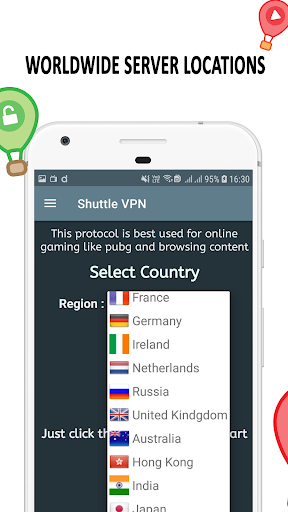
One of Shuttle VPN’s notable features is its collection of more than 20 server locations across different regions. Instead of being restricted to your usual network location, you can select another country and establish a connection through its available server. This is particularly useful for exploring region-specific websites, checking localized services, or accessing content that supports VPN connections.
The server network covers several destinations, including the United States, Singapore, Australia, Brazil, Japan, India, the United Kingdom, Thailand, South Korea, Germany, and Hong Kong. Availability and performance may vary depending on the server’s current load, your internet provider, and geographical distance.
For example, users traveling abroad may want to connect through a server in their home region to access familiar online services. Meanwhile, people encountering network restrictions at school or work can use a VPN connection where permitted by the applicable network rules. Shuttle VPN provides an alternative routing method, although it cannot guarantee that every firewall or regional restriction will be bypassed.
Besides virtual location switching, Shuttle VPN includes features intended to improve the privacy of everyday browsing. Its VPN connection uses encryption to help protect transmitted information, particularly when accessing the internet through unsecured public networks. This reduces the exposure of certain data during transmission, although it does not replace other essential security practices.
The application also provides additional locking options for private tabs and files. Users can configure password protection or fingerprint authentication, helping prevent other people who access the same device from casually opening protected content. These utilities are useful for anyone who wants an extra layer of privacy when sharing a phone with family members or colleagues.
It is important to distinguish local app protection from VPN encryption: locking a file or browser tab protects access on your device, while a VPN secures supported network traffic between your device and its remote server. Using both appropriately creates a more comprehensive privacy routine.
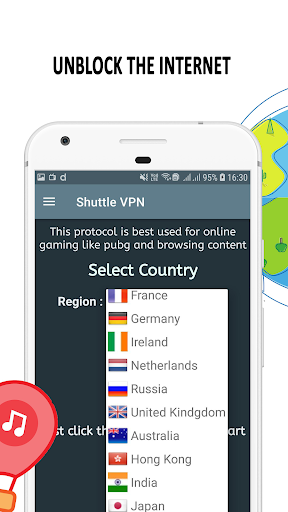
Shuttle VPN focuses on keeping its interface accessible, even for people who have never used a virtual private network before. Available server locations are presented in a straightforward list, allowing you to browse the options and select your preferred destination without dealing with complicated technical configurations.
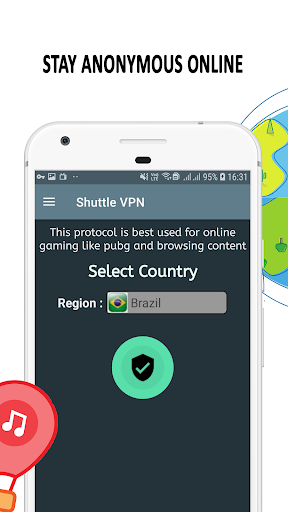
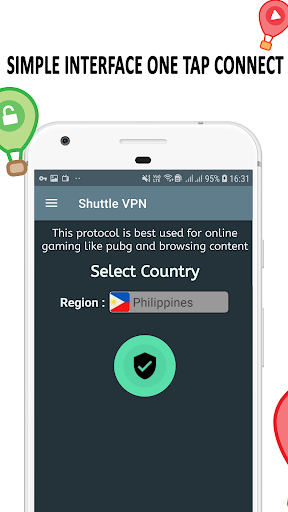
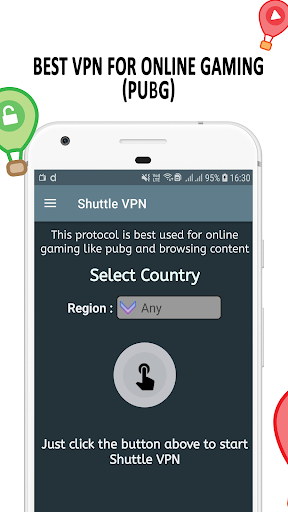
The connection process is equally simple. After choosing a server, tap the connection button and wait for the application to establish the VPN tunnel. Alternatively, you can use its automatic server selection feature to let the system choose an available location based on connection conditions. This saves time when you do not have a specific country in mind.
Once connected, you can return to your usual applications and browse the internet through the active VPN connection. Connection quality depends on several factors, including server availability, network congestion, and your original internet speed.
Pro Unlocked
The modified edition of Shuttle VPN is advertised with its Pro features unlocked, allowing users to explore premium functionality without following the standard subscription route. This version is intended for those who want to access additional VPN utilities and enjoy a more comprehensive application experience.
However, the exact benefits depend on the specific MOD release. Since modified packages are distributed outside the official development channel, their integrity, security, and compatibility cannot be guaranteed. Review the release information carefully before installing.
Shuttle VPN is designed to support general internet browsing, online entertainment, and various applications that work with VPN connections. Depending on regional availability and the platform’s restrictions, users may be able to connect to services such as Netflix, Facebook, WhatsApp, Twitter, and Viber.
Online games are another potential use case. Players may experiment with different server locations when connecting to titles such as PUBG Mobile or Call of Duty Mobile. Nevertheless, changing regions does not guarantee better latency or access to every game server. Some gaming platforms also restrict VPN usage, so checking their individual policies is recommended.
According to the provided application information, Shuttle VPN offers more than 20 server locations distributed across several regions. Some of its listed destinations include:
Asia: Singapore, Japan, India, Thailand, South Korea, and the Philippines.
Europe: United Kingdom and Germany.
North America: United States.
South America: Brazil.
Oceania: Australia.
Additional locations: Hong Kong and other supported destinations.
The available server list may change as the service develops. Actual connection availability also depends on maintenance, server capacity, and regional network conditions.
Shuttle VPN provides connection encryption and local locking features designed to improve privacy. However, these functions alone are not sufficient to establish that a VPN service follows a strict no-logs policy or offers complete anonymity.
Before using the application for sensitive activities, review its current privacy policy, logging practices, encryption standards, and permission requirements. You should also avoid entering confidential information on suspicious websites, even when connected through a VPN.
Follow this alternative download guide to find the correct Shuttle VPN package on APKMODY and install it on your Android device:
Step 1: Search For Shuttle VPN
Open your mobile browser and visit APKMODY. Enter the application name in the search bar to locate its dedicated download page.
Step 2: Review The Download Information
Read the application description and check the available release details. If both standard and MOD editions are listed, compare their features before selecting your preferred package.
Step 3: Download The Installation File
Tap the appropriate APK download link on APKMODY. Allow the browser to finish downloading the package, then check the Downloads folder to locate the saved file.
Step 4: Install The Application
Open the downloaded APK and follow the installation instructions displayed by Android. If your device requests permission to install applications from that source, enable it temporarily and continue.
Step 5: Connect And Explore
Launch Shuttle VPN after installation. Browse the available server locations, select a destination, and establish your first VPN connection. Review the application’s permissions and privacy settings before using additional features.