
VirusGuard
v97
• Premium Unlocked
| Updated On | |
|---|---|
| Google Play ID | com.lbe.parallel.intl |
| Category | Utilities |
| Version | 4.0.9620 |
| Size | 58 MB |
| MOD Features | Pro Unlocked |
| Requires | Android 7.0 |
| Price | |
| Free | |
| Content Rating | |
| Everyone | |
| Internet Required | |
| Required | |

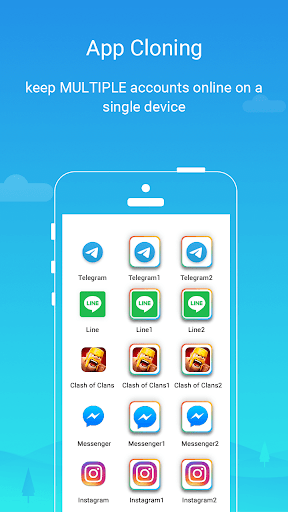
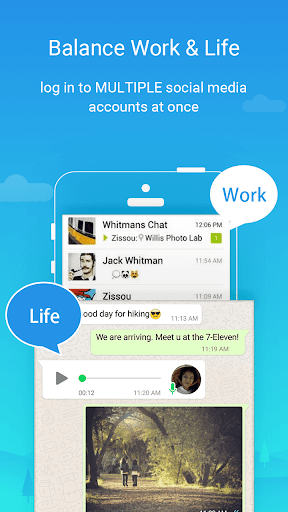
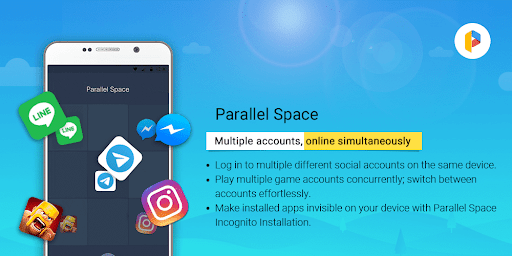
Parallel Space makes managing multiple accounts on one smartphone much easier. Instead of repeatedly logging out to switch profiles, users can create separate copies of supported applications and access different accounts simultaneously. From social networking platforms to mobile games, the app offers a convenient solution for people who need to separate personal activities from work without carrying multiple devices.
Parallel Space creates an additional environment where users can operate duplicated applications independently of their original versions. Its straightforward interface makes account management more convenient, even for those who have little experience with app cloning tools.
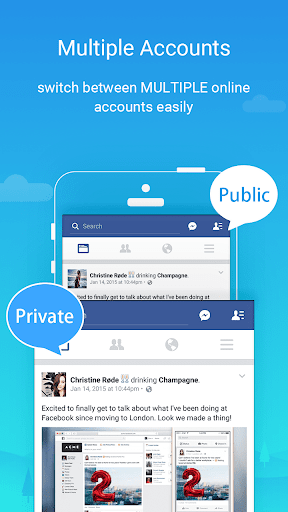
One of the main advantages of Parallel Space is its ability to run multiple accounts within the same smartphone. For example, users can maintain separate Facebook profiles for professional communication and personal interactions without constantly switching login information.
The duplicated applications operate independently, allowing users to receive notifications and manage messages from different accounts. This saves time, especially for people who regularly handle several profiles throughout the day.
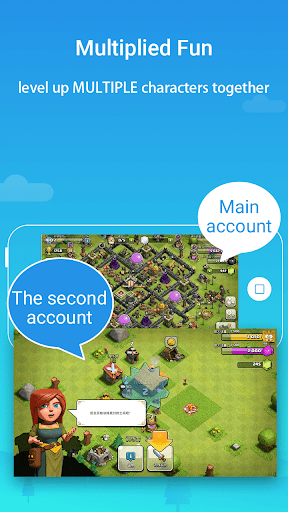
Parallel Space also supports cloning certain mobile games, giving players another way to manage multiple gaming accounts. Instead of logging out of their primary profile whenever they want to access another one, users can open the duplicated version separately.
This function is useful for gamers who maintain secondary accounts for testing strategies, completing additional activities, or experiencing different stages of progression. However, compatibility and performance may vary depending on the game and Android device.
Besides app duplication, Parallel Space includes a cleaning function designed to identify unnecessary files associated with its operating environment. Removing accumulated temporary data can help free up storage space and keep the device more organized.
Users should review the files before deleting them to avoid removing information they still need. This feature is particularly helpful when multiple cloned applications generate additional temporary data.
Running several applications simultaneously can consume considerable system resources. Parallel Space provides optimization-related tools intended to improve the overall experience when managing duplicated apps.
Actual performance still depends on available RAM, storage capacity, and processor capabilities. Closing unused applications and maintaining sufficient free space can also help prevent unnecessary slowdowns.
Parallel Space works with various social networking and communication platforms, making it useful for people who regularly switch between different profiles. Supported applications may include:
Messenger
Snapchat
The available list depends on the app version, device configuration, and compatibility requirements. Some applications may also restrict multiple-account usage through their own security policies.
Users who encounter difficulties while cloning applications or accessing accounts can contact the available support service for assistance. This is useful when duplicated apps experience login errors, notification issues, or compatibility problems.
Having access to troubleshooting guidance makes account management less complicated, particularly for users who rely on multiple profiles for daily activities.
Parallel Space features a relatively minimal interface that keeps its main functions easy to find. Users can add applications, manage cloned versions, and switch between accounts without navigating complicated menus.
Its straightforward design is suitable for both beginners and experienced Android users. The free version also provides access to core cloning functions, making it accessible to people who want to try multi-account management without immediately purchasing an upgrade.
The Pro version provides additional features designed to improve convenience and create a cleaner experience when managing duplicated applications.
With Pro Unlocked, users can access premium functions that are otherwise associated with the paid edition. The upgraded experience focuses on reducing interruptions from advertisements, providing additional customization options, and making account management more convenient.
Another highlighted feature is the ability to create a more private environment for duplicated applications. However, anonymous installation does not guarantee complete account security, so users should continue protecting their login credentials and personal information.
Here are some common questions to help users understand the application’s availability and compatibility before installation.
Yes. Parallel Space offers a free version with basic application cloning and multi-account functions. Users who want additional benefits can explore the Pro edition, depending on the available subscription options.
Parallel Space Pro is primarily designed for Android devices. Compatibility depends on the Android version, hardware specifications, and application requirements. Users should check the installation information before downloading to ensure the selected version works properly.
Want to manage multiple accounts without constantly switching between profiles? You can visit APKMODY to find the Parallel Space APK and explore the available versions for Android.
Use this quick guide to complete the installation: