
Universal TV Remote for All TV
v2.6.0
• Premium Unlocked
| Updated On | |
|---|---|
| Google Play ID | com.kok_emm.mobile |
| Category | Utilities |
| Version | 1.6.0.2 |
| Size | 29 MB |
| MOD Feature | Not available |
| Requires | Android 5.0 |
| Price | |
| Free | |
| Content Rating | |
| Everyone | |
| Internet Required | |
| Unknow | |

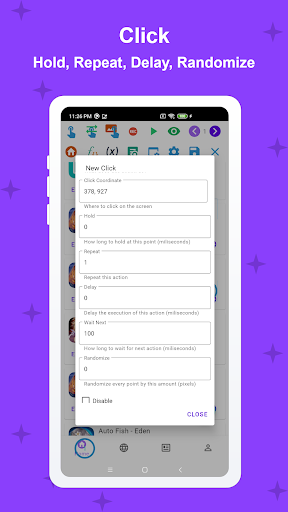
Macrorify is a versatile Auto Clicker app for Android that transforms repetitive screen interactions into automated tasks. Combining customizable touch controls, macro recording, image detection, and text recognition, it gives users more control over everyday operations. Whether you want to simplify mobile gaming or automate routine activities, Macrorify offers a flexible toolkit to get the job done.
An Auto Clicker is an application designed to perform repetitive touchscreen actions without requiring constant manual input. Instead of tapping the same location, swiping across the display, or repeating a particular sequence, users can configure automated commands that execute these movements on their behalf.
This technology is particularly helpful when dealing with lengthy tasks that demand consistent interactions. By setting up macros in advance, you can reduce manual effort, maintain a steady sequence of operations, and spend more time on activities that actually require your attention. Among the available Android automation tools, Macrorify stands out through its combination of traditional click automation and intelligent screen recognition.
Macrorify goes beyond basic automatic tapping by offering a collection of tools for building sophisticated macros. Here are the main capabilities that make the application worth exploring:
1. Flexible Touchscreen Actions
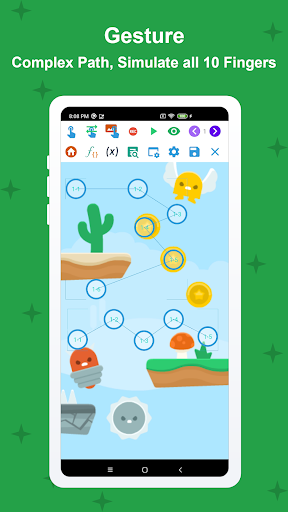
Users can configure numerous gestures to create customized automation sequences. Supported operations include single taps, long presses, double taps, swipes, dragging, dropping, pinching, and zooming. The application also supports multi-touch interactions involving up to 10 fingers, opening up more possibilities for complex commands.
2. Record and Replay Functionality
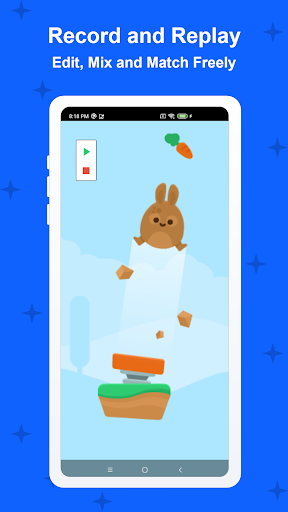
Rather than manually configuring every movement, you can use Record and Replay to capture your touchscreen interactions. Macrorify remembers the actions along with their positions and timing, allowing you to reproduce the same sequence whenever necessary.
After recording, you can edit the captured commands, rearrange their order, or adjust individual intervals. Speed and duration settings provide additional flexibility, making it easier to build an automation routine that matches your requirements.
3. Intelligent Image Detection
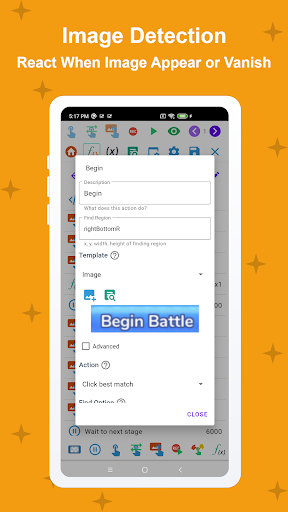
One of Macrorify’s most distinctive capabilities is its Image Detection system. The application can recognize specified visual elements on the screen and trigger corresponding actions when those elements appear or disappear.
This functionality allows users to build conditional macros instead of relying exclusively on fixed coordinates or predetermined timing. You can also connect several image-based conditions to create more advanced automation sequences, particularly useful for applications and games with changing interfaces.
4. On-Screen Text Recognition
Besides identifying visual objects, Macrorify can recognize text displayed on the screen. This feature enables the application to detect specific words or textual information and use them as conditions for executing automated commands.
For example, you can configure an action to run when a particular message appears or when a designated text element becomes visible. Combining text recognition with image detection gives users more options when designing macros that respond to changing screen content.
Automation software can sometimes feel intimidating, especially when its interface contains numerous technical settings. Macrorify addresses this challenge with a relatively straightforward layout that makes its main functions easier to locate. Essential tools for clicking, swiping, recording, image detection, and text recognition are accessible from the main interface, reducing the effort required to get started.
Another interesting aspect is the ability to customize the application’s interface. Users can rearrange feature buttons and adjust their positions to suit individual preferences. This flexibility creates a more comfortable workspace, particularly for people who frequently switch between different macro configurations.
With its combination of recording tools, touchscreen gestures, and recognition technology, Macrorify can handle various repetitive operations on Android devices. Instead of performing the same actions manually, users can build dedicated macros to simplify their daily interactions.
Some practical applications include:
Automated screen management: Configure commands that turn off the display when needed, helping reduce unnecessary screen usage.
Macro control: Set up actions to pause or resume an automation sequence according to specific conditions.
Custom tapping positions: Assign precise screen coordinates to automate interactions with particular interface elements.
Gaming assistance: Repeat routine in-game gestures and interactions without continuously touching the screen.
Testing repetitive operations: Execute individual commands or entire action sequences to check how an application responds under repeated interactions.
Screen element management: Create macros that interact with selected elements while reducing unnecessary operations across the display.
These applications demonstrate how Macrorify can serve different purposes beyond ordinary automatic clicking. However, automation results depend on the configured commands, application compatibility, and the conditions under which each macro runs.
Macrorify requires Android 6.0 or later to access its supported functionality. Before installing the application, check your device’s operating system version to avoid compatibility problems.
Some automation capabilities may also require additional permissions, particularly those involving screen interactions or accessibility services. Make sure to review the requested permissions and configure them appropriately before running your macros.
1. Is Macrorify Premium Safe to Install?
Macrorify does not require root access to use its main automation features. However, you should always download the application from a trustworthy source and review its permission requests before installation. Premium status does not automatically determine whether an APK file is safe.
2. Can I Use Macrorify Without Paying?
Yes. Macrorify offers a free version that provides access to various automation tools. Users can explore its basic functions, create macros, and experiment with supported features before deciding whether the additional benefits of Premium are worth purchasing.
3. Does Macrorify Work on Every Android Device?
The application supports Android 6.0 and newer versions. Nevertheless, individual features may behave differently depending on the device, operating system, permissions, and application being automated.
4. Do I Need Programming Skills to Create Macros?
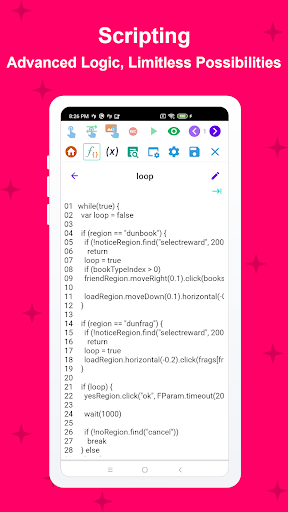
No programming experience is necessary to start using Macrorify. Its recording tools and configurable actions allow beginners to build basic automation sequences through touchscreen interactions. More advanced macros may require some time to understand their conditions and settings.
If you want to reduce repetitive touchscreen operations, Macrorify is worth considering. Its combination of automatic gestures, Record and Replay, Image Detection, and Text Recognition makes it more versatile than a conventional clicker. The application supports Android 6.0 and above, offering several ways to customize mobile automation without rooting your device.
Follow these steps to get Macrorify through APKMODY:
Visit the APKMODY website using your Android browser.
Enter Macrorify APK in the search bar and open the corresponding application page.
Review the available version, application information, and installation requirements.
Tap the download option to obtain the APK file, then wait for the process to finish.
Open the downloaded file, allow installation from the relevant source if Android requests permission, and complete the setup.