home chevron_right Apps chevron_right Music & Audio chevron_right jetAudio HD Music Player Plus


Vocal Remover – Musiclab
v2.5.6
• Unlocked
| Updated On | |
|---|---|
| Google Play ID | com.jetappfactory.jetaudioplus |
| Category | Music & Audio |
| Version | 13.2.0 |
| Size | 37 MB |
| MOD Feature | Not available |
| Requires | Android 7.0 |
| Price | |
| $4.99 | |
| Content Rating | |
| Everyone | |
| Internet Required | |
| Required | |

jetAudio HD Music Player Plus transforms your Android device into a versatile music player with advanced audio processing and extensive sound customization. From a powerful 20-band equalizer to high-resolution audio support, the application gives music enthusiasts greater control over how their favorite tracks sound. Discover its key features, playback tools, and installation process before getting the app through APKMODY.
Developed by Team Jet, jetAudio HD Music Player Plus is an Android music player designed for listeners who prioritize sound quality and playback flexibility. Instead of focusing on online music streaming, the application provides a comprehensive set of tools for enjoying and managing audio files stored on your device. Its combination of advanced equalization, customizable effects, and broad format compatibility makes it an appealing alternative to conventional music players.
Sound quality is the foundation of jetAudio HD Music Player Plus. The application uses advanced audio processing technology to improve playback clarity and deliver a more refined listening experience. Its 32-bit audio processing capabilities help handle sound with greater precision, allowing users to enjoy the details of different musical instruments, vocals, and background elements.
Whether you prefer energetic electronic tracks, acoustic performances, or bass-heavy music, the player offers several ways to adjust the output according to your equipment and personal preferences. This focus on audio customization makes it particularly attractive to listeners who want more control than standard playback applications typically provide.
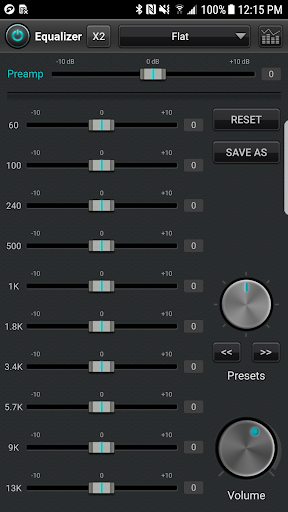
One of the most impressive features of jetAudio HD Music Player Plus is its 20-band equalizer. Unlike basic equalizers with only a handful of adjustment points, this tool provides more detailed control over individual frequency ranges. You can increase the bass, emphasize vocals, refine treble, or create a balanced sound profile that suits different music genres.
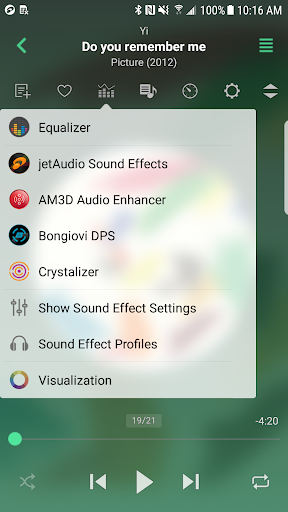
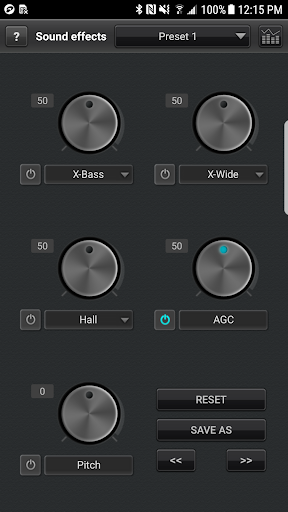
The application also includes additional sound effects such as Reverb, Bass Boost, and spatial audio enhancements. These options allow you to experiment with different acoustic characteristics without modifying the original audio files. By combining equalizer adjustments with individual effects, you can build personalized listening profiles for headphones, speakers, and other compatible audio equipment.
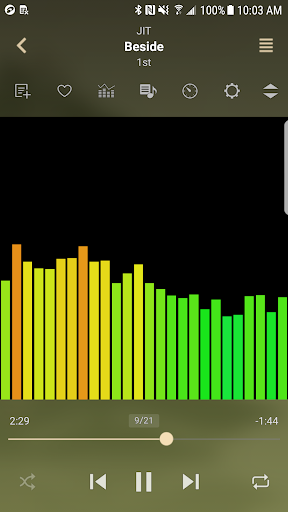
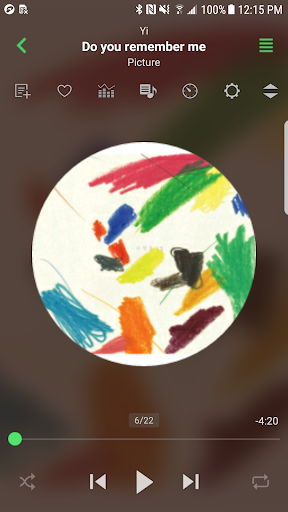
A good music player should offer an enjoyable visual experience alongside its audio capabilities. Team Jet also pays attention to interface customization by providing different themes, backgrounds, and visual effects. You can change the application’s appearance to create a more personalized environment while listening to your favorite tracks.
Some available visual styles feature atmospheric imagery inspired by the universe, sky, and moon. These decorative elements give the playback screen a distinctive appearance, making the application feel more engaging during extended listening sessions. The customizable interface also allows users to choose a presentation that matches their individual preferences.
Format compatibility is another important advantage of jetAudio HD Music Player Plus. The application supports a broad selection of common audio files, including MP3 and FLAC, alongside other supported formats. This flexibility means you do not need to convert every music file before adding it to your personal collection.
For listeners who maintain high-quality audio libraries, support for lossless and high-resolution audio formats is particularly valuable. The application is designed to preserve the listening experience of compatible files while providing additional playback customization. Actual audio quality will still depend on the original recording, device hardware, and connected headphones or speakers.
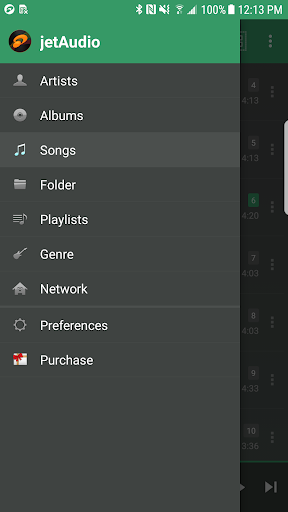
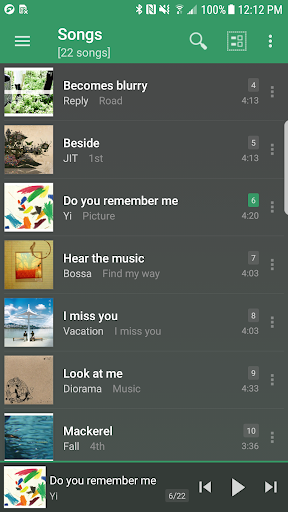
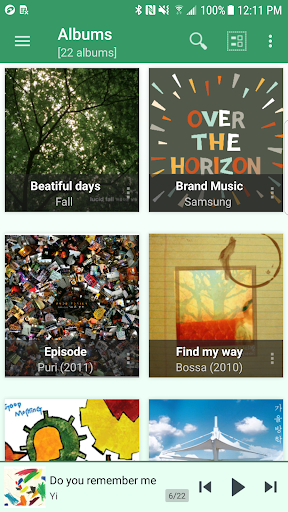
Managing a large collection becomes much easier when songs are arranged according to personal listening habits. jetAudio HD Music Player Plus provides convenient library organization tools that let you browse and group tracks by genre, artist, album, and other available categories.
You can create separate playlists for Rock, EDM, Rap, Pop, or any other musical style you enjoy. If you prefer not to spend time selecting individual songs, the application also provides automatic playback and shuffle options. This feature is particularly enjoyable when you want to let the player choose your next track instead of following a fixed listening order.
jetAudio HD Music Player Plus includes several practical functions that make everyday music listening more comfortable. One particularly useful option is the sleep timer, which allows you to set a playback limit before going to bed. Once the selected period ends, the player automatically stops, helping prevent unnecessary battery consumption throughout the night.
The application also supports home screen widgets, providing quick access to essential playback controls without opening the full interface. Bluetooth compatibility makes it convenient to connect wireless headphones and speakers, while supported playback controls let you manage music through compatible devices. These small utilities contribute to a smoother experience, whether you are relaxing at home, working, or traveling.
If you want more control over your music collection and listening experience, jetAudio HD Music Player Plus is worth exploring. APKMODY provides a convenient way to find the Android installation package. Follow this guide to get started: